What is MCP(Model Context Protocol)?
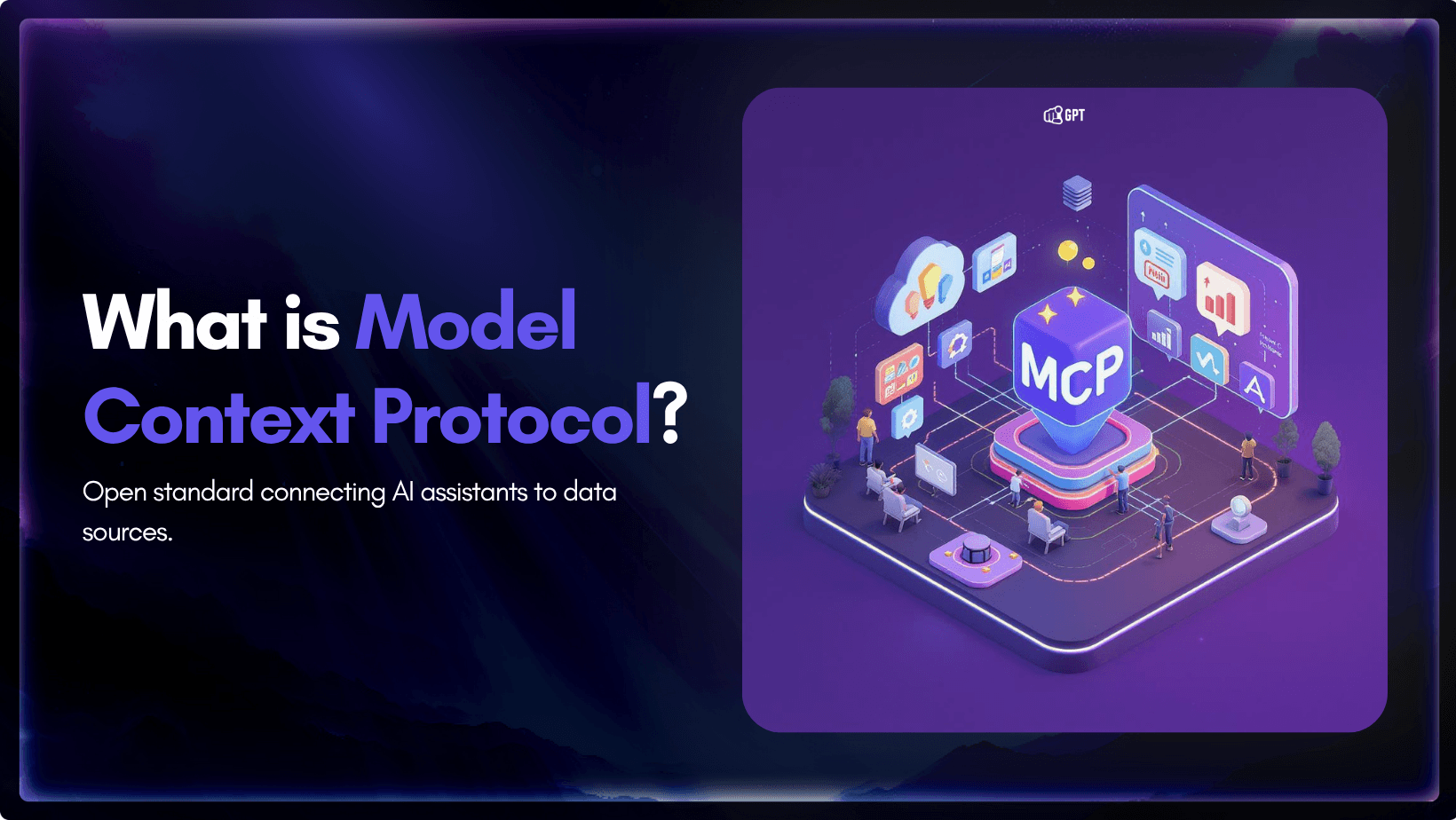
Model Context Protocol
Generative AI has transformed how we work, automate, and create content. But without context, you end up writing long prompts to explain about your company or get generic, unhelpful responses. For AI to deliver real value, it needs access to your latest information and live business context.
Model Context Protocol (MCP) addresses this gap. MCP provides a standard way for AI to access structured business data wherever it lives (CRM, tools) making context portable and accessible on demand.
The first step for many businesses is using MCP to connect their core knowledge base with AI, making essential company information available in any workflow.
In this blog, we’ll cover:
- What is Model Context Protocol (MCP)?
- How MCP works
- The NxM integration problem and how MCP solves it
- Setting up Your first MCP
- Practical UseCases
Let’s get started and first lets understand basics about MCP.
What Is Model Context Protocol (MCP)?

Model Context Protocol is an open-source standard created by Anthropic.
Model Context Protocol is an open-source standard created by Anthropic. It provides a unified interface for AI systems to connect with external tools, data sources, and applications. It acts as a standard bridge between an AI system and the rest of a company’s technology stack.
Without MCP, every AI integration needs separate code. One for Salesforce, another for Slack, another for internal databases, and so on. MCP removes this need by offering one consistent protocol for all connections.
What Makes MCP Different (And Why It Matters)
Earlier, integrating AI with business tools meant facing two difficult choices.
- Custom integration overload
Each AI and tool combination required custom code. For instance, 5 AI tools connected with 6 systems meant 30 unique integrations to build and maintain. Each needed authentication, error handling, data formatting, and regular updates. - Limited AI performance
Without deep integration, AI systems stayed isolated from business data. They could not access the context needed to respond accurately or take action.
MCP solves both issues. It defines a single, consistent way for AI systems to request data, trigger actions, and process responses. As a result:
- Any MCP-compatible AI system can connect to any MCP server
- New integrations do not require rebuilding existing systems
- Security and authentication follow the same structure
- AI can execute linked actions across multiple tools instantly
Who Has Adopted MCP
The protocol launched in November 2024 and adoption has grown quickly.
- Anthropic – integrated MCP across Claude
- OpenAI – added MCP support in ChatGPT (March 2025)
- Google DeepMind – confirmed support in Gemini (April 2025)
- Microsoft – developing MCP-based enterprise AI integrations
- Developer platforms – Cursor, Windsurf, Replit, VsCode and Sourcegraph released MCP-compatible updates
- Enterprise tools – AWS, GitHub, Atlassian, Notion, and over 100 others published MCP servers
Why It’s Useful
- Solves the NxM Integration Problem:
Without MCP, every AI tool (N) needs to be custom-integrated with every external system (M). That’s inefficient. MCP standardizes the way AI connects to tools, reducing this to a manageable setup. - Built for Developers:
With clearly defined protocols, secure authentication, and a client-host-server model, MCP is designed to be reliable and extensible from day one. - Low Engineering Overhead:
No need to build and maintain custom APIs for each new use case. MCP simplifies your stack with one reusable format. - Flexible and Scalable:
You can use MCP to connect to internal tools, cloud platforms, or even build your own servers — no need to rebuild everything from scratch as your stack evolves.
MCP gives your AI a structured way to understand what’s possible and a reliable method to make it happen.
How Model Context Protocol Works: Architecture & Data Flow

MCP operates on a client–server architecture where three components work together to enable communication between AI systems and external tools. The client (such as Claude, Cursor, or Windsurf) sends structured requests, the server (like YourGPT) processes these requests, and tools or data sources respond with the required information or actions.
This setup allows AI systems to access external tools without custom code or complex integrations. Once configured, YourGPT uses MCP to connect securely and consistently with the applications and data you already use.
1. MCP Server
The MCP server acts as the secure gateway between YourGPT and third-party systems. It receives structured requests from YourGPT AI agents and routes them to the right service or data source.
2. MCP Client
YourGPT works as an MCP client. It sends requests (such as fetching customer data or updating records) to the MCP server and handles the responses, delivering context-rich information or triggering actions as needed.
3. Protocol Layer
The protocol layer sets the rules for how data and commands move between YourGPT and your business tools. It covers:
- Secure, standardised communication
- Consistent data exchange
- Reliable responses for every request
By integrating with MCP, YourGPT can connect with a wide range of platforms—without the heavy lifting of building separate integrations for each tool. This keeps your workflows efficient, secure, and ready to grow as your business expands.
The NxM integration problem and how MCP solves it
Connecting multiple AI agents with several business tools usually creates a mess of custom integrations, known as the NxM problem. This is a common blocker for scaling AI in real business operations.
What Is the NxM Integration Problem?
- ‘N’ stands for the number of AI agents, apps, or models in use.
- ‘M’ stands for the number of external tools, data sources, or services you need to connect.
Previously every AI agent must be individually connected to every tool, so you end up with N x M unique integrations.
Example:
If you have 5 AI agents (N=5) and 6 business tools (M=6), it needs to build and maintain 30 separate connections.
Why This Is a Problem
- Wasted Development Effort: Teams rewrite the same logic again and again for every connection.
- Ongoing Maintenance: Every new update to a tool or agent can break integrations, creating constant maintenance work.
- Inconsistent Experience: Different integrations behave differently, leading to unpredictable outcomes and support issues.
- Scaling Is Hard: Adding a new agent or tool means more custom work—not just a configuration change.
- Security Gaps: More connections mean more places for data to leak or vulnerabilities to appear.
How MCP Solves the NxM Problem
Model Context Protocol (MCP) changes the equation. Instead of every agent talking directly to every tool, you connect everything through one standard protocol.
- Each AI agent (N) connects once to MCP as a client.
- Each tool or service (M) connects once to MCP as a server.
Result:
Instead of N x M custom connections, you only need N + M integrations.
For teams that want to implement MCP without building custom servers from scratch, MCP360 offers a ready-to-use unified gateway. It follows the same Model Context Protocol structure but manages authentication, routing, and failover automatically. Instead of maintaining multiple integrations, teams can. connect once through MCP360 and gain access to 100+ external tools instantly.
Benefits of MCP
- Simplicity: You replace dozens of point-to-point connections with a single, standard interface.
- Lower Maintenance: Less custom code to break or update over time.
- Easy to Scale: Add a new AI agent or business tool with just one new connection.
- Consistent Operations: Standardized protocols keep data flows and actions predictable.
- Better Security: Fewer integration points mean fewer risks. MCP’s built-in permission controls protect your data.
- Open Community Growth: MCP is open source and community-driven. Anyone can build and contribute new integrations, so the ecosystem keeps expanding and improving for everyone.
With MCP, both business users and developers benefit from faster setup, easier scaling, and a growing open community—all without the headaches of traditional integration.
Setting up MCP Integration in YourGPT
YourGPT’s Model Context Protocol (MCP) integration allows you to create your own MCP server and connect it with tools such as Claude Desktop, ChatGPT, Cursor, and Windsurf. It provides a secure and consistent way for your AI to access trained information across platforms.
Step 1: Open Integrations

- From your YourGPT dashboard, select Integrations in the left sidebar.
- Scroll down to find MCP (Model Context Protocol).
- Click Configure to start the setup.
Step 2: Create MCP Server

- A setup window will appear, asking you to create an MCP server.
- Click Create MCP Server to generate a secure endpoint for your AI agent.
- This endpoint will act as the communication hub between YourGPT and your external tools.
Step 3: Connect to Supported Tools:
Once the MCP server is active, you can connect it with supported tools. For detailed, step-by-step instructions on connecting with Claude Desktop, Cursor, and Windsurf, follow our full setup guide here.
Real-World Use Cases for MCP Integration
Model Context Protocol (MCP) enables your AI assistant to deliver real, practical value in your daily operations. Here’s how MCP transforms everyday workflows and enhances productivity across key business functions:
1. Unified Knowledge Base in External AI Platforms
- Teams access company FAQs, SOPs, and policy docs within tools like Claude, Cursor, or Windsurf.
- Reduces time spent searching for information; improves consistency in answers.
2. AI-Assisted Content Creation
- Writers or marketers generate content drafts, product descriptions, support replies, or proposals directly in Claude using YourGPT’s trained business knowledge.
- Ensures that all content is fact-checked and aligns with company voice and latest data.
3. Research and Analysis
- Teams running research or market analysis in tools like Windsurf can pull in structured, company-verified data, reports, or competitor intelligence from YourGPT’s training.
- Improves decision-making and saves time collecting scattered info.
4. IT Operations
- Developers or IT teams are coding in Cursor/windsurf and need details from product docs, API references, or security guidelines.
- Instantly retrieve up-to-date technical documentation from YourGPT while coding, reviewing, or debugging.
Suggested Reading
- AI chatbots and enterprise customer experience
- Reinforcement learning from human feedback
- omnichannel chatbot strategies
FAQ
What is Model Context Protocol (MCP)? ▼
MCP is a secure, standardized way for your AI assistant to connect with other business tools. It works like a universal adapter, allowing your AI to share and receive information from systems like CRMs, order databases, and project management software.
Why would I use MCP instead of building my own integrations? ▼
Building custom integrations can be slow and costly. MCP uses a common, reliable structure that saves time and reduces the need for constant updates, making it easier to connect to different tools.
Is MCP secure? ▼
Yes. MCP uses secure tokens to control access, ensuring that only authorized tools and systems can connect to your AI assistant. This helps keep your data safe.
How does MCP help with customer support? ▼
MCP allows your AI to pull real-time information, like order status or account details, straight from your systems. This means customers get accurate answers faster, improving their experience.
Can MCP be used for sales tasks too? ▼
Yes. With MCP, your AI can access your sales data, update contacts, and even send follow-up messages. This helps your sales team stay organized and efficient.
Do I need a developer to set up MCP? ▼
YourGPT’s built-in MCP integration is designed to be straightforward. Some technical steps are involved, but clear instructions and secure tokens make setup manageable even without deep technical knowledge.
What tools can I connect to MCP? ▼
MCP can link your AI to tools like project management platforms, order systems, CRM software, and more. YourGPT currently supports integrations with Claude Desktop, Cursor, and Windsurf.
Will using MCP slow down my AI assistant? ▼
No. MCP is designed for real-time data exchange. It helps your AI assistant respond quickly and accurately, keeping your workflows efficient.
How does MCP support business growth? ▼
As your business grows, MCP makes it easy to connect new tools without rebuilding everything. This keeps your AI assistant aligned with your changing needs.
How do I set up MCP in YourGPT? ▼
In your YourGPT dashboard, go to Integrations and select MCP. Follow the setup steps to create a secure server, add your chosen tools, and start connecting everything you need.
Conclusion
AI without real context is limited. Most businesses struggle to make their AI genuinely useful because access to current, reliable company knowledge is missing.
MCP is not just another integration layer. It is a practical standard for connecting your AI assistant to the data and workflows that matter. This is not about hypothetical future scenarios. It’s about making AI work in your actual environment—today.
- Business teams:
Use MCP to connect YourGPT with your trusted knowledge base and deliver reliable answers, automated responses, and faster resolutions directly inside tools your team already uses. - Developers:
Cut down integration overhead. Rely on a single protocol, not dozens of one-off connectors. Build and maintain less, standardise more, and focus on delivering features that drive business results. - Security and control:
MCP standardises access. You manage permissions centrally, reduce the risk of leaks from scattered custom code, and retain full oversight of what your AI can access and do.
MCP connects AI to your actual business needs, so that context should be shared.
If your AI isn’t working with real-time company data and day-to-day processes, you’re leaving value on the table.
Integrate with MCP to make YourGPT a working part of your daily operations—available wherever your team works.
Connect Your AI Assistant with MCP Integration
Join 10,000+ Business smartly Automating Operations with YourGPT AI.
- ⚡️ 5-minute setup
- 🔒 Secure & Reliable
- 🔌 Omni-Channel Integration
- 📈 Fully Scalable
No credit card required • Full access • Limited time offer

Related posts

18 Lead Generation Strategies & Tactics That Work in 2026