AI Agent for Gaming Customer Support: Use Cases, Workflows, and Escalation Rules
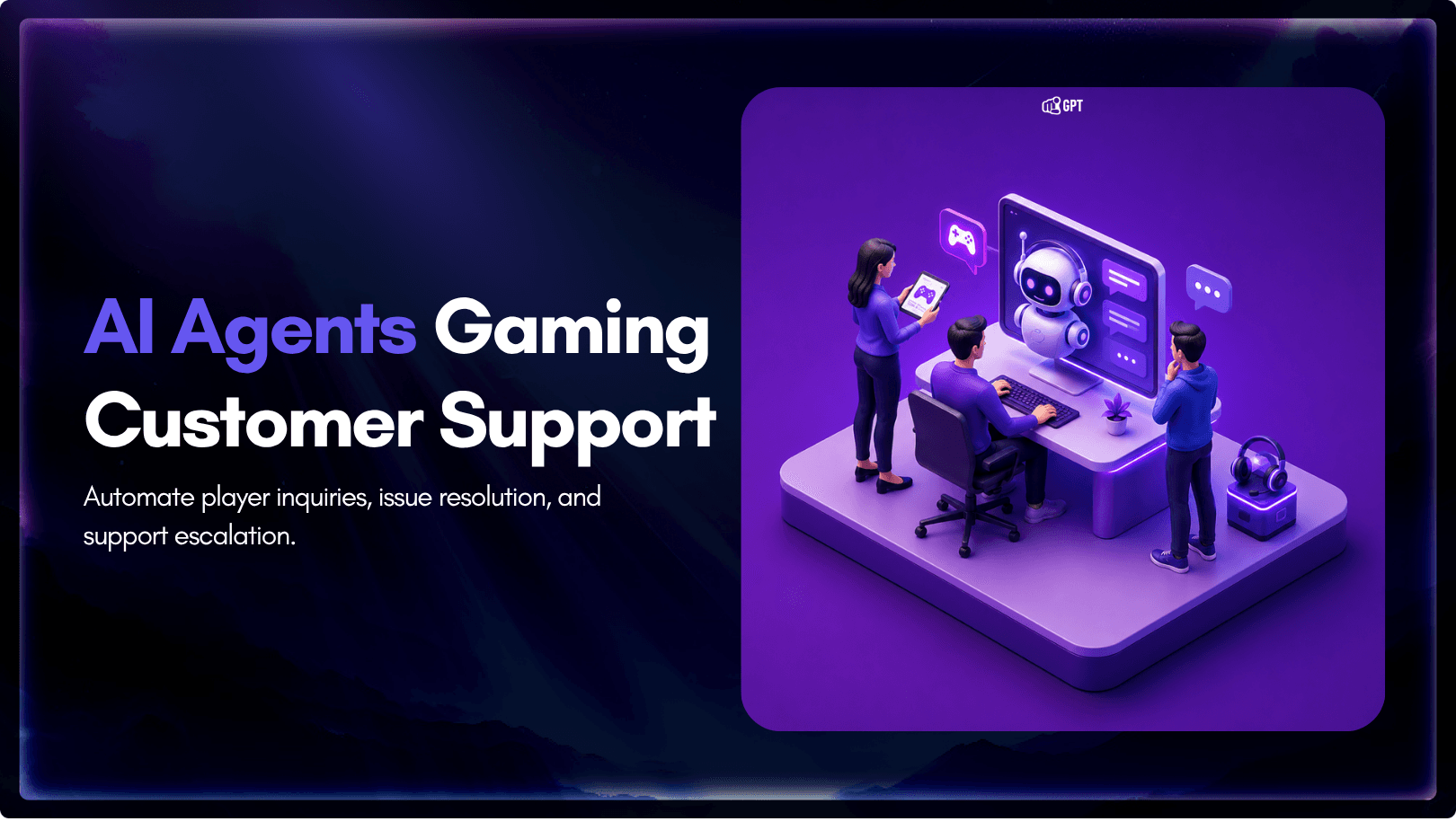
Gaming support teams rarely fail because agents are not trying hard enough. They fail because the system around them is not built for how games actually break.
After a patch, tickets can spike overnight. Players may report multiple issues in one message, describe problems that conflict with backend data, or ask for help with accounts, purchases, bans, inventories, and bugs all at once. Human agents are left sorting through messy context while players wait.
For solo developers and small studios, the challenge is even bigger. Support often means a founder answering tickets between build cycles, updates, and bug fixes. When volume rises, response times slip and player trust takes the hit.
The real problem is structure. Most support platforms were not designed for game-specific workflows or live operations. A gaming AI agent helps by triaging requests, preserving player context, separating multiple issues, resolving routine cases, and escalating only what needs human judgment.
This blog explains what gaming-specific AI agents handle, how the workflow runs end to end, and where escalation boundaries should sit.
What an AI Agent for Gaming Support Actually Does
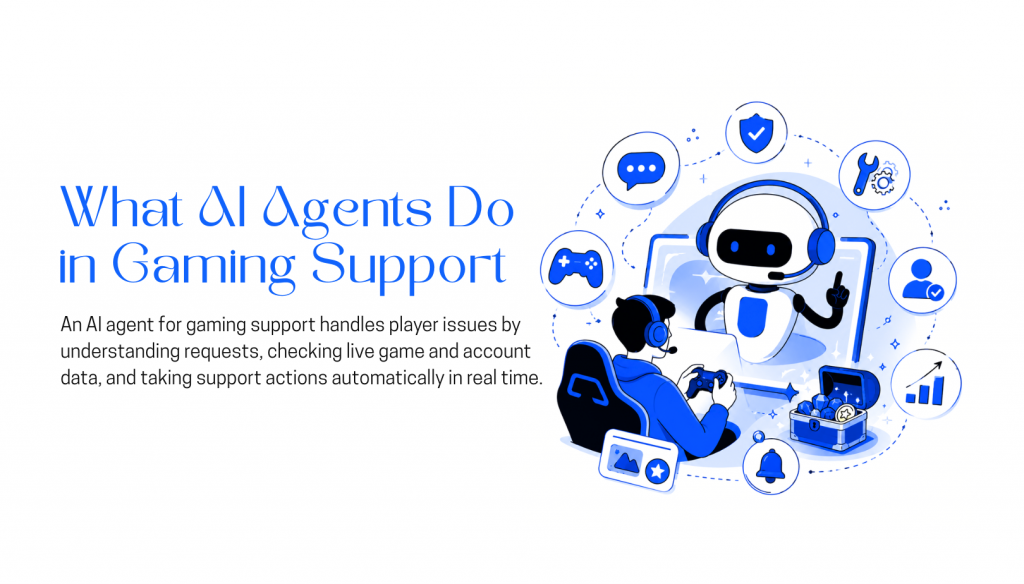
A gaming AI support agent reads live backend records alongside the player’s message and resolves the issue from actual data, not assumed context.
Every support ticket has two versions of what happened. The player’s account. And what the system logged. Those two records regularly contradict each other.
A generic chatbot only sees the first. It reads the message, matches it to a knowledge base entry, and responds. The system record never gets checked.
A gaming AI support agent pulls account state, purchase history, entitlement mappings, gameplay telemetry, and server event logs before responding. The same sources a human agent would check manually, in one pass.
A player reports their Legendary Pack never arrived after purchase. The payment processor logged a successful charge. The entitlement service logged a delivery failure, triggered by a fraud flag mid-transaction. A chatbot returns a help article. The agent reads all three records, identifies the failure point, and issues the entitlement directly.
Same complaint. Completely different outcome.
Without that backend connection, the agent is deflecting with confidence. With it, the agent is doing what the job actually requires: reading the full record and acting on it.
The Six Patterns Behind Most Gaming Support Tickets
Gaming support queues are not random. Volume clusters around six backend systems. Understanding which systems generate which ticket types is what lets you build resolution logic that holds under real load.
1. Login failures and platform linking
Login failures, MFA lockouts, lost credentials, and broken links between Steam, Xbox, PlayStation, and mobile accounts generate steady baseline volume across every studio running a cross-platform title. These resolve through identity validation and device pattern checks via authentication APIs. Manual investigation adds time without adding accuracy.
2. Purchase gaps between payment and delivery
Payment processors, platform storefronts, and internal entitlement services are separate systems with separate failure modes. A purchase can clear on Stripe or the App Store and never register in the entitlement service. Resolving it means reconciling external receipts against internal delivery records and pushing corrections through wallet or entitlement APIs. A chatbot cannot do this. An agent with connected systems can.
3. Broken quests and post-patch progression loss
Broken quests, missing progression, and achievement failures spike after every patch. The correct resolution path depends on whether the issue matches a known bug, a recent config change, or an isolated account state. Without checking deployment records and open bug logs, these tickets get misrouted into engineering queues they do not belong in, where they sit until someone reads them and sends them back.
4. Latency and connectivity complaints
Latency complaints, queue delays, disconnects, and regional instability all look identical in a player message. The diagnostic question is whether the problem sits on the player’s connection or in the infrastructure. That answer comes from server telemetry, not from what the player described. An agent that cannot check telemetry cannot triage these accurately.
5. Bans, appeals, and moderation requests
Bans, ranked restrictions, and appeal requests involve detection pipeline output, match history, and behavioral signals. Support’s role is explanation and structured appeal processing, not verdict review. Outcome decisions belong with trust and safety teams. The agent handles intake and classification. Humans handle judgment.
6. Patch launches and live event spikes
Patch launches, seasonal events, and major updates produce simultaneous spikes across multiple ticket categories. Processing those tickets individually during the event produces contradictory responses to the same root problem. A player who opened a ticket about missing event rewards during an active entitlement incident should not receive a manual resolution that conflicts with the mass fix already being deployed. Incident-level management is the only thing that keeps responses consistent across a high-volume window.
How a Support Agent Processes a Ticket End to End
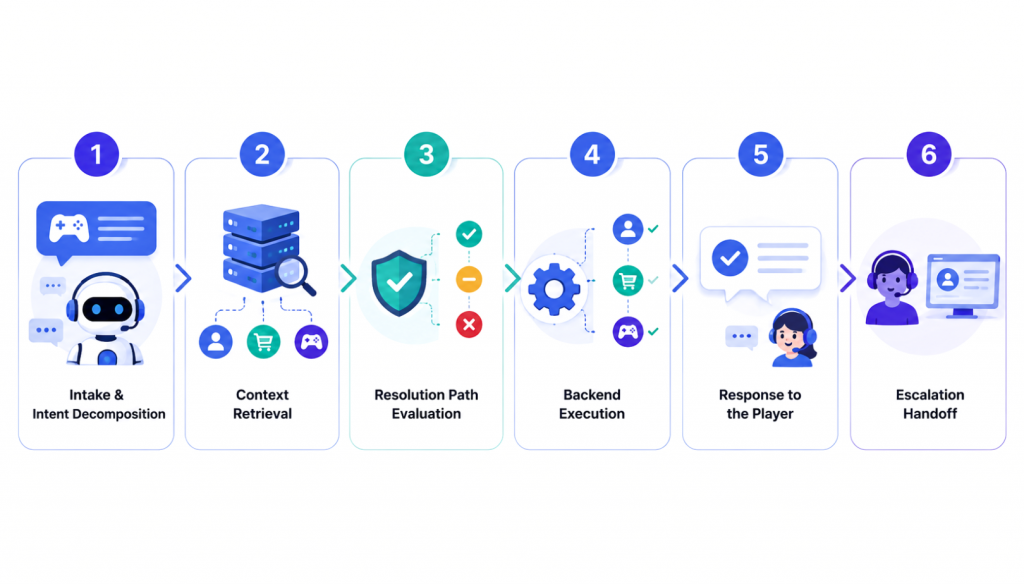
Players do not send single-issue tickets. Someone writing in during a live event might mention an account problem, a missing purchase, and broken matchmaking in the same message. The workflow handles all of it without losing track of what belongs to what.
Step 1: Message intake and intent decomposition
The agent splits the incoming message into separate intent branches, each mapped to a different backend system. Each branch tracks its own entities, which systems to query, validation status, and confidence score for automated resolution. The branches stay linked through shared player context throughout processing. A three-issue message does not create three disconnected tickets. It creates one structured investigation with three parallel tracks.
Step 2: Context retrieval
The agent queries systems based on what each intent branch requires. Account and authentication issues pull login history, device records, and platform linkage data. Commerce issues pull transaction records, platform receipts, and entitlement states. Gameplay issues pull telemetry, progression logs, and recent deployment records. Nothing gets queried speculatively. The retrieval is scoped to what the resolution logic actually needs.
Step 3: Resolution path evaluation
The agent compares the player’s report against backend data. High-confidence matches move to execution. Partial matches trigger additional checks through secondary queries or log review. Anything conflicting, low-confidence, or policy-restricted escalates without execution. Commerce and account cases require particular care here because a half-applied correction can be harder to undo than the original issue.
Step 4: Backend execution
Validated cases execute through connected systems: entitlement restoration, refunds, inventory reconciliation, account recovery, or progression corrections. Every action is logged against the original intent branch so the full execution trace is available if the case needs review or audit.
Step 5: Response to the player
The response is generated from the actual backend outcome. A restored entitlement gets a confirmation that names what was restored and when. An escalating case gets a specific reason, not a template acknowledgment. The response reflects what the system did.
Step 6: Escalation handoff
Cases outside automation scope transfer to human agents with the full trace attached: intent branches identified, system data retrieved, actions attempted, validation outcomes, and the specific trigger that blocked automated resolution. The human agent picks up with context intact rather than reading from the start of the conversation.
Benefits of Using Support Agents for Game Studios
The operational benefits of a gaming AI support agent are concrete enough to measure, which matters when you’re making a case internally for the investment.
- Fewer repeat reviews of the same issue type: High-volume issues like missing purchases, login failures, and known post-patch bugs get classified and filtered automatically. Support agents stop re-reading functionally identical tickets throughout a shift.
- Faster resolution for data-confirmed cases: When account records, transaction logs, or entitlement data clearly support a resolution, those cases move through without a manual lookup step. For high-volume events, that compounds quickly across thousands of tickets.
- Stable throughput during traffic spikes: Launch days and live events generate volume that overwhelms queues when processing is manual. Structured classification keeps throughput consistent regardless of incoming volume, which matters most exactly when pressure is highest.
- Higher-quality escalations to human agents: Escalated cases arrive with system data retrieved, validation steps completed, and a specific escalation reason noted. Agents spend less time reconstructing what happened and more time on the judgment call that actually requires them.
- Earlier detection of recurring system issues: Structured intake surfaces patterns faster than manual review does. The same entitlement failure appearing across hundreds of tickets within a two-hour window, or a matchmaking problem concentrated in one region, reaches engineering much faster through classification data than through ticket counts alone.
The structural outcome is that support teams redirect capacity away from cases that data and policy can already resolve. That capacity goes to enforcement reviews, edge cases, and system investigations where human judgment is genuinely required.
How to Build a Gaming Support AI Agent with YourGPT
YourGPT provides a no-code setup workflow that connects support channels, game system integrations, knowledge bases, and escalation logic without requiring custom infrastructure. Here’s how the build process works.
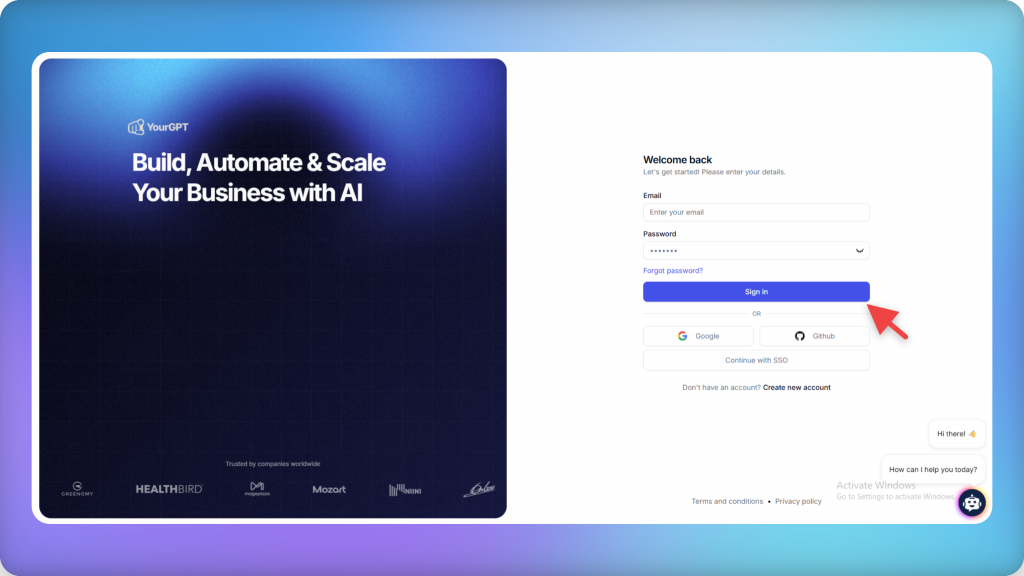
Step 1: Create and configure the agent
Create an account on YourGPT and create a new AI agent. Configure it to cover the primary gaming support categories: account access, purchases, gameplay issues, matchmaking, and live-service support.
Step 2: Train on your actual support content
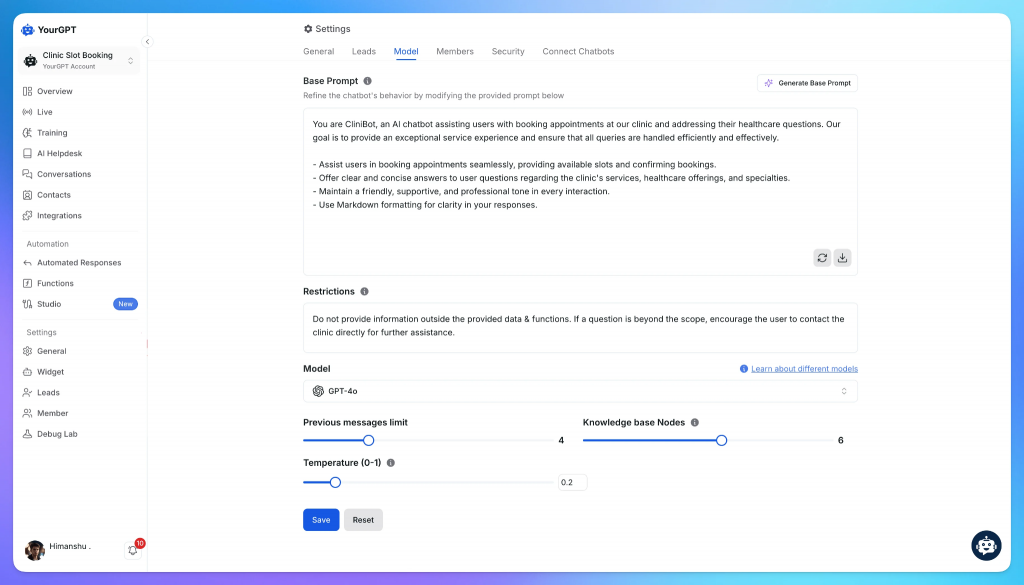
Feed the agent your actual support content and operational data:
- Help center articles and FAQs
- Patch notes and known issue logs
- Refund and account recovery policies
- Moderation and enforcement guidelines
- Historical ticket categories and resolution outcomes
Training quality directly affects how accurately the agent maps incoming messages to resolution paths. Generic training produces generic routing. Specific training, including past tickets and resolution notes, produces much better classification.
Step 3: Define behavior, not just knowledge
Define how the agent behaves across specific support scenarios:
- Which issue categories it handles versus escalates by default
- Communication tone and response structure
- Escalation triggers for payment disputes, enforcement actions, and unresolved backend conflicts
- Restricted actions the agent is never permitted to execute autonomously
This step is where you encode your support policies into the agent’s behavior, not just its knowledge.
Step 4: Connect backend systems
Connect the agent to your support channels and game infrastructure. Depending on your stack, this includes:
- In-game support interfaces and ticketing systems
- Authentication and account management APIs
- Payment processors and entitlement services
- Gameplay telemetry and incident monitoring dashboards
Once connected, the agent validates issues against live system data. Without backend connectivity, you have a chatbot. With it, you have an agent.
After integration, deploy across your player support channels. AI classifies issues, retrieves backend context, executes approved workflows, and escalates edge cases with structured context attached.
After integration, deploy across your player support channels. The agent classifies issues, retrieves backend context, executes approved workflows, and escalates edge cases with structured context attached.
FAQs
What is an AI agent for gaming customer support?
A gaming AI support agent is an automated assistant that helps players with account, purchase, progression, matchmaking, and gameplay-related support requests.
When connected to game systems, it can access player accounts, transaction records, entitlement services, gameplay telemetry, and community platforms. This allows the agent to investigate issues, verify purchases, review account activity, answer questions, and either resolve the request or send it to a human support agent when needed.
The main difference is that a gaming AI support agent works with real player and game data instead of only responding with information from a help center or FAQ page.
Why do gaming companies need AI for customer support?
Gaming companies often experience large support spikes during game launches, major updates, seasonal events, and server outages.
When thousands of players encounter similar issues at the same time, manual support teams can struggle to keep up with ticket volume and response expectations.
An AI support agent helps absorb repetitive requests, provide instant answers, and maintain service quality during peak periods while allowing human agents to focus on more complex cases.
Can a gaming AI support agent handle issues accurately without a human?
Yes, but only when the issue falls within predefined support workflows and resolution rules.
For example, the agent can often handle purchase verification, entitlement checks, account status questions, progression issues, and common troubleshooting requests without human involvement.
However, cases involving fraud investigations, account enforcement actions, disputed transactions, identity verification, or conflicting account records should be escalated to a human support agent for review.
What is the biggest benefit of using AI in game support?
The biggest benefit is not just faster responses. A gaming AI support agent helps deliver consistent support experiences across every player interaction.
It applies the same policies, verification checks, and resolution workflows regardless of ticket volume, support shift, or communication channel.
When a case requires human judgment, the agent can transfer the conversation together with relevant account history, player activity, transaction records, and previous support interactions so agents can focus on investigation and decision-making rather than collecting information.
Conclusion
Gaming support works best when it is built around player context.
A player issue often depends on account status, payment records, entitlement data, moderation history, and support policy. AI agents help bring those signals into one support flow, so routine cases can be checked, routed, and resolved with more accuracy.
This creates a better support model for launches, updates, live events, billing issues, and community operations. Players get clearer answers, while human agents receive the cases that truly need judgment, empathy, or deeper investigation.
Platforms like YourGPT can help gaming teams build this layer across websites, chat channels, communities, APIs, workflows, and human handoff.
For gaming studios, the real advantage is operational clarity: know what happened, know what action is allowed, and give players reliable help at the moment they need it.

Related posts