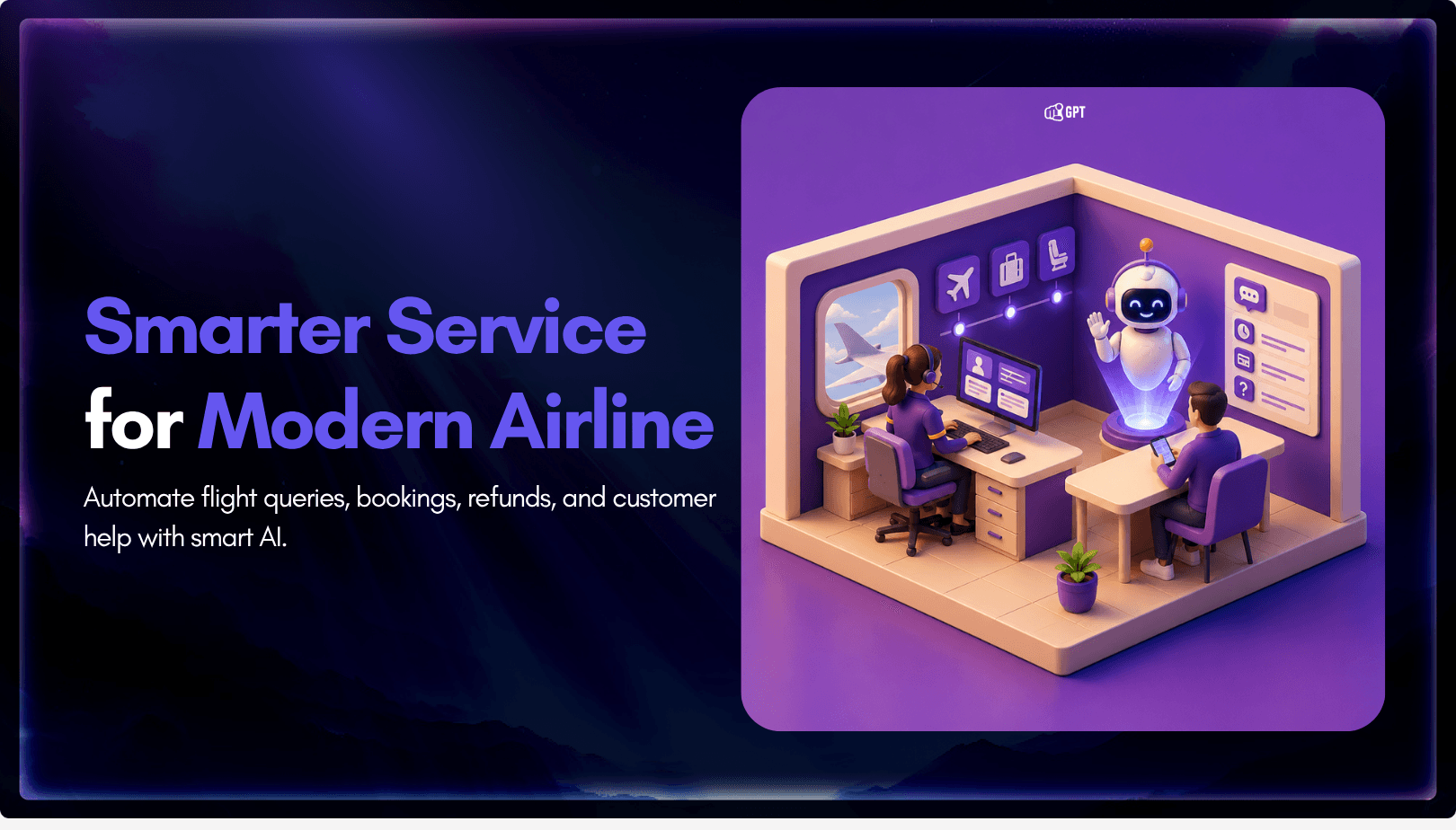
How to Build an AI Agent for Airline Customer Support
TL;DR
Most airline support requests depend on information spread across booking systems, flight operations, baggage platforms, loyalty programs, and internal policies.
Airline AI agents bring that information together to help passengers with rebookings, flight disruptions, baggage inquiries, refunds, loyalty requests, and other support workflows without requiring multiple transfers between teams.
Building one requires more than a chatbot. The agent needs access to airline systems, clear guardrails, automation scope, escalation paths, and testing against real passenger scenarios before deployment.
Passengers do not care which system holds the answer. They expect the airline to understand their situation and help them move forward. The challenge is bringing together the data, workflows, and operational context needed to make that possible.
Airlines are now moving beyond simple support automation and building AI agents that can assist passengers through real operational workflows.
A passenger request may involve booking details, fare rules, baggage status, loyalty data, or internal service policies. To resolve it properly, the support system needs more than a prepared answer. It needs access to the right data, clear workflow logic, and defined rules for when to act or escalate.
This is where an airline AI agent becomes useful. It can be designed to understand the request, retrieve information from connected systems, follow airline-specific processes, and support the passenger through the next step.
But building one requires careful setup. The agent needs a clear scope, reliable system connections, workflow-based logic, escalation boundaries, and testing before it is used with real passengers.
In this blog, we’ll walk through how to build an AI agent for airline customer support, from planning and system integration to workflow design, deployment, and testing.
What You Need Before Building an Airline AI Agent
Building an AI agent for airline customer support starts long before connecting systems or creating workflows. To deliver accurate and reliable support, the agent needs clear responsibilities, access to the right information, and defined rules for when human intervention is required.
Many passenger requests depend on multiple systems and operational processes behind the scenes. Without proper planning, the agent may return incomplete answers, follow the wrong workflow, or escalate cases unnecessarily.
This planning stage is also the right time to define how the agent will appear to passengers. A clear, trustworthy name can make the experience feel more familiar and professional, and you can use an AI chatbot name generator to explore names that match your airline’s tone, brand, and support experience.
Before building the agent, focus on three key areas:
1. Define the Agent’s Role
Start by deciding what the AI agent should handle and what should remain with human support teams.
For example, the agent may manage booking lookups, baggage tracking, refund status checks, and loyalty inquiries. More complex requests, such as compensation disputes, policy exceptions, or legal complaints, may require human review.
You should also define where the agent will operate, whether on your website, mobile app, WhatsApp, email, or other support channels.
2. Map the Current Support Process
Before automating a request, understand how it is handled today.
Document the workflows behind common support requests, including:
- Booking lookups
- Fare rule verification
- Baggage status checks
- Refund status requests
- Loyalty account inquiries
- Human escalation procedures
This helps ensure the AI agent customer supports existing operations rather than creating new bottlenecks.
3. Identify Required System Connections
The AI agent can only work with the information it can access.
Identify the systems and data sources required to support passenger requests, such as:
- Passenger Service System (PSS)
- CRM platform
- Baggage tracking system
- Refund or payment system
- Knowledge base
- Internal SOPs and policy documents
Connecting the right systems enables the agent to retrieve accurate information, follow airline policies, and assist passengers effectively.
Step-by-Step: Build an Airline AI Agent with YourGPT
Building an airline AI agent involves more than adding a chatbot to your support channels. The agent needs access to airline systems, passenger data, booking context, fare rules, baggage information, and clear escalation workflows to assist travelers reliably.
Airline support requests often depend on multiple systems working together, such as the passenger service system, reservation database, CRM, flight status API, baggage tracking tools, loyalty platform, and refund management process. The steps below show how to create, configure, and deploy an airline AI agent using YourGPT.
Step 1: Sign up to YourGPT
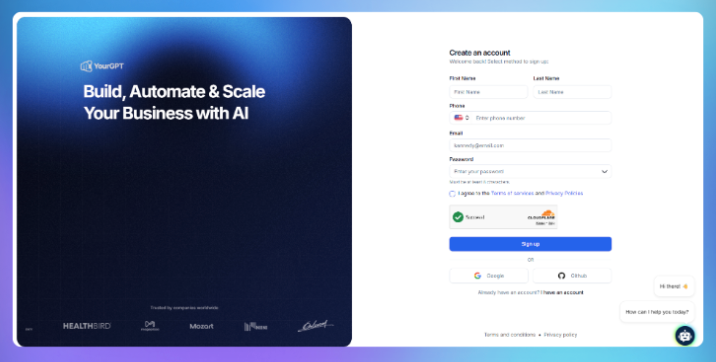
Go to YourGPT and create an account. Once inside the dashboard, you can access the workspace where AI agents are created, trained, tested, and managed for passenger support, airline customer service, and operational workflows.
This workspace becomes the control center for configuring your airline AI agent, connecting knowledge sources, setting automation rules, and preparing the agent for real passenger conversations across web chat, email, messaging apps, and voice channels.
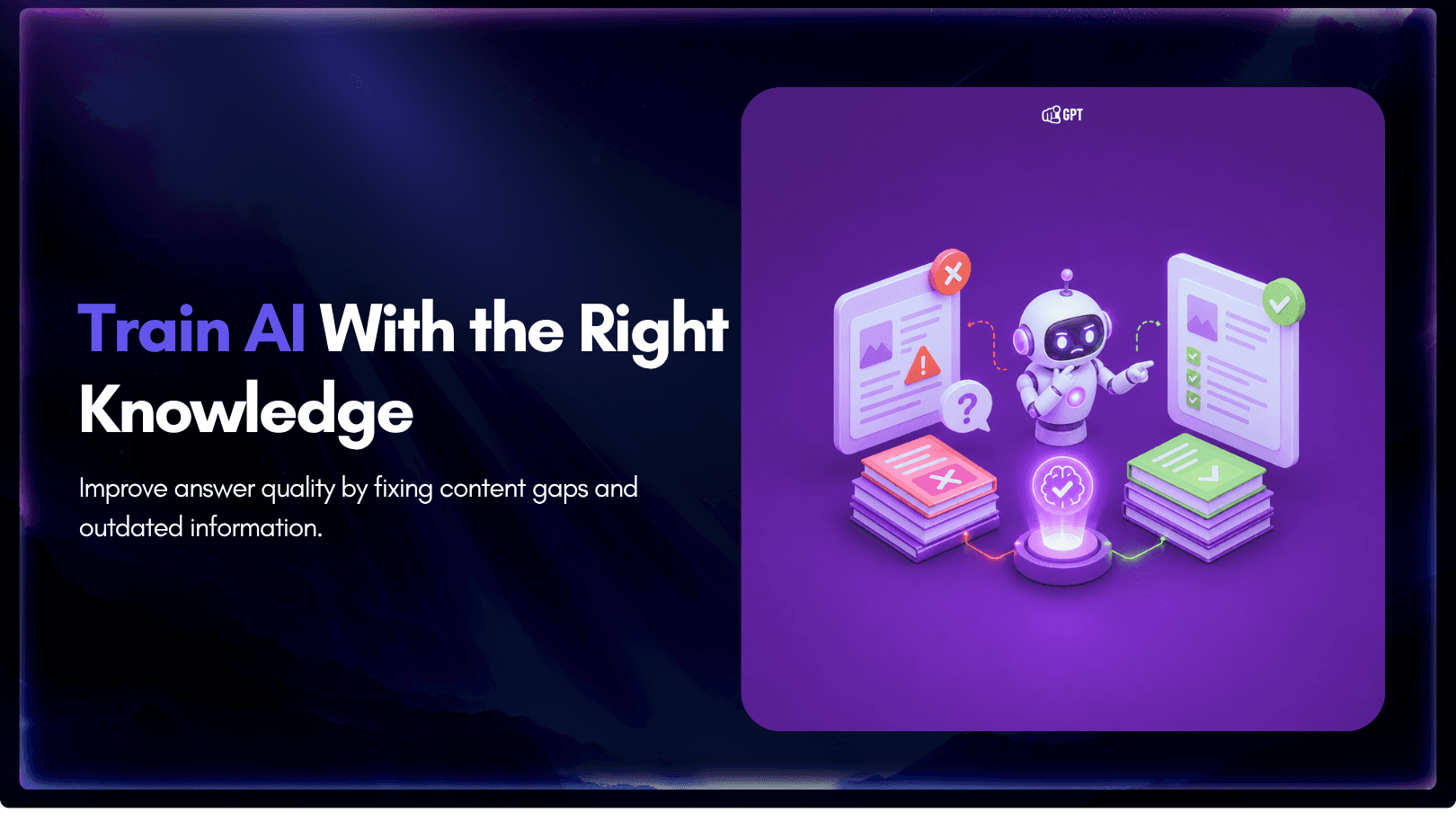
Step 2: Train on your Airline knowledge sources
Upload the structured content the agent draws on when forming responses. This includes help center articles, policy documents, fare and refund conditions, loyalty program rules, and internal handling procedures.
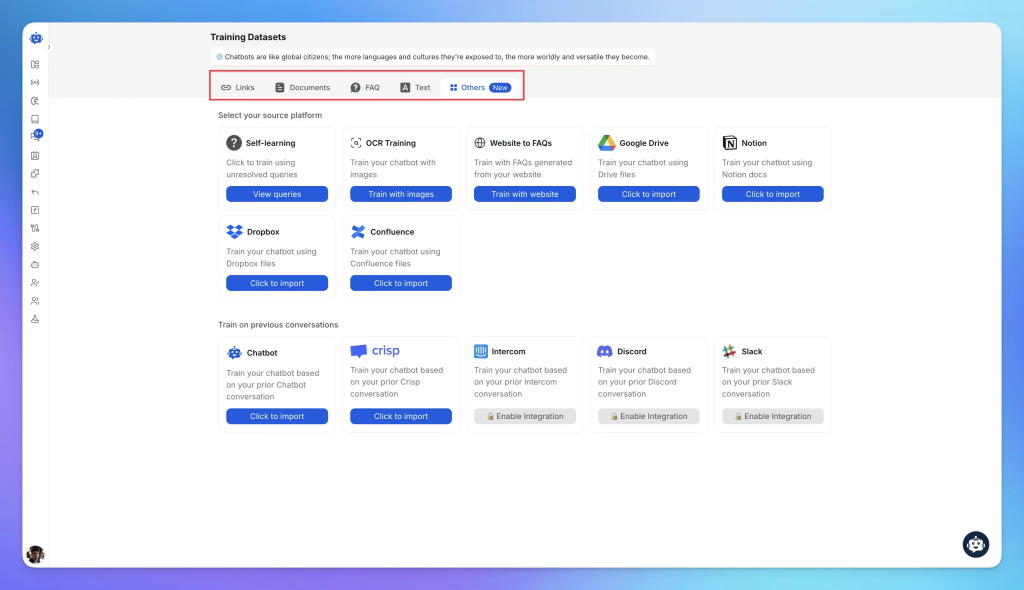
Historical support tickets are worth adding where available. Passengers phrase requests differently from how policies describe them, and an agent trained only on documentation can mislabel intent as a result.
Step 3: Define behavior and support rules
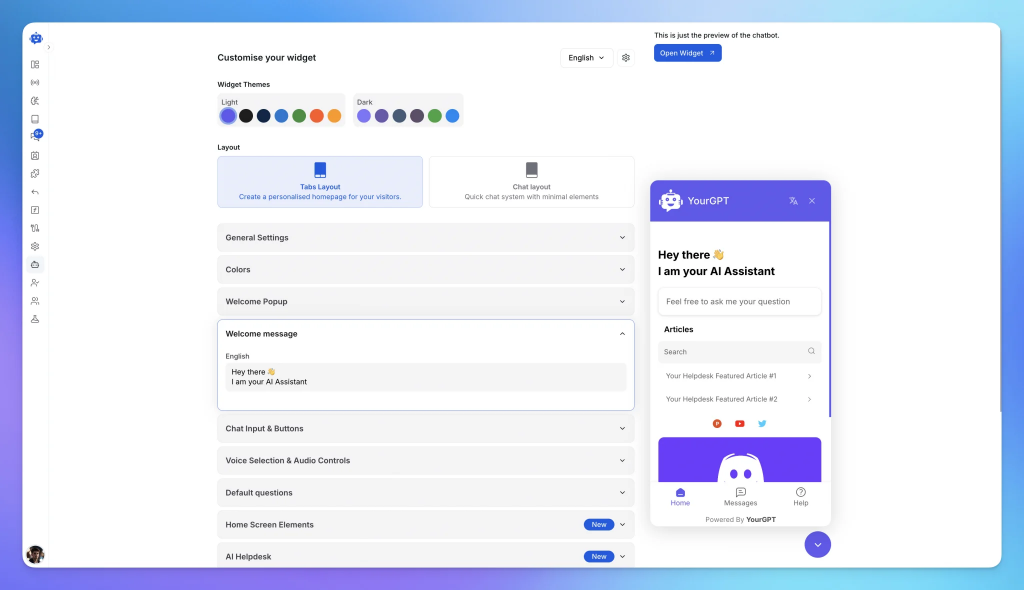
Before connecting systems, define how the AI agent should interact with passengers. The same answer can be delivered in different ways depending on your airline’s service standards, operational requirements, and brand voice.
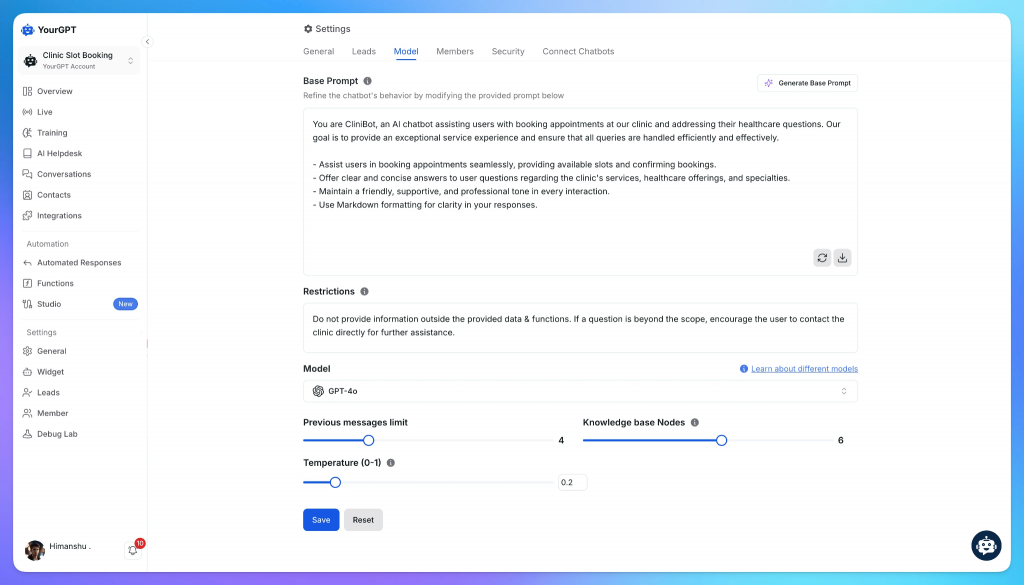
Create a persona that reflects how customer support teams communicate with travelers. Define the agent’s tone, response style, escalation policies, and decision boundaries. For example, the agent may be instructed to remain calm during disruptions, provide concise responses during urgent travel situations, verify passenger information before discussing bookings, and avoid making compensation commitments without authorization.
This is also where guardrails are established. Define what the agent can answer, what actions it can perform, what information it can access, and when a conversation should be transferred to a human agent. Well-defined guardrails help maintain consistency, reduce inaccurate responses, and ensure compliance with airline support policies.
YourGPT allows teams to configure these instructions directly within the agent settings or build more advanced conversation logic, workflows, and decision trees using AI Studio.
Step 4: Integrate with Your System
Connect the agent to your airline systems and passenger-facing channels.
On the systems side, use integrations to connect your passenger service system, booking engine, baggage tracking platform, CRM, loyalty database, refund management system, fare rule engine, and flight status data sources. These integrations allow the agent to retrieve passenger information, check booking details, verify eligibility rules, and provide real-time operational updates.
On the channel side, deploy the agent across your website, mobile application, live chat, email, WhatsApp, Messenger, and other messaging platforms used by passengers.
If your airline handles support through phone channels, you can also deploy AI voice agents. Voice agents use the same knowledge sources, guardrails, workflows, and integrations while providing conversational support through inbound and outbound voice interactions.
Once deployed, the agent can access relevant passenger context, retrieve operational data, execute approved workflows, and determine whether a request should be resolved automatically or escalated to a human support representative.

Step 5: Test and Deploy
Before making the AI agent available to passengers, test it against the types of requests it will handle in production. The goal is to verify that the agent retrieves accurate information, follows airline policies correctly, executes workflows as expected, and escalates conversations when appropriate.
Start by simulating common airline support scenarios such as flight delays, cancellations, rebooking requests, baggage tracking, refund eligibility checks, loyalty program inquiries, and special assistance requests. Review how the agent responds, what information it retrieves, and whether it follows the correct support process.
Pay particular attention to edge cases. Airline support often involves exceptions, fare restrictions, schedule changes, and policy-dependent decisions that require careful handling. Test situations where the agent should escalate to a human representative instead of attempting to resolve the issue independently.
If the agent is connected to external systems, validate every integration. Confirm that booking information, flight status updates, baggage tracking data, loyalty account details, and other connected services return accurate and current information during conversations.
For teams using AI Studio, this stage is also an opportunity to test workflows, conditions, API calls, automations, and escalation logic before deployment.
Once testing is complete, publish the agent and monitor early conversations closely. Review unresolved queries, identify gaps in knowledge or workflows, refine instructions where necessary, and continue improving performance based on real passenger interactions.
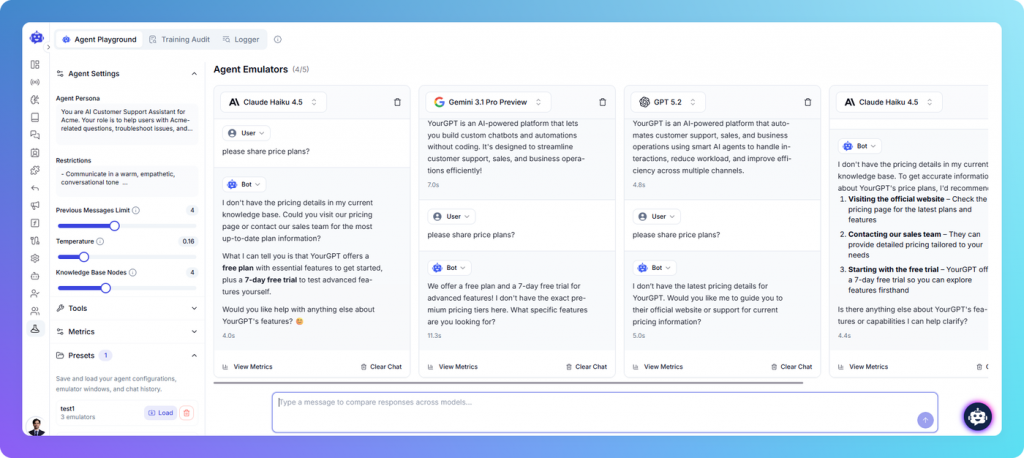
How to Test an Airline AI Agent Before Launch
Testing should confirm that the AI agent can follow the right workflow, retrieve accurate data, apply airline policies, and escalate cases when automation is not appropriate.
1. Use Real Passenger Conversations
Use historical support tickets instead of clean sample prompts. Real passenger messages often include missing details, unclear wording, multiple requests, spelling mistakes, and emotional language.
This helps verify whether the agent can understand the request, ask for missing information, and choose the correct workflow.
2. Validate Data Accuracy Across Systems
Airline support depends on multiple systems. Check how the agent responds when booking records, baggage updates, fare rules, or refund status do not match.
The agent should follow clear priority rules, avoid guessing, and escalate when data is incomplete or conflicting.
3. Verify End-to-End Workflow Completion
Do not test only the first response. Check whether the agent can complete the full process from request intake to resolution.
For example, a refund status request should include passenger verification, booking lookup, refund record check, policy validation, response generation, and escalation when approval is needed.
4. Assess Escalation Quality
When a case is handed to a human agent, the escalation should include the passenger request, verified details, systems checked, actions taken, and reason for escalation.
This prevents the human agent from restarting the investigation.
5. Simulate High-Volume Support Scenarios
Simulate peak support conditions such as mass delays, cancellations, weather events, or seasonal travel spikes.
The agent should continue routing requests correctly, applying policies consistently, and escalating cases when automation is not appropriate.
5 Decisions That Shape the Success of an Airline Support Platform
Technology is only one part of an airline support deployment. The larger decisions often involve workflows, operational ownership, system access, escalation policies, and the customer experience you want to create.
The questions below typically have a greater impact on long-term success than the underlying AI technology itself.
1. Should the Platform Inform or Take Action?
Answering questions and performing actions are different responsibilities.
A support platform may start by answering passenger questions and later expand into workflows such as rebookings, baggage claims, refund requests, service requests, and case creation.
The more actions a platform performs, the more important validation, approvals, auditability, and system integrations become.
2. What Should Come From Knowledge Sources vs Live Systems?
Not all airline information should be retrieved the same way.
Knowledge sources are designed for information that changes infrequently and is governed by published policies or procedures. This typically includes fare rules, baggage allowances, loyalty program terms, travel requirements, customer support policies, and other documented guidance that should remain consistent across customer interactions.
Live systems are required whenever the AI agent needs current operational information. Flight status, booking details, seat inventory, baggage tracking, passenger records, gate changes, disruption updates, and service requests all depend on real-time data from airline systems.
A useful rule is that if the answer should be the same for every passenger, it usually belongs in a knowledge source. If the answer depends on a specific passenger, booking, flight, or operational event, it should come from a live system.
Many airline AI projects struggle because operational data is treated as documentation. An AI agent cannot accurately answer questions about a passenger’s flight, booking, or baggage status unless it can access the systems where that information is maintained.
3. Which Passenger Journeys Should Be Automated?
Most airline support requests can benefit from automation when the platform has access to the right systems, policies, and workflows.
Common examples include:
- Flight status updates
- Booking lookups
- Boarding and check-in guidance
- Baggage allowance questions
- Loyalty program inquiries
- Seat selection requests
- Upgrade eligibility checks
- Refund eligibility checks
- Refund request submission
- Compensation eligibility assessments
- Travel document requirements
- Airport and terminal information
- Special meal requests
- Frequent flyer account support
- Case status updates
Many of these workflows can be resolved without human involvement when the platform can retrieve passenger context and complete the required actions through connected systems.
However, automation should not become a dead end.
Passengers should always have a clear path to reach a human representative when the situation becomes urgent, complex, or emotionally sensitive.
Common examples include:
- Flight cancellations affecting immediate travel
- Missed flights and missed connections
- Stranded passengers
- Medical or accessibility-related situations
- Disruption events involving multiple itinerary changes
- Escalated complaints and disputes
- Cases where policies require human judgment
- Situations where the passenger specifically requests human assistance
The goal is not to automate every interaction. The goal is to automate routine work while ensuring passengers can quickly reach the right team when human support provides a better outcome.
4. Where Should Human Teams Enter the Process?
Human handoff should be planned before the AI agent goes live. Even the most capable airline support agent cannot handle every situation without oversight.
Most airlines define clear ownership for situations such as flight disruptions, customer complaints, accessibility requests, medical assistance cases, VIP passenger support, and other exceptional scenarios that require human judgment.
The objective is not to replace human teams. The objective is to ensure passengers are connected to the right people when a request falls outside the scope of automation or requires a higher level of decision-making.
5. How Will Success Be Measured?
Containment rate is only one metric.
Support leaders often evaluate:
- Resolution rate
- Customer satisfaction
- Escalation accuracy
- Average handling time
- Operational efficiency
- Passenger effort
- Consistency of responses
The strongest deployments are usually measured by customer outcomes rather than by how many conversations avoid a human agent.
Frequently Asked Questions
How long does it take to build an airline AI agent? ▼
The timeline depends on the number of workflows, integrations, and support channels involved. A basic deployment focused on common passenger requests can be launched relatively quickly, while more advanced implementations that connect multiple airline systems may require additional planning and testing.
Which airline systems should an AI agent connect to? ▼
Most airline AI agents connect to systems such as the Passenger Service System, CRM, baggage tracking platforms, refund systems, loyalty databases, and internal knowledge bases. The required integrations depend on the types of requests the agent is expected to handle.
Can an AI agent work across multiple customer support channels? ▼
Yes. An airline AI agent can be deployed across websites, mobile apps, WhatsApp, email, and other messaging channels while maintaining consistent workflows and responses.
How do airlines control what the AI agent can and cannot do? ▼
Airlines define the agent’s scope during setup. They can specify which requests the agent can resolve independently, which actions require approval, and which cases must always be escalated to a human agent.
What happens when the AI agent cannot resolve a request? ▼
The agent can transfer the conversation to a human support representative. A properly configured handoff includes conversation history, passenger details, retrieved information, and the reason for escalation.
How do airlines keep AI agent responses accurate over time? ▼
Regular reviews of conversations, workflows, integrations, and knowledge sources help maintain accuracy. Airlines should also update the agent when policies, operational processes, or connected systems change.
Conclusion
Building an airline customer service agent is not simply about adding another communication channel. It involves creating a system that can access passenger and operational data, follow airline-specific workflows, and help travelers complete real tasks such as checking flight status, managing bookings, requesting refunds, or resolving service issues.
Successful deployments start with clear scope, reliable integrations, well-defined escalation rules, and thorough testing. When these foundations are in place, the AI agent can handle structured requests consistently while allowing support teams to focus on more complex cases.
As airlines continue to modernize customer service operations, AI agents will increasingly become part of the support infrastructure, helping teams manage growing passenger expectations without increasing operational complexity.
YourGPT helps airlines build and deploy AI agents that connect with operational systems, support structured workflows, and deliver a more efficient customer support experience across channels.

Related posts