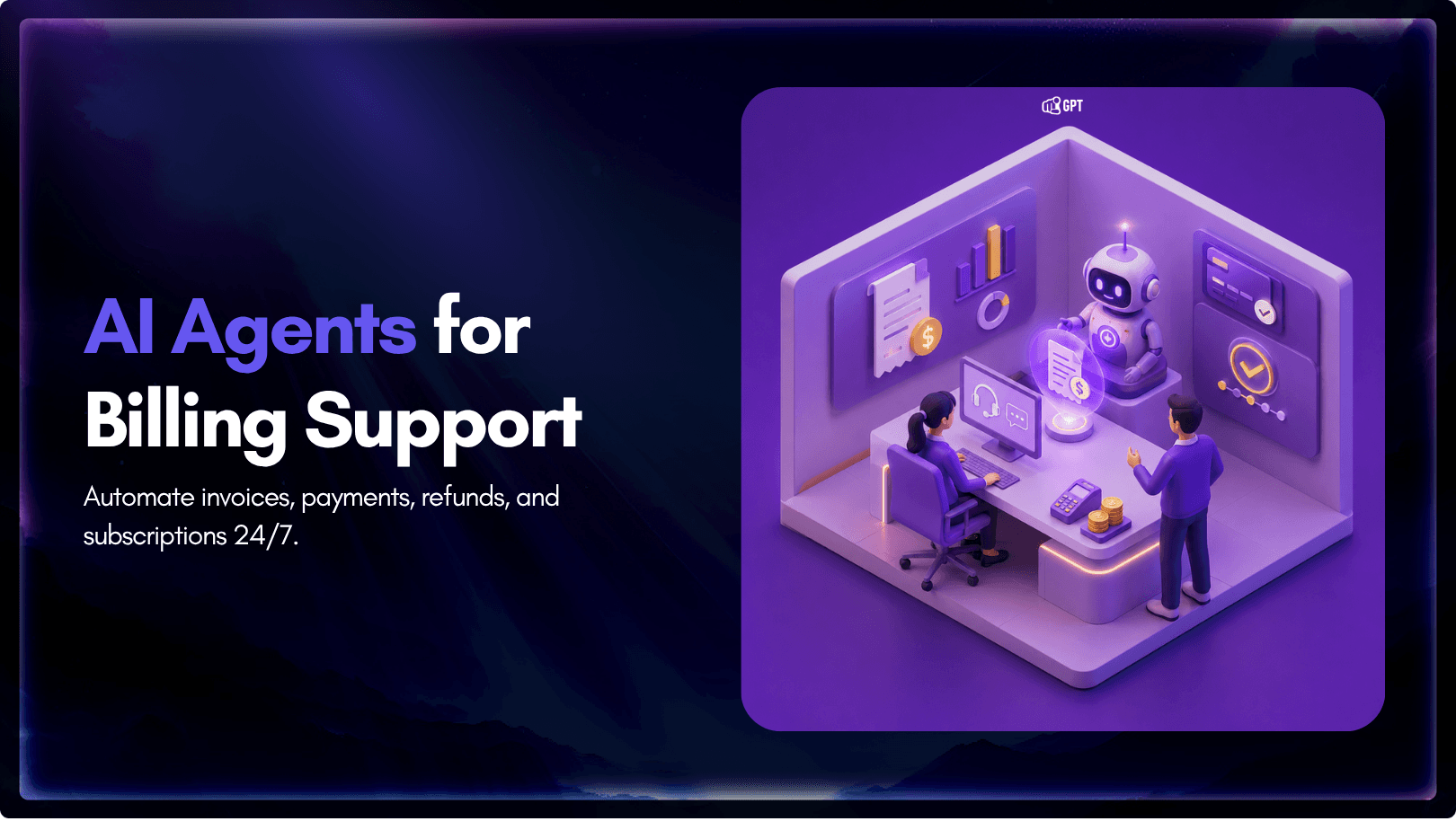
AI Billing Support: Invoices, Payments, Refunds & Subscriptions
Billing support can quickly become a burden for subscription businesses.
Customers often ask the same questions: where their invoice is, why they were charged, why a payment failed, whether they can get a refund, or how to change their subscription.
These questions may look simple, but they usually require a support agent to check billing records, verify payment history, review refund rules, and respond with accurate account-specific information.
As your customer base grows, these small tasks turn into a high-volume support problem. More subscribers mean more invoices, failed payments, refund requests, plan changes, and cancellation questions.
Traditional chatbots can answer basic billing FAQs, but they usually cannot take action. They may explain a refund policy, but they cannot check eligibility or process the refund. They may tell a customer to update their card, but they cannot generate a secure payment link.
A billing support AI agent goes further. It connects to your billing system, checks live customer data, applies your rules, and helps resolve common billing issues directly inside the conversation.
In this post, you will learn how a billing AI agent handles invoices, payments, refunds, and subscription questions, and how businesses can use it to reduce manual support work while improving customer experience.
What Is a Billing Support AI Agent?
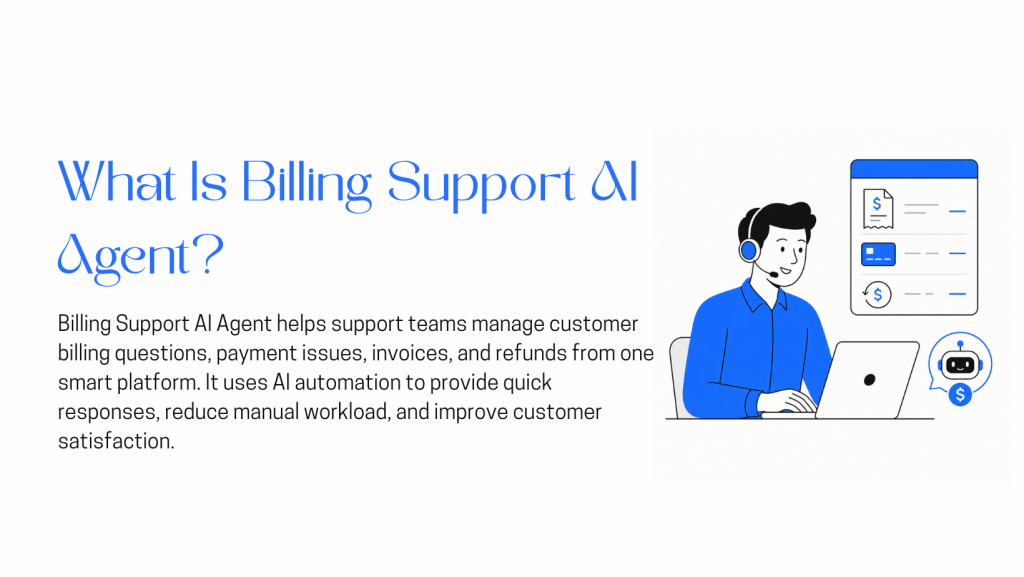
A billing support AI agent is an automated assistant that helps customers resolve billing questions using real account and payment data.
Unlike a basic FAQ chatbot, it does more than return help-center answers. When connected to your billing system, it can look up invoices, check payment status, explain charges, guide customers to update payment details, and route sensitive cases to the right human team.
The important difference is controlled action.
A billing AI agent should not have unlimited access to payments or customer accounts. It should work within rules set by your business, such as refund limits, approval steps, escalation triggers, and read-only access where needed.
For example, a simple invoice request can be handled automatically. A high-value refund, chargeback issue, tax dispute, or contract cancellation should usually be escalated to a human with the account details already prepared.
A well-configured billing support AI agent can help with:
- Invoices: Find, resend, or explain invoices using billing records.
- Payments: Check failed payments, explain common decline reasons, and guide customers to a secure payment update flow.
- Refunds: Check refund eligibility against your policy and escalate cases that need review.
- Subscriptions: Help customers understand renewals, upgrades, downgrades, pauses, or cancellations.
- Usage-based billing: Explain usage, overage charges, credits, or plan limits when usage data is available.
The goal is not to replace every billing conversation. The goal is to resolve routine requests faster, reduce manual lookup work, and make sure complex billing issues reach a human with the right context.
Business Benefits of a Billing Support AI Agent
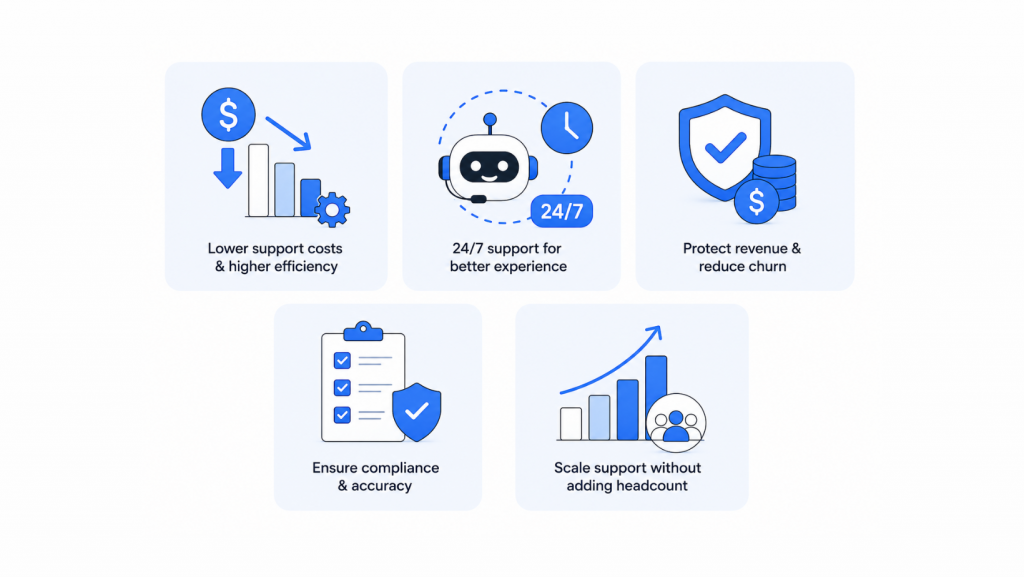
A billing support AI agent helps teams handle common billing questions faster, without making customers wait for a human agent every time.
It is most useful for repetitive tasks such as invoice requests, failed payment questions, refund checks, subscription changes, and plan-related queries. These issues often require the same steps: check the account, review billing history, apply the policy, and give the customer a clear answer.
1. Reduces Manual Support Work
Billing tickets take time because agents often need to switch between tools, check customer records, confirm payment details, and write a response.
A Billing AI Agent can reduce that manual work by handling routine requests directly. It can find invoices, explain charges, check payment status, and guide customers through simple account actions.
This allows support teams to spend more time on complex cases, disputes, retention conversations, and customers who genuinely need human help.
2. Gives Customers Faster Answers
Billing questions are often urgent for customers.
A failed payment can block access. A confusing charge can create frustration. A missing invoice can delay internal finance work for a business customer.
Instead of waiting in a queue, customers can get immediate help through chat, email, WhatsApp, or another support channel. The agent can respond with account-specific information, not just a generic help article.
3. Helps Recover Failed Payments
Failed payments are a common problem for subscription businesses. Some failures happen because a card expired, a bank declined the charge, or the customer needs to update their payment method.
A AI Billing Support can guide the customer to fix the issue quickly. For example, it can explain that a payment failed, share the next step, and send the customer to a secure payment update flow.
This works best when the agent is connected to billing events, such as failed payment notifications. Stripe, for example, supports revenue recovery features such as Smart Retries, customer emails, and automations for failed subscription payments.
4. Improves Accuracy and Consistency
Manual billing support can vary from agent to agent. One agent may approve a refund, while another may escalate the same case. One may explain a proration clearly, while another may miss an important detail.
A AI billing Support Agent can apply the same rules every time.
It can check the refund window, use billing-system data, follow approval limits, and escalate cases that fall outside the policy. This makes billing support more consistent and easier to audit.
5. Scales Without Adding More Support Load
As a subscription business grows, billing questions grow with it.
More customers means more invoices, renewals, payment failures, refunds, upgrades, downgrades, and cancellation requests. Hiring more agents is not always the best way to handle that growth.
A billing support AI agent helps absorb repetitive volume while keeping human agents available for higher-value conversations.
The goal is not to remove people from billing support. The goal is to make sure human agents are used where judgment, empathy, or approval is actually needed.
How a Billing Support AI Agent Handles Common Billing Workflows
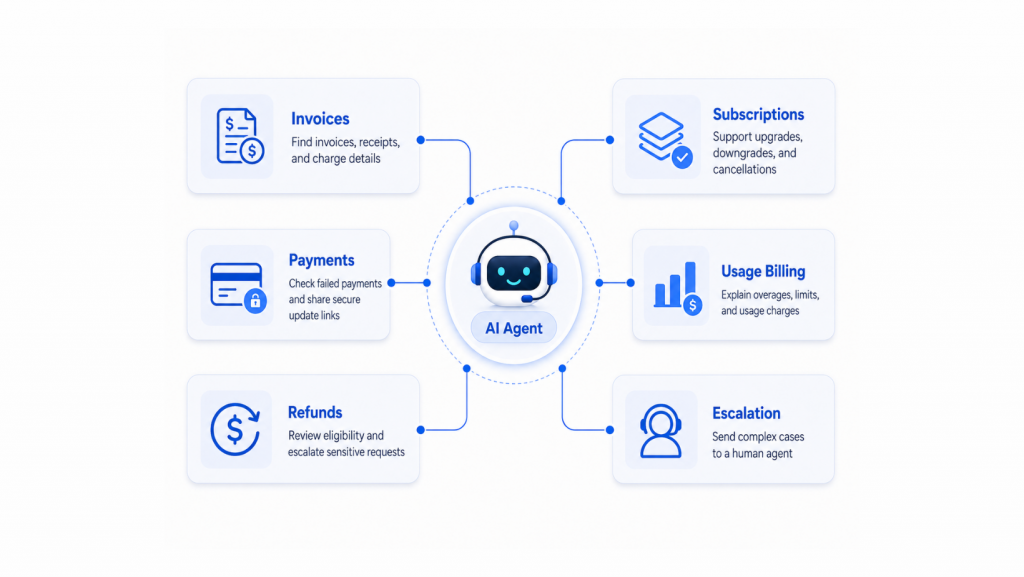
A billing support AI agent works by connecting to your billing system and using live customer data to resolve common billing questions.
Instead of making a support agent check invoices, payments, refunds, and subscriptions manually, the AI agent can find the right record, apply your billing rules, and guide the customer through the next step.
The most important part is control. The agent should only take approved actions, while sensitive cases should be escalated to a human.
1. Invoice Requests and Charge Explanations
Invoice questions are usually simple, but they still take time to answer.
Customers may ask for a missing invoice, a receipt, or an explanation of why their bill changed. A billing AI agent can check the customer’s billing record, find the correct invoice, and explain line items in plain language.
For example, if a customer asks why they were charged more than usual, the agent can check whether the increase came from added seats, taxes, usage charges, a plan upgrade, or a prorated adjustment.
2. Failed Payments and Payment Updates
Failed payments need fast and clear communication.
A billing AI agent can check the payment status and guide the customer to the next step. In most cases, that means sending them to a secure payment update flow instead of asking them to share card details in chat.
This helps customers fix payment issues faster while keeping sensitive payment information outside the conversation.
3. Refund Requests
Refunds should be handled carefully because they directly affect revenue, finance records, and customer trust.
A billing AI agent can check the transaction, compare the request with your refund policy, and decide whether the case is eligible for automation or needs human review.
Simple refunds can be processed based on approved rules. High-value refunds, chargebacks, unclear cases, or repeated refund requests should be escalated with the full account and transaction context.
4. Subscription Changes
Customers often contact support to upgrade, downgrade, pause, renew, or cancel a subscription.
A billing AI agent can help customers understand their current plan, compare available options, and guide them through approved subscription changes.
For sensitive changes, such as annual contracts, enterprise plans, or high-value cancellations, the agent should hand the case to a human instead of completing the action automatically.
5. Usage-Based Billing Questions
Usage-based billing can confuse customers because the final amount may change each month.
A billing AI agent can explain charges by showing how usage, limits, credits, or overages affected the invoice.
For example, instead of only showing a raw invoice line, the agent can explain that the customer exceeded their plan limit and was charged for the extra usage.
6. Human Escalation
A billing AI agent should not handle every case alone.
It should escalate issues such as chargebacks, tax questions, high-value refunds, contract changes, repeated complaints, unclear billing disputes, or any case where the customer asks for a human.
The goal is not full automation. The goal is to automate repetitive billing work while giving human agents better context for complex cases.
A billing support AI agent works best when connected to your billing platform, CRM, helpdesk, and support channels.
The billing system should remain the source of truth for invoices, payments, subscriptions, refunds, and plan details. The CRM can store customer updates, while the helpdesk handles escalations with full context.
Across channels like website chat, WhatsApp, Slack, or email, the agent should verify the customer, fetch accurate billing data, follow your policy, and either complete approved actions or escalate sensitive cases.
The goal is safe access, not unlimited control.
How to Build a Billing Support AI Agent in YourGPT
Building a billing support AI agent starts with one goal: give customers faster billing help without giving automation unlimited control over payments, refunds, or subscriptions.
With YourGPT, you can start from a Stripe integration template and customize it for your own billing policies, support process, and escalation rules. The template is designed for billing queries such as subscriptions, payments, and invoices.
Step 1: Create a New AI Agent
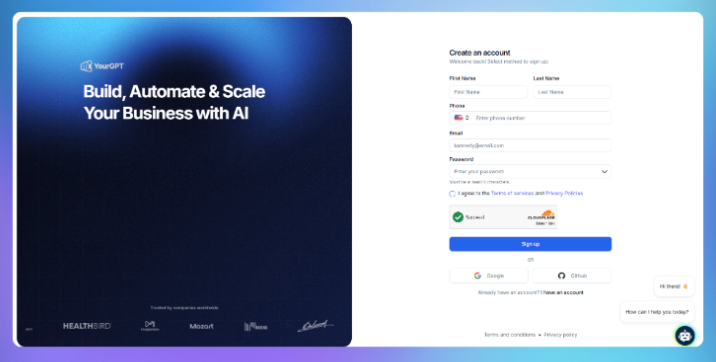
Sign up or log in to YourGPT and create a new AI agent.
If available, choose a billing or Stripe-related template to start with common billing workflows. Before moving ahead, decide what the agent should handle automatically and what should be escalated to your support or finance team.
Step 2: Train on Your Knowledge Base
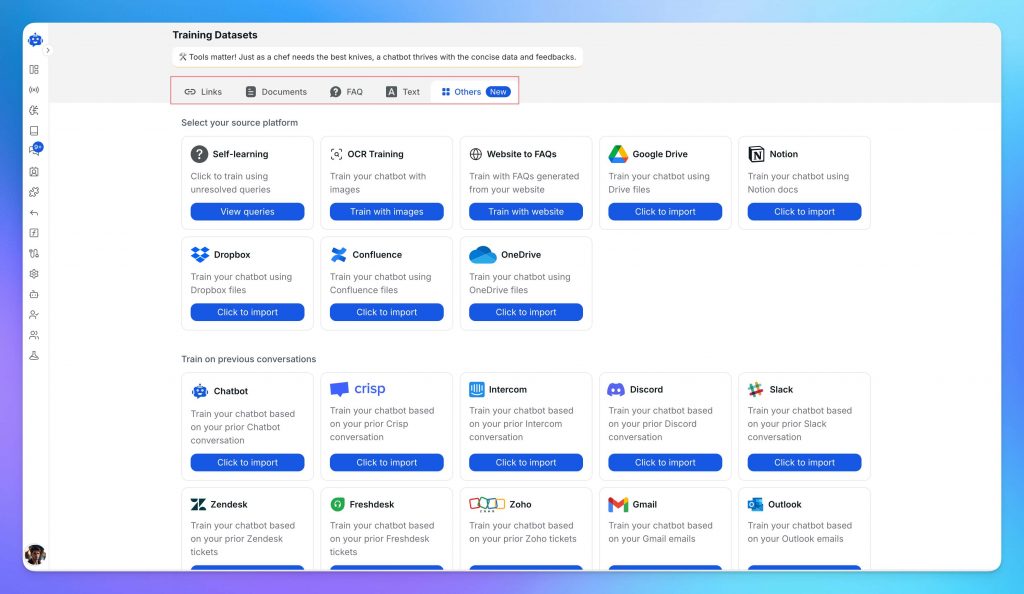
Train the agent using your real billing content, such as:
- Refund policy
- Cancellation terms
- Subscription FAQs
- Pricing details
- Payment failure instructions
- Plan limits
- Trial rules
- Internal billing SOPs
This helps the agent answer based on your business rules instead of giving generic billing responses. Customise the AI agent persona based on your needs.
Step 3: Connect Your Billing System
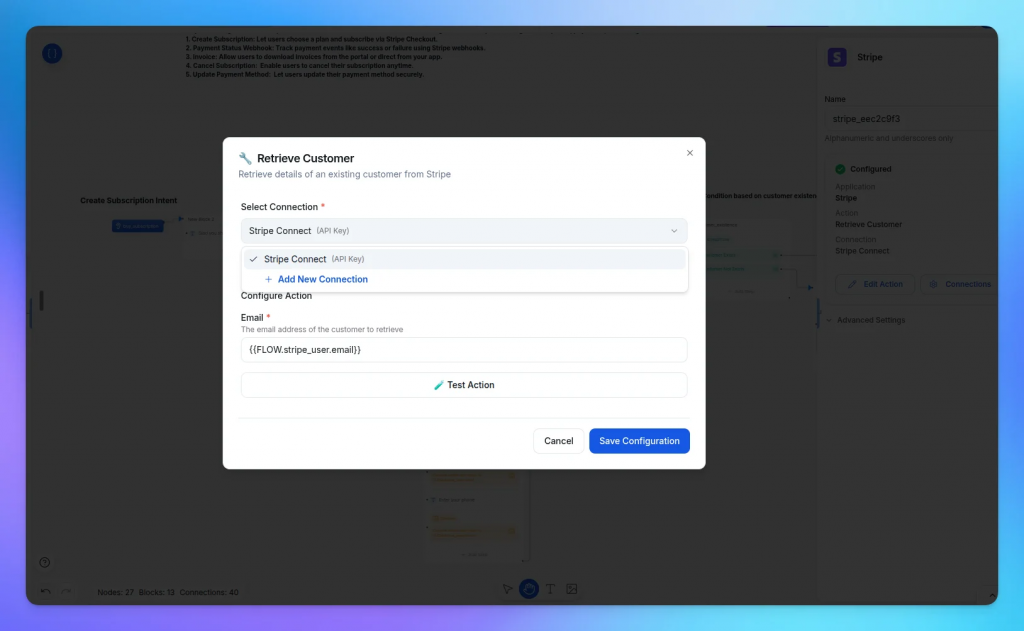
Connect the agent with your billing platform to give it access to customer, subscription, invoice, payment, and account data. Most businesses connect platforms such as Stripe, Paddle, or Razorpay, depending on how they manage billing and recurring payments.
YourGPT can integrate with billing systems to automate tasks such as invoice lookups, payment status checks, subscription management, refund requests, plan upgrades or downgrades, and account billing inquiries. The AI agent can retrieve billing information, answer customer questions, trigger workflows, and route complex requests to human teams when required.
When connecting a billing platform:
- Grant only the permissions required for the workflows you plan to automate.
- Start with read-only actions such as invoice, payment, and subscription lookups.
- Test responses using real billing scenarios before enabling account-changing actions.
- Add approval steps or human escalation for refunds, payment disputes, cancellations, and high-value transactions.
- Follow your organisation’s security, compliance, and access control policies.
Whether you use Stripe, Paddle, Razorpay, or another billing platform, connecting your billing data allows the AI agent to provide accurate, context-aware support instead of generic billing responses.
4. Test the Agent
Test the agent with real billing scenarios such as failed payments, missing invoices, duplicate charges, refund requests, cancellations, and plan changes.
Also check edge cases like annual plans, discounts, mid-cycle upgrades, legacy plans, and partial refunds. This helps you fix gaps before going live.
5. Deploy Across Channels
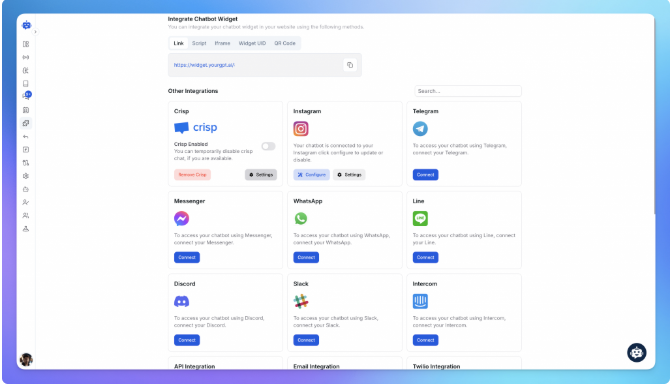
Once tested, deploy the agent across your support channels, such as website chat, email, WhatsApp, Slack, or other customer support platforms.
Start with low-risk workflows like invoice lookup, payment status, and subscription FAQs. Expand to refunds or plan changes after reviewing performance.
6. Monitor and Improve
After launch, review conversations regularly.
Check which questions the agent resolves, where it escalates, and where customers face issues. Keep updating the knowledge base whenever billing policies, pricing, refund rules, or subscription terms change.
By following these steps, your business can create a billing AI agent with YourGPT that saves time, improves support speed, and keeps sensitive billing actions under control.
Best Practices for Running a Billing Support AI Agent Safely
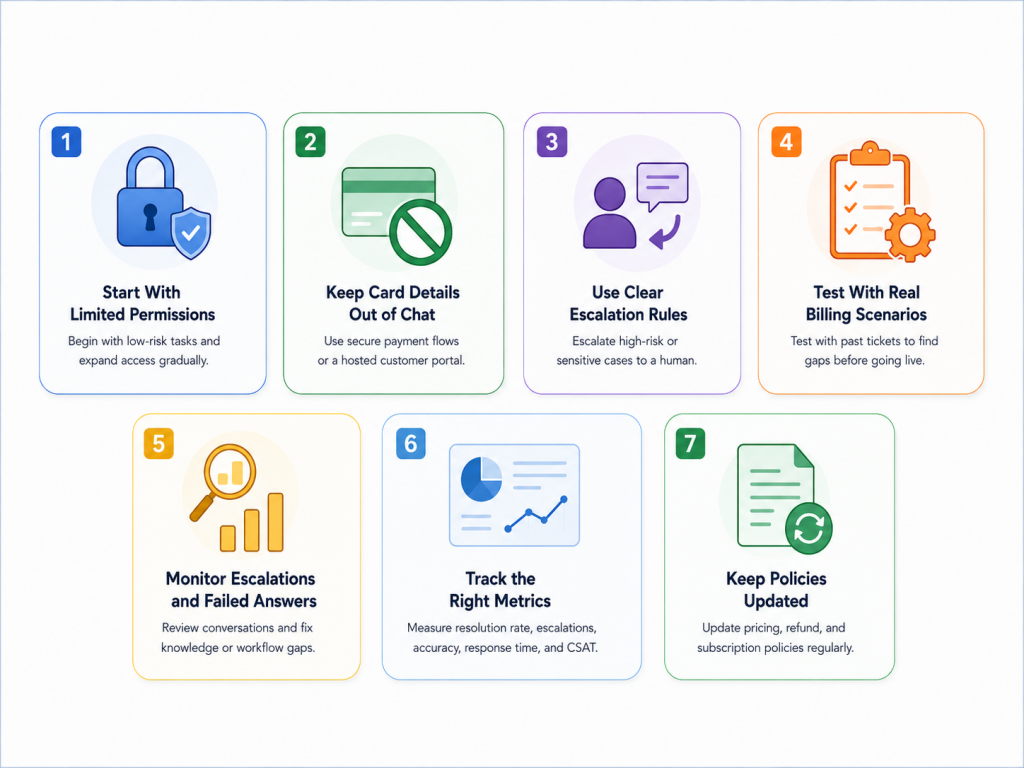
Billing automation is useful only when it is controlled.
A billing support AI agent may access invoices, payment status, refunds, subscriptions, and customer account details. That means it should be treated as part of your billing workflow, not just another chatbot.
1. Start With Limited Permissions
Do not give the agent full billing access from day one.
Start with low-risk tasks such as invoice lookup, payment status checks, subscription FAQs, and refund policy explanations. Once the agent performs well in testing, you can expand into controlled actions such as resending invoices, creating payment update links, or processing low-value refunds.
For Stripe-based workflows, use limited access wherever possible. Stripe supports restricted API keys, which let businesses assign specific API permissions instead of using broad unrestricted access. Stripe also recommends using restricted keys with limited permissions and rotating secret keys periodically.
2. Keep Card Details Out of Chat
The agent should never ask customers to type card numbers, CVV codes, or banking details into a conversation.
For payment updates, send customers to a secure payment flow managed by your billing provider. Stripe, for example, provides a hosted customer portal where customers can manage payment details, invoices, and subscriptions. Stripe Checkout also lets businesses collect payments through a Stripe-hosted payment page.
This keeps sensitive payment data out of the AI conversation and reduces unnecessary risk.
3. Use Clear Escalation Rules
A billing AI agent should know exactly when to stop and hand the case to a human.
Escalate cases such as:
- High-value refunds.
- Chargebacks or disputed payments.
- Tax or VAT questions.
- Annual or enterprise contract changes.
- Repeated billing complaints.
- Unclear refund eligibility.
- Account security concerns.
- Any customer who directly asks for a human.
This prevents the agent from making decisions that require judgment, negotiation, or finance approval.
4. Test With Real Billing Scenarios
Before launch, test the agent on real support tickets your team has handled in the past.
Use examples like missing invoices, failed payments, duplicate charges, partial refunds, plan downgrades, annual subscription cancellations, legacy pricing, and usage-based billing complaints.
For Stripe Billing, Stripe’s documentation recommends testing subscriptions, invoices, trials, payment failures, and webhooks before going live.
The goal is to find policy gaps before customers do.
5. Monitor Escalations and Failed Answers
After launch, review conversations regularly.
Look for questions the agent could not answer, cases it escalated too often, refund requests it handled incorrectly, and places where customers still needed human clarification.
Most issues usually come from one of three places: missing knowledge base content, unclear billing rules, or workflow permissions that are too broad or too narrow.
6. Track the Right Metrics
Measure the agent based on business outcomes, not only response speed.
Useful metrics include:
- First-contact resolution rate.
- Escalation rate.
- Refund approval accuracy.
- Average billing response time.
- Customer satisfaction on billing tickets.
- Payment recovery after failed payments.
- Number of billing tickets handled without manual lookup.
Avoid publishing fixed targets like “60% resolution in 60 days” or “under 2 minutes” unless you have verified data from your own customers. Otherwise, it can sound inflated.
7. Keep Policies Updated
A billing AI agent is only as accurate as the information it uses.
Update the knowledge base whenever your pricing, refund policy, trial rules, cancellation terms, tax handling, or subscription plans change.
This is especially important for billing because outdated information can lead to wrong refund decisions, incorrect subscription guidance, or frustrated customers.
FAQs
What is a billing support AI agent?
A billing support AI agent is an automated assistant that helps customers with billing-related questions such as invoices, failed payments, refunds, subscription changes, and usage-based charges.
When connected to a billing system, it can check account details, retrieve billing records, follow your policies, and either resolve the request or send it to a human agent when needed.
How is a billing AI agent different from a regular chatbot?
A regular chatbot usually answers basic questions from a help center or FAQ page.
A billing AI agent can do more when it is connected to your billing tools. It can look up invoices, check payment status, explain charges, guide customers to update payment details, and prepare billing cases for human review.
The main difference is that a billing AI agent works with real billing data instead of only giving general answers.
Can a billing AI agent process refunds automatically?
Yes, but only when refund rules are clearly defined.
For example, a business may allow the agent to handle low-value refunds within a specific refund window. However, high-value refunds, disputed payments, chargebacks, annual contracts, or unclear cases should be escalated to a human.
The safest approach is to start with strict refund limits and expand automation only after testing.
Can it help customers with failed payments?
Yes. A billing AI agent can check whether a payment failed and guide the customer to the next step.
In most cases, that means sending the customer to a secure payment update page instead of asking them to share card details in chat. This helps customers fix payment issues faster while keeping sensitive payment information protected.
Can a billing AI agent explain why a customer was charged more than expected?
Yes, if it has access to the right billing data.
For example, it can check whether the higher charge came from added seats, a plan upgrade, usage overages, taxes, discounts ending, or a prorated subscription change. The agent can then explain the charge in simple language instead of sending the customer a raw invoice.
Is it safe to connect an AI agent to billing systems?
It can be safe when permissions, rules, and escalation paths are configured properly.
The agent should not have unlimited access to billing actions. Businesses should start with limited permissions, keep card details out of chat, use secure payment links, log important actions, and require human review for sensitive billing cases.
Will a billing support AI agent replace human support agents?
No. It should not replace human support completely.
Its main role is to handle repetitive billing questions and reduce manual lookup work. Human agents are still needed for disputes, complex refunds, contract changes, tax questions, retention conversations, and customers who specifically ask to speak with a person.
What should businesses track after launching a billing AI agent?
Businesses should track practical support and billing metrics, such as billing ticket volume, resolution rate, escalation rate, failed-payment recovery, refund accuracy, average handling time, and customer satisfaction.
These metrics show whether the agent is actually reducing support workload and improving the customer experience, instead of only replying faster.
Conclusion
Billing support becomes harder as a subscription business grows. More customers bring more invoice requests, failed payments, refund questions, subscription changes, and billing disputes.
A billing support AI agent helps reduce that manual workload by checking billing data, applying your policies, and giving customers faster, clearer answers.
The safest approach is to start with simple workflows such as invoice lookup, payment status checks, billing FAQs, and refund policy answers. Then expand into controlled actions only after testing.
Sensitive cases like chargebacks, high-value refunds, tax questions, contract changes, and unclear disputes should still go to a human.
With YourGPT, teams can build a billing support agent for common Stripe workflows such as invoices, payments, refunds, and subscription questions while keeping rules, permissions, and escalation paths in place.
The real value is not just faster replies. It is helping customers get accurate billing answers while giving support and finance teams more control.

Related posts