B2B Customer Service: AI Agents Built for Complex Support
TL;DR
B2B customer service means supporting multiple people within the same account, including end users, admins, finance or procurement contacts, and executive sponsors, each with a different definition of a resolved ticket.
Traditional support bots handle one conversation at a time and often lose account context when requests move between contacts, channels, or teams, forcing customers to repeat the same information.
Vendor-published resolution rates rarely reflect complex, multi-contact B2B escalations, so headline automation numbers may not match what happens in a real B2B support queue.
Effective B2B support requires role-aware account context, grounding in approved account and policy data, and controlled actions across connected billing, CRM, and ticketing systems.
Strong governance is essential for action-taking AI because the permissions that allow an agent to resolve billing or account issues can also create risk if the wrong record or system is accessed.
Most customer support tools are built around a simple unit of work. One person, one ticket, one answer. A customer opens a ticket, an agent solves it, and the case closes.
B2B customer service rarely works that way. A single support case might have five or six people watching it, and each one cares about something different. One person wants technical detail, another wants a timeline, and someone else just wants confirmation that it is handled.
This is the real test for AI agents built to handle B2B support. Answering a question accurately is only part of the job. The agent also needs to track which contacts are part of the account, which channel each one used, and what the vendor already promised them, so the second or third person who reaches out never starts from zero.
What Is B2B Customer Service
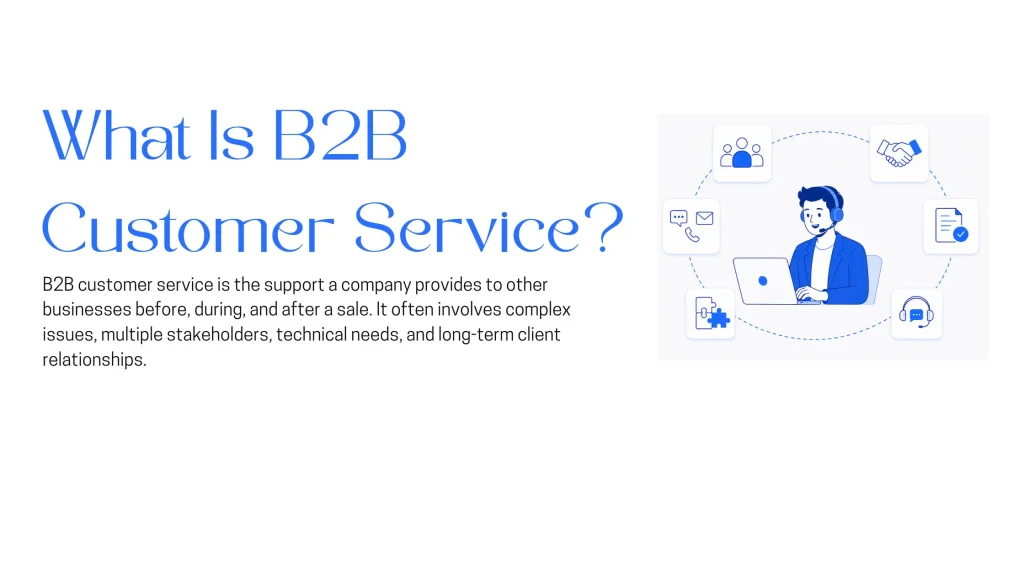
B2B customer service, or business-to-business customer service, is the support, relationship management, and post-sale engagement a company provides to the other businesses it sells to. Consumer support is largely transactional. B2B support is relational, technically complex, high-stakes, and tied directly to the commercial relationship between vendor and client.
A B2B customer is an organization rather than an individual with a single problem, and that organization brings multiple stakeholders, a procurement process, a dedicated account relationship, integration dependencies, and a contract that renews or terminates on a schedule. The service team has to navigate that complexity on behalf of every client, consistently, and often in real time.
The cost of getting it wrong is well documented, if often quoted loosely. NewVoiceMedia’s 2018 Serial Switchers report, based on a survey of 2,002 US consumers conducted by Opinion Matters, put annual losses from poor customer service at more than $75 billion, up $13 billion from its 2016 figure. That study measured consumer behavior, so it understates the B2B picture. In B2B, a service failure reaches past the individual account into referral pipelines, renewal rates, and standing inside industries where buyers talk to each other.
B2B vs B2C Customer Service: The Core Differences
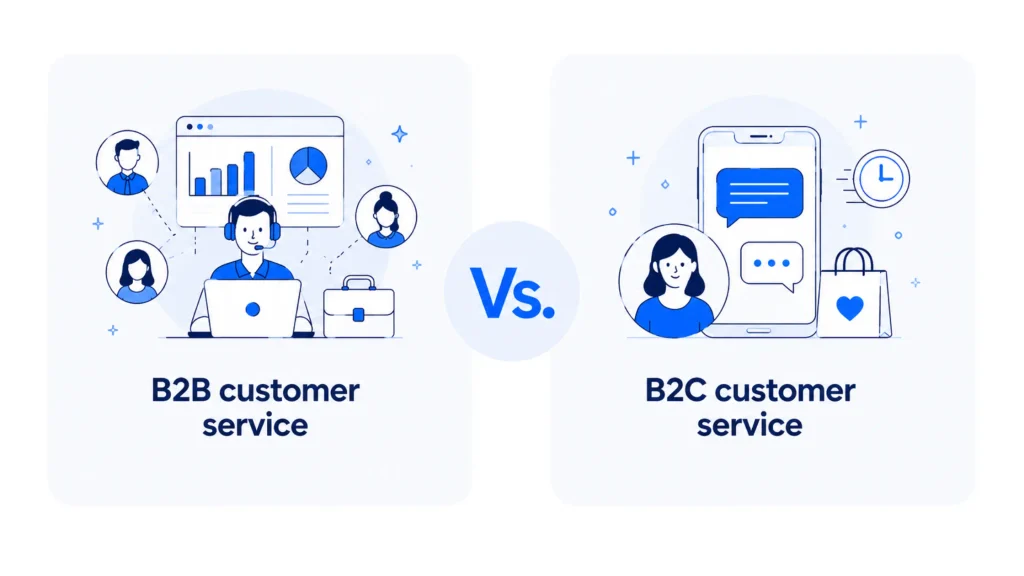
The important distinction between B2B and B2C customer service is structural. It sits in the relationship between the service team and the customer, well beneath any question of channel or tone.
| B2B Customer Service | B2C Customer Service | |
|---|---|---|
| Customer type | Organizations with multiple stakeholders | Individual consumers |
| Relationship length | Months to years, contract-based | Transaction-based, often one-time |
| Account value | High, often six to seven figures | Low to moderate per customer |
| Query complexity | Technical, product-integrated, often urgent | Generally simpler, process-driven |
| Response expectation | Dedicated account manager, SLA-bound | Fast first response, any agent |
| Decision maker | Multiple stakeholders, procurement teams | Usually the individual |
| Impact of service failure | Contract loss, referral impact, brand risk | Churn of one customer |
In B2C, customer experience is shaped mostly by speed, convenience, and how the brand feels. In B2B, it is shaped by trust, technical competence, and the quality of an ongoing relationship. A B2C customer who has a bad experience may leave a review. A B2B customer who has a bad experience may terminate a contract, tell ten industry peers, and affect the vendor’s pipeline for years.
Four structural differences drive most of that gap.
- Fewer accounts, higher stakes. A B2C support team might close hundreds of tickets a day, each one largely self-contained. A B2B support team serves far fewer accounts, but losing one can mean losing a contract worth a meaningful share of annual revenue, along with the renewal, the expansion opportunity, and the reference that account might have provided.
- Multiple roles inside one account. A single B2B client typically involves several distinct contacts. End users want a quick fix so they can get back to work. Admins manage configuration and escalate on their team’s behalf. Finance or procurement contacts track billing and SLA compliance. Executive sponsors rarely file tickets but form their view of the relationship from what filters up to them. A ticket closed for the end user but never communicated to the others leaves a gap that resurfaces as vague dissatisfaction during the next renewal conversation.
- Contractual accountability. B2B relationships frequently run on formal SLAs with defined response and resolution windows tied to account tier. Missing one can mean a contractual breach with real financial consequences, which raises the cost of an AI agent getting the escalation timing wrong.
- Longer relationship arcs. A B2C purchase is often a single transaction. A B2B account is a multi-year relationship with onboarding, renewal, and expansion stages, and support quality compounds across all of them.
The gap between what B2B teams intend to deliver and what they actually deliver is wide. Research from Clarity cited in Fin’s 2026 B2B support guide found that only 14% of B2B decision-makers believe their organization delivers top-tier customer experience.
The Cross-Channel Challenge in B2B Customer Service
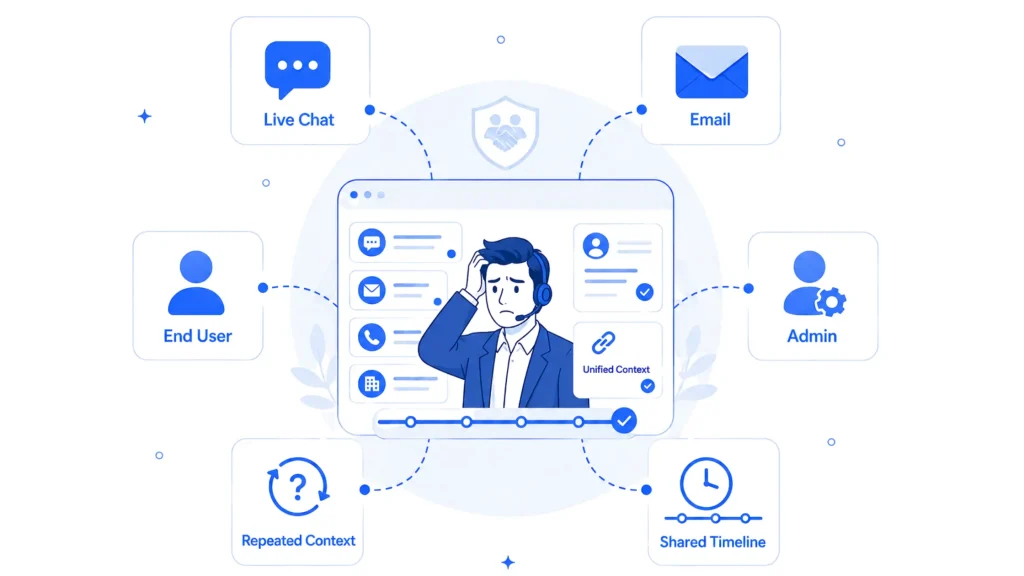
In B2B accounts, a support case rarely stays on one channel, and every switch is a chance to lose the context that came before it.
- The most common failure in B2B customer service is a right answer delivered to the wrong person, or a correct resolution that never reaches everyone who needed to hear about it.
- A typical failure sequence starts when an end user opens a live chat about a broken integration and gets escalated, then the admin follows up by email a day later asking for a status update.
- If the email thread and the chat transcript live in separate systems, the agent picking up the email has no idea the issue was already triaged, so the admin has to re-explain what the end user already explained.
- The account is left with the impression that nobody is tracking the problem end to end.
- This isn’t a hypothetical edge case. 60% of customers say they’ve had to repeat information to a new agent because the previous one didn’t have it, according to Zendesk’s CX Trends data cited by industry analysts.
- A separate CX Today report citing Avaya found that 96% of consumers say being able to switch channels without repeating themselves matters to them, and 70% have abandoned an interaction when that switch was too hard.
- In a B2C setting, that friction costs a single relationship. In a B2B account, the same context gap plays out across every contact who touches the ticket.
- The admin or executive typically forms the lasting impression of how the vendor handles pressure, since they see the friction without seeing the fix.
What AI Agents for Customer Service Need in B2B Accounts
Closing the gap takes more than a chatbot that answers questions correctly. Most AI agents for customer service are architected for the individual conversation, and B2B accounts break that assumption on the second contact. The requirements below are what separates an AI agent for customer support that holds up in a multi-contact account from one that resolves single threads and loses the thread between them.
- Account-level context beyond the single conversation. Most conversational AI treats each chat session as its own unit of memory, which breaks down the moment a second contact from the same account reaches out on a different channel. An AI customer service agent working B2B queues needs memory covering the whole account, tracking known contacts, their roles, what the customer already reported, and what the vendor already promised, so a follow-up from the admin surfaces the same history.
- Grounded answers from approved account and policy data. B2B support questions touch contract terms, configuration specifics, and account history that a general-purpose model has no way of knowing. Retrieval-augmented generation ties answers to an approved knowledge base and blocks the plausible-sounding guess, which matters more when a wrong answer can affect a renewal conversation.
- Controlled action-taking across connected systems. Answering a question is only half the job. Finishing it usually means updating a record, adjusting a seat count, correcting an invoice, or escalating a bug with the right severity tag. That takes API nodes connecting the agent to CRM, billing, and ticketing systems, so a resolved conversation updates the underlying record.
- Escalation that carries the whole account forward. No AI agent for customer support should resolve every request, and escalation design matters as much as automation design. A good handoff carries the full picture, including which contacts are on the account, what the team already tried, and why the case needs a person now. For an account with three stakeholders already in the loop, that difference decides whether the human picks up cleanly or spends ten minutes reconstructing what happened.
AI Agents in Complex B2B Workflow
In a B2B account, resolving a request rarely ends with a correct answer. Someone still has to pull the right context, keep every stakeholder aligned, send the case to the right team, and follow up without being asked. That work looks less like a chatbot answering FAQs and more like an orchestration layer sitting on top of the account.
YourGPT’s AI Studio is built around that distinction, with a drag-and-drop canvas for multi-step agent logic and native nodes for API calls, conditional branching, and human handoff. Here is what each part of the workflow looks like in practice.
- Centralize context. Before an agent can act like a briefed teammate, it needs the same information a human agent would otherwise pull from five different tabs. A YourGPT agent draws from CRM and account records connected live through the API Calling node, the knowledge base and help-center articles, product documentation including PDFs, DOCX files, and Notion pages, ticket and conversation history, and website content kept current through scheduled ReIndex. This is what lets one agent answer a billing question and a configuration question in the same conversation without asking the customer to repeat account details already on file.
- Maintain conversation history. Centralizing context solves half the problem. The other half is making sure every stakeholder who touches the account sees the same version of events. YourGPT carries conversation and account history forward through persistent memory across sessions and channels. When the end user’s chat escalates and the admin follows up by email a day later, the admin lands inside that same context.
- Route requests intelligently. Not every request belongs with the same team, and getting that wrong is one of the faster ways to burn an account’s patience. Logic nodes and Intelligent Triggers read intent, so a single inbox splits automatically, with technical issues going to product or engineering support, billing to finance or account management, security requests to a compliance team, and feature requests logged for product. Department-based filtering then keeps each team looking only at relevant cases, and because routing runs on intent, an oddly worded ticket still lands correctly the first time.
- Automate status updates. Manual follow-ups are one of the more avoidable causes of friction in B2B support. A stakeholder waiting on a fix with no update tends to fill the silence with the worst-case assumption. Webhooks and automated trigger-based emails notify people when a status changes, a ticket is picked up, or a fix ships. Combined with account-level memory, that update reaches every stakeholder who has been part of the thread.
The full node and integration inventory covers the rest, including CSAT capture inside a flow, WhatsApp and SMS nodes, and custom Python or JavaScript execution for logic that does not fit a standard block.
A Multi-Stakeholder Support Workflow in Action
SaaS customer support is where this plays out most often, since so much of the B2B economy runs on subscription software. Consider a mid-market account reporting that a nightly data sync has stopped running.
An end user notices missing data in a dashboard and opens a chat. The agent recognizes recent sync failures logged against that account’s integration, confirms the outage, and opens an internal ticket against the account itself, so the record outlives the individual chat.
Two hours later, the account’s admin emails asking whether the outage affects their weekly reporting deadline. Because the agent has account-level memory, it recognizes the same account, surfaces the open sync issue without asking the admin to re-describe it, and confirms the reporting deadline is not at risk based on the current fix timeline.
The next morning, the account’s finance contact asks through a different channel whether the outage affects their upcoming invoice given the SLA terms in their contract. Because this question touches a contractual and financial judgment, the agent pulls the account’s specific SLA data, confirms the outage falls within the allowed resolution window, and escalates to a human account manager with the full incident history, all three contacts, and the SLA calculation already attached.
No stakeholder repeated themselves, and the human who handled the SLA judgment call did not have to piece the story back together from three disconnected threads.
Named Deployments Worth Studying
Published customer results are more useful than vendor averages, because the workload is at least described.
- Wiley deployed Agentforce inside its Service Cloud support operation and reported a 213% return on investment, $230,000 in documented savings, 50% faster onboarding of seasonal support agents, and a 40% improvement in case resolution, published by Salesforce as a customer case study.
- Lightspeed Commerce runs Intercom’s Fin at up to 65% autonomous resolution of support conversations. Yamine Gluchow, VP of Information Systems at Lightspeed, framed the dependency plainly in Fin’s own write-up, noting that when a team invests in understanding, adoption, and good content, AI performance takes off. The setup work is the variable, and it is the part most case studies leave out.
- HubSpot’s internal support organization reports AI agents resolving around 35% of tickets. That number is useful precisely because it is unglamorous. It comes from a company with strong documentation and a mature support function, and it still sits well below the marketing figures.
- On the YourGPT side, Leya AI runs its support agent against FAQs, billing logic, and subscription policies, with Stripe integrations feeding live account data into responses to fully automate cancellation workflows. That mix of policy documentation and live transactional data is close to the messy, structured-but-inconsistent knowledge base most B2B accounts carry.Shockbyte and Talkmore run first-line support automation with human escalation paths behind it.
Governance and Security for Action-Taking AI
The same capability that makes an agent useful in B2B support, reading account data and acting across connected systems, also makes governance non-negotiable. A misconfigured agent can update the wrong record as easily as the right one, and the survey data suggests that happens often.
- Adoption has outrun policy. SailPoint’s AI Agents: The New Attack Surface report (Dimensional Research, 353 enterprise IT and security professionals across five continents) found 82% of organizations already using AI agents but only 44% with policies in place to secure them.
- Unintended actions are common. 80% of organizations reported agents doing something unintended, including accessing unauthorized systems (39%), sharing sensitive data (33%), and downloading sensitive content (32%). Nearly a quarter, 23%, said an agent had been tricked into exposing access credentials.
- Vendor claims need checking. Gartner predicted on 25 June 2025 that more than 40% of agentic AI projects would be canceled by the end of 2027, and estimated that only around 130 of the thousands of vendors claiming agentic capability deserved the label. Much 2026 coverage drops that date and presents the figure as fresh research.
Four boundaries carry most of the load in mature B2B deployments:
- Role-based access limited to the data a specific workflow requires, with the full account record closed off by default.
- Defined action limits, such as refund or credit caps, above which the agent must stop and route to a person.
- Mandatory human review for anything touching contract terms, SLA judgment calls, or financial adjustments.
- Full audit logging of what the agent read, what it decided, and what it changed, so any action can be traced back.
Platforms differ in how much of this ships built in versus left to the implementation team. YourGPT builds role-based access, escalation rules, and human handoff into the Studio workflow layer, alongside allowed-domain restriction, access control lists, and chat and training loggers. Thresholds such as refund caps and writable CRM fields still need deliberate configuration. Teams can review the available channel and system integrations against their existing CRM and ticketing stack and check current plan limits before committing to a rollout.
Frequently asked questions
What Counts as B2B Customer Service?
It covers technical issues, billing questions, onboarding, account management, and SLA fulfilment across the life of a contract. The defining feature is that the customer is an organization with several contacts and a procurement process behind it.
Does B2B Customer Service Need a Different Team Structure?
Usually yes. Account-based ownership matters more than queue-based ownership, because a single account carries several contacts and a renewal date. Tiered routing that matches account value to support resource is the common pattern.
What Resolution Rate Should B2B Teams Expect From an AI Agent?
Independent 2026 benchmarking from Digital Applied puts median tier-1 deflection near 41%, with top-quartile programs around 59%. Structured intents such as password resets and status checks resolve at 65% to 80%, while sentiment-heavy and dispute-style queries rarely clear 25% to 30%. B2B escalations skew toward the second group, so vendor case studies built on high-structure consumer workloads are a poor forecast for a B2B queue.
Why Is Resolution Rate a Better Metric Than Deflection Rate?
Resolution rate measures whether the customer’s issue was solved. Deflection rate only measures whether the customer avoided reaching a human, which says nothing about outcome quality. In a multi-stakeholder account, deflecting one contact who then escalates through a second contact counts as a deflection and a failure at the same time.
How Does YourGPT Support Multi-Stakeholder B2B Customer Service?
YourGPT’s AI Studio connects agents to CRM, billing, and ticketing systems through an API Calling node, carries account and conversation history forward through persistent memory across channels, and hands the case to a human with the full account history already attached.
Who Are the Typical Stakeholders in a B2B Support Account?
Most B2B accounts involve four kinds of contacts. End users work in the product daily. Admins or team leads manage configuration and permissions. Finance or procurement contacts track billing and contract terms. Executive sponsors form their view of the relationship from what filters up to them.
Why Do B2B Support Tickets Fail Even When the Answer Is Correct?
The most common failure is a right answer that reaches the wrong person, or a resolution that never gets communicated to every stakeholder tracking the issue. This usually happens when a request moves between contacts, channels, or teams and the context does not move with it.
When Should an AI Agent Escalate a B2B Support Case to a Human?
Escalation should happen for anything touching contract terms, SLA judgment calls, financial adjustments, or actions that are hard to reverse, even when the agent is technically capable of resolving the case on its own.
What Security Controls Matter Most for Action-Taking AI Agents?
Role-based access that limits what data an agent can read and act on, defined action limits such as refund or credit caps, mandatory human review for financial or contractual decisions, and full audit logging of what the agent read, decided, and changed.
Conclusion
B2B customer service is hard because the account, not the conversation, is the real unit of work. An agent that only remembers one thread will keep making the same mistake, treating the second and third stakeholder in an account as a stranger.
The published resolution rates make this easy to miss. Numbers built on password resets and subscription changes look impressive until the same agent meets a contested SLA credit with a finance contact, an admin, and an executive sponsor all reading the thread. Buying against those benchmarks is how a support program ends up in Gartner’s cancellation column.
The agents that hold up in B2B accounts combine persistent, role-aware context, grounded answers, controlled action-taking, and escalation that carries the full picture forward, all inside permission boundaries someone configured on purpose. Getting the account-level memory right solves more of the multi-stakeholder problem than any single feature added on top of it.

Related posts
What is a good AI resolution rate for Shopify?