How Businesses Can Build Autonomous AI Agents in 2026
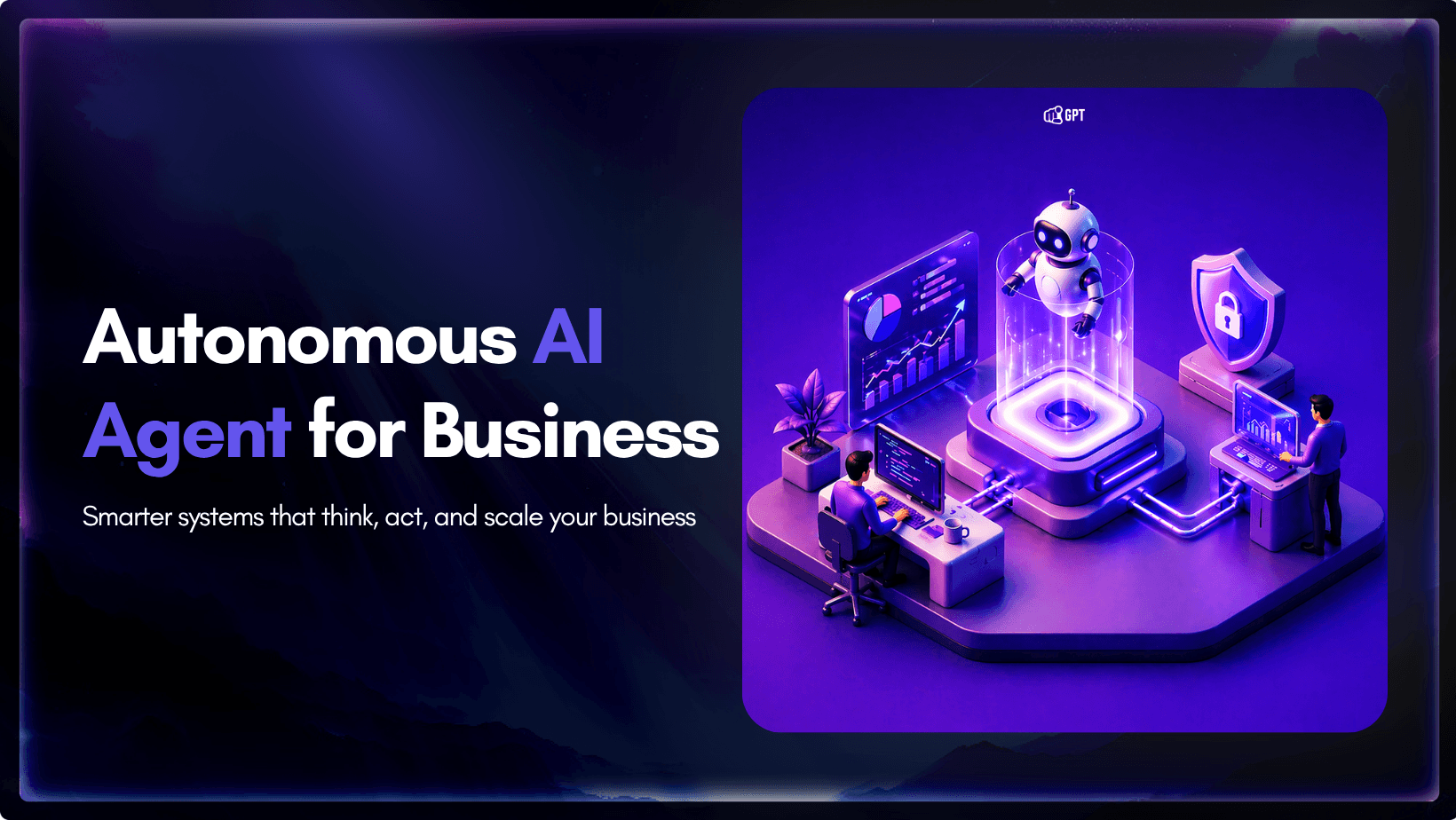
AI becomes far more useful when it can do more than answer questions.
That is where autonomous AI agents stand apart. Instead of stopping at conversation, they can understand a goal, decide what needs to happen next, take action, and improve over time through real interactions.
They are not fully independent. You still define the role, provide the knowledge, and set the boundaries. But once that is in place, the agent can handle work that would otherwise take repeated human effort.
For businesses, that means faster support, better lead handling, smoother internal operations, and less time spent on repetitive tasks.
In this guide, you will learn what autonomous AI agents are, how they work, and how to build and deploy your first one using a no-code platform.
What Is an Autonomous AI Agent?
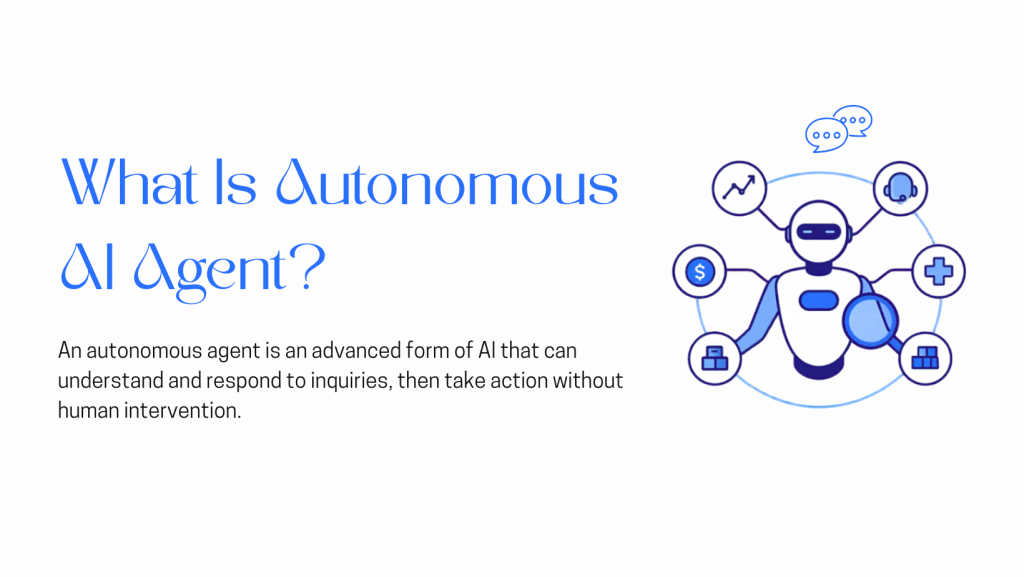
An autonomous AI agent is a system that can take a defined goal, break it into steps, decide what to do next based on context, and execute actions across those steps with limited human input. It does not follow a fixed script. Instead, it plans, acts, and adapts as conditions change, using available data and tools to move toward the objective.
This is different from traditional software, which follows predefined rules and can only handle situations it was explicitly programmed for. Autonomous agents operate in dynamic environments. They analyze context, make decisions based on current data, take action, and then learn from the outcome to perform better next time.
The core cycle every autonomous agent runs on has three parts:
- Perception and data collection The agent gathers input from wherever it is deployed: customer messages, support tickets, form submissions, CRM records, transaction histories. It reads the full context around each request, not just the surface-level words.
- Decision-making Using the knowledge it was trained on and its understanding of the current context, the agent decides what action will best achieve the goal. It can analyze patterns, predict outcomes, and pick the most effective path.
- Action and learning It executes the response or workflow, then updates its understanding based on what happened. This is what makes autonomous agents get sharper over time instead of staying static like a scripted chatbot.
The key distinction is simple. Most AI agents, like copilots or assistants, still rely on human input between steps. Autonomous agents do not. They take a goal, break it into tasks, and complete the entire sequence on their own. They are designed to operate independently, not wait for guidance.
AI Chatbot vs Autonomous AI Agent
A regular chatbot behaves like a vending machine. It works when the input matches exactly, and breaks the moment it does not. An autonomous agent operates more like a well-briefed team member who understands your business, interprets each situation, and handles it end to end without waiting for step-by-step instructions.
How Do Autonomous Agents Work?
Autonomous agents function through a combination of technologies working together: machine learning, natural language processing, real-time data analysis, and in most modern deployments, retrieval-augmented generation (RAG).
RAG is what makes your agent accurate rather than generic. Instead of drawing on broad internet knowledge, the agent searches through the specific documents and data sources you trained it on, pulls the most relevant content, and builds its answer from that. This means your agent speaks with your voice, uses your actual policies, and gives answers grounded in your real business knowledge.
Here is what that process looks like in practice, from the moment a user sends a message:
- The agent receives the message It reads the intent, identifies the context, and cross-references your knowledge base.
- It reasons through the best response Drawing from your training data and the conversation history to determine what action serves the user best.
- It takes action Replies to the user, routes the query to the right team, updates a record, escalates if needed.
- It learns from the interaction Each exchange refines the agent’s ability to handle similar situations more effectively next time.
This loop runs continuously, for every conversation, across every channel. Each interaction makes the agent more capable, and unlike a human team member, it never forgets what it has learned.
Why Building an AI Agent in 2026 Is Different
A few years ago, building an autonomous agent meant hiring engineers, spending weeks on API integrations, building a custom retrieval system, and managing your own hosting infrastructure. The capability existed but it was out of reach for most businesses without significant technical resources.
Two things changed that picture.
First, the underlying technology matured fast. Large language models are now capable of multi-step reasoning, context retention across long conversations, and native tool use that would have required significant custom engineering even two years ago.
Second, no-code platforms absorbed all of that complexity. What used to require a team and a timeline now lives behind a clean interface. You bring your knowledge, pick your use case, and the platform handles everything underneath.
Gartner projects that 40% of enterprise applications will embed task-specific AI agents by the end of 2026, up from less than 5% in 2025. That is one of the fastest adoption curves in the history of software.
What that means practically: the companies moving fast on this right now are not doing so because they have bigger engineering teams. They are doing it because they picked a focused problem, used a tool that handled the technical side, and had something live within a single session.
What to Prepare Before You Start
Before you open the builder, get these three things ready. It takes about two minutes total.
1. A free YourGPT account
Sign up at yourgpt.ai. No credit card required. You will be inside the dashboard in under a minute.
2. Your business knowledge in document form
Your agent learns from what you give it. You do not need a comprehensive knowledge base to start. A single focused document is enough to build a working first version. Good starting points include:
- FAQs and support articles
- Product documentation or user manuals
- Past customer support conversations
- Internal SOPs or process guides
- Content from Notion, Google Drive, or Dropbox
The quality and specificity of your training material directly determines the quality of your agent’s answers. Detailed, accurate documents produce a sharp agent. Vague content produces vague responses.
3. One specific use case to start with
Before you open the builder, decide exactly what this agent is going to do. Not a broad goal. A specific job. Three that work well as a starting point:
- Customer support Handle the questions your team gets asked every day, instantly, across every channel, around the clock.
- Lead qualification Ask the right questions upfront, score incoming leads automatically, and route the right ones to sales.
- HR and onboarding Give new hires a resource that answers policy and process questions on day one without piling onto your HR team.
A focused agent built for one job consistently outperforms a broad agent built for five. Start narrow, prove the value, then expand from there.
How to Build and Deploy Your AI Agent with YourGPT
If you are looking to improve customer experience or reduce repetitive work, the fastest way to start is with a focused AI agent built on your own business data that answers from your data and performs actions in real time.
YourGPT lets you go from idea to a working agent in a single session. Here is how that typically looks in practice.
Step 1: Sign up and get inside the dashboard
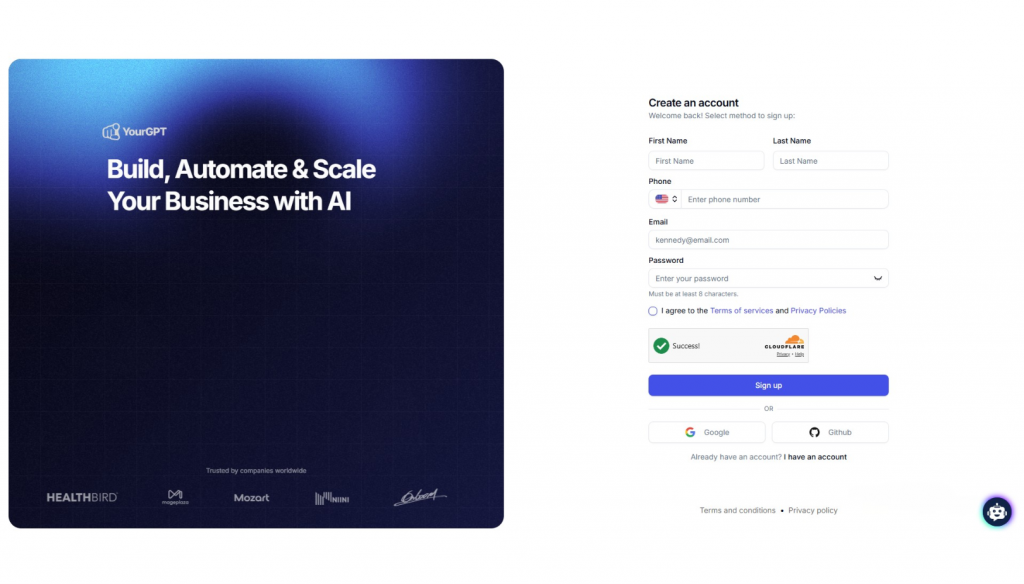
Start by creating your account or logging in.
Once you are inside, you can create a new agent and choose how you want it to be deployed, whether that is a chat widget, search interface, or another channel.
Step 2: Train the agent on your business knowledge
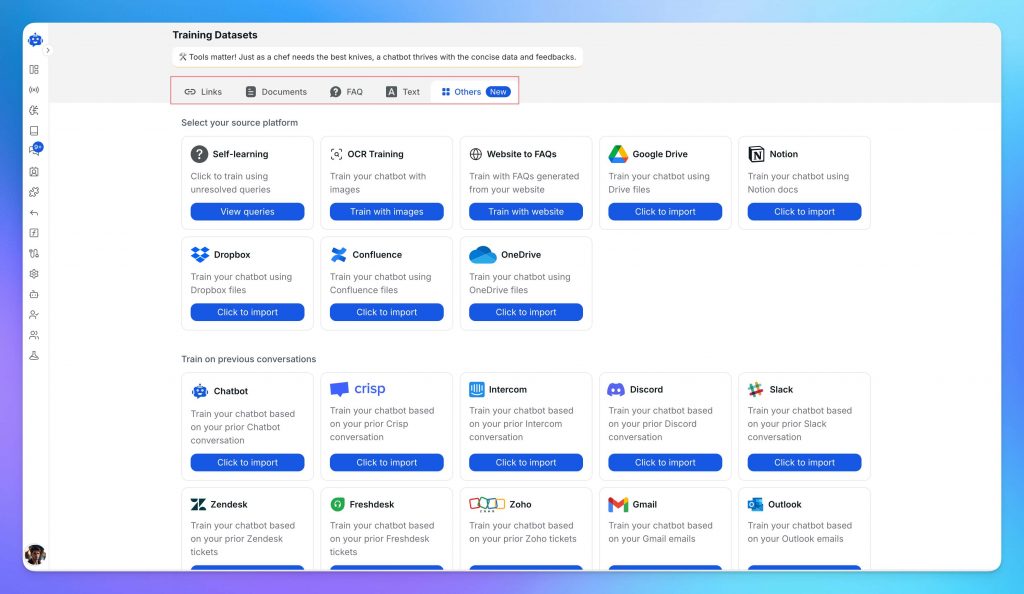
Upload the content your team already relies on to answer questions and complete tasks. This can include:
- FAQs and support articles
- Past customer conversations
- Product documentation and manuals
- Internal SOPs or process guides
- Content from tools like Notion, Google Drive, or Dropbox
You can upload files directly or connect your existing sources.
The quality of this material directly shapes how your agent performs. Detailed, specific content leads to accurate responses. Generic content leads to generic answers.
At this stage, define the agent’s role and tone. A support agent, a sales agent, and an internal assistant should behave differently. Setting this clearly improves both accuracy and consistency.
Step 3: Connect tools, actions, and workflows
Knowledge helps the agent answer well. Tools are what let it actually do the work.
This is the step where you connect the agent to the systems and actions it needs for its role. That can include functions, backend actions, app integrations, and MCP connections that allow the agent to fetch information, update records, trigger workflows, or complete tasks across your stack.
For more advanced use cases, you can use AI Studio to build sequential agent workflows. This is useful when the job is not just a single response, but a series of steps that need to happen in order. For example, the agent may first identify intent, then retrieve the right data, then decide what action to take, and finally complete that action or hand it off.
This is what turns the agent from a conversational layer into a working operational system.
Step 4: Test and Refine the Agent
Before deployment, use the built-in testing environment to see how the agent performs.
Ask real questions your team receives. Try edge cases. Push it to failure.
Focus on a few things:
- Whether the answers are complete and correct
- Where the agent lacks information
- How it handles unclear or complex queries
- Whether fallback responses trigger correctly
- How escalation to a human works
This step is where most improvements happen. A short testing phase here prevents a lot of issues later.
Step 5: Deploy Your AI Agent
Once the agent is reliable, deploy it where your users already interact with you.
YourGPT supports:
- Website chat widgets
- Messaging platforms like WhatsApp, Instagram, Slack, and Facebook Messenger
- CRM, e-commerce, and helpdesk integrations
Deployment is quick, with prebuilt connectors that require minimal setup.
From this point, the agent starts handling real conversations and continues to improve as you refine its knowledge and behaviour.
If you need more control over workflows, actions, and integrations, you can use the AI Studio to design more advanced logic or explore detailed guides on building AI-driven support systems.
A well-built first agent does not need to be complex. Start with one clear use case, train it on real data, and get it live. That is where the real value begins.
Mistakes to Avoid on Your First Build
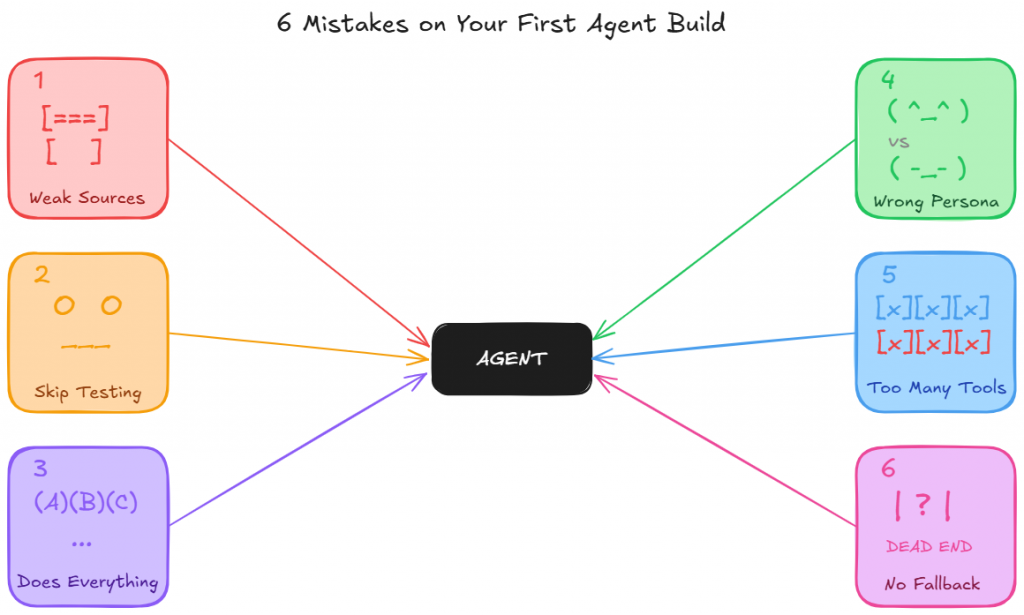
Most first agent failures do not come from the model itself. They usually come from a small set of avoidable setup decisions.
Catch them early, and your first build has a far better chance of being useful from day one.
1. Using weak source material
Your agent can only be as good as the material it learns from.
If you train it on vague marketing copy, short FAQ snippets, or broad summaries, the result will sound polished but say very little.
Strong agents need real operating knowledge: policy details, product specifics, workflow steps, common exceptions, and the kind of information a human teammate would actually need to do the job properly.
A simple test helps here. If the document would not be enough to onboard a new employee, it is probably not strong enough to train your agent.
2. Skipping the test phase
Testing is where weak spots show up before users find them for you.
It reveals where the agent gives incomplete answers, misses context, handles tone poorly, or fails to escalate when it should.
Skipping that step may save a few minutes upfront, but it usually creates much more work after launch.
Use the test environment properly and push the agent with realistic questions before it goes live.
3. Trying to make one agent do everything
A first agent works best when its role is clear and tightly defined.
When one build is expected to handle support, lead qualification, returns, and internal HR queries all at once, performance usually drops everywhere.
The agent loses focus, the training becomes harder to structure, and the results get less reliable.
Start with the use case that creates the clearest business value, make it work well, and then expand from there.
4. Setting the wrong persona
An agent without the right persona often sounds off even when the answer is technically correct.
It may respond too broadly, too casually, too formally, or in a way that does not match the job it is meant to do.
Persona is not just about tone. It shapes how the agent speaks, what it prioritizes, how it handles uncertainty, and what kind of experience it creates for the user.
A support agent, a sales qualification agent, and an internal HR agent should not sound or behave the same way.
5. Giving the agent the wrong tools, or too many of them
Tools determine what the agent can actually do. If the right tools are missing, the agent cannot complete the job it was built for.
At the same time, giving it too many tools creates confusion, increases the chance of wrong actions, and makes behavior harder to control.
The goal is not maximum access. It is the right access.
Give the agent only the tools it genuinely needs for its role, and make sure each one supports a clear, specific task.
6. Launching without fallback or escalation logic
Even a well-trained agent will eventually face a request it should not answer on its own.
What matters is what happens next. Without a clear fallback response and a smooth path to a human, the conversation stalls and the user is left stuck.
That damages trust quickly.
Fallback and escalation logic should be part of the build from the start, not something added after the first complaint.
A good agent does not just know how to answer. It also knows when to step aside.
The Future of Autonomous AI Agents
The future of autonomous AI agents is not just better conversation. It is broader operational responsibility, better judgment, and deeper integration into how businesses actually run.
1. Agents will move from answering questions to completing work
Right now, many businesses still use AI mainly to respond to queries. The next step is agents handling more of the work behind those conversations.
Instead of only replying with information, agents will increasingly take action inside the systems a business already uses. That includes updating records, creating tickets, checking order status, scheduling appointments, processing requests, and triggering workflows across tools.
That shift matters because the real value of an autonomous agent is not in talking like a human. It is in reducing the amount of work a human team has to do after the conversation ends.
2. Agents will become more specialized by role
The future is unlikely to be one agent doing everything for the whole business.
What is more likely is a system of specialized agents, each trained for a clear role. One may handle support. Another may qualify leads. Another may assist with onboarding or internal operations.
This makes the agent more accurate, easier to control, and more useful in production. Businesses will get better results from focused agents with clear boundaries than from broad agents trying to cover every function at once.
3. Human teams will spend less time on volume and more time on exceptions
As agents take over more repeatable work, human teams will not disappear. Their role will shift.
Support teams will spend less time answering the same basic questions. Sales teams will spend less time sorting low-intent leads. Operations teams will spend less time on routine coordination.
That creates more room for the work humans are actually better at: judgment calls, relationship handling, complex cases, and high-stakes decisions.
4. Agents will improve through live operational feedback
The future advantage will not come from simply launching an agent. It will come from improving it continuously.
Every real conversation shows where users phrase things differently, where knowledge is missing, where instructions are unclear, and where the agent needs better boundaries. Over time, that feedback makes the agent more aligned with the business, more reliable in edge cases, and more effective in day-to-day use.
In practice, strong agents will become operational systems that get sharper through usage, not static tools that stay the same after setup.
5. Business knowledge will become part of the product itself
As autonomous agents become more capable, the quality of the underlying business knowledge becomes more important.
Companies with clear documentation, strong internal processes, accurate policy content, and well-structured data will build better agents than those with scattered or outdated information.
That means the future of autonomous agents is also a shift in how businesses think about their own knowledge. Internal knowledge will no longer sit passively in documents. It will directly shape customer experience, operational speed, and service quality.
6. Competitive advantage will come from execution
More businesses will have access to the same LLM models. That alone will not create an edge.
The real difference will come from how well a company designs the agent, defines its role, connects it to the right systems, trains it on high-quality material, and improves it over time.
In other words, the future of autonomous AI agents will not be defined by who has AI. It will be defined by who builds agents that are actually useful in real workflows.
Frequently Asked Questions
How do you build an autonomous AI agent without coding?▼
You can build an autonomous AI agent without coding by using a no-code platform like YourGPT. The process usually involves choosing a clear use case, uploading your business knowledge, setting the agent’s role and behaviour, testing how it responds, and then deploying it across the channels where your users already reach you.
What do you need before building your first AI agent?▼
Before building your first AI agent, you need three essentials: a clear use case, strong source material, and the right platform. Good source material includes FAQs, SOPs, help docs, product details, or past support conversations. The more specific and accurate your content is, the better the agent will perform.
What is the best use case to start with for an autonomous AI agent?▼
The best first use case is usually one that is high-volume, repetitive, and clearly defined. Customer support is often the strongest place to start because teams already deal with recurring questions, existing documentation, and measurable outcomes. Once that use case is working well, it becomes much easier to expand into sales, onboarding, or internal operations.
How is an autonomous AI agent different from a traditional chatbot?▼
A traditional chatbot usually follows fixed rules and scripted flows. An autonomous AI agent works with more context. It can understand intent, pull from your business knowledge, handle more complex requests, and take actions such as routing conversations, updating records, or escalating when needed. The difference is not just how it answers, but what it can actually do.
What happens if the AI agent cannot answer a question?▼
A well-configured AI agent should not guess when it lacks enough information. Instead, it should use fallback logic, respond clearly, and hand the conversation to a human when necessary. That is why testing, fallback responses, and escalation setup are important parts of the build before the agent goes live.
Conclusion
Autonomous agents deliver the most value when the scope is clear and the is grounded in real world data. A customer support agent trained on your actual help content, policies, and product details will consistently outperform a broad agent trained on generic information. The strongest results come from teams that focus on one well-defined use case, make it work reliably, and then expand once they have proof of what works.
Your agent is also not a one-time project. Every conversation it handles adds to its knowledge. Every gap you fill in the training data makes its next hundred responses more accurate. Treat it the way you would treat a new team member: invest in it early, give it good material to learn from, and it will keep getting sharper without you having to start over.
Build your first agent on YourGPT around the one question your team answers every single day. Ten minutes from now that question has a live, accurate answer available to every customer, on every channel, at any hour, without anyone on your team needing to be online to give it.

Related posts