AI Customer Service Platform: Complete 2026 Guide for Support Teams
Customer support has become a central part of how modern businesses build trust and long-term relationships with their customers. As products and services grow more complex, support teams play a direct role in shaping the overall customer experience, not just in resolving issues after a sale.
Support teams today manage conversations across multiple channels, respond to a wide range of customer questions, and balance speed with accuracy. To handle this effectively, many teams are rethinking the tools and processes they rely on. Automation and AI have gradually moved from experimental ideas to practical components of everyday support operations.
AI customer service platforms are designed to support this shift. They help teams respond faster, maintain consistency, and manage higher volumes of conversations without removing human involvement. Instead of replacing agents, these platforms are used to handle routine interactions and provide agents with better context when human judgment is needed.
This blog explains what an AI customer service platform is, how it works in real support teams, how it differs from chatbots, and what to consider when choosing one in 2026.
What Is an AI Customer Service Platform?

AI customer service platform is software that helps support teams handle customer inquiries across multiple channels like email, chat, and messaging apps. Unlike basic chatbots that just answer simple questions, these platforms integrate into the full support workflow.
They work by fielding incoming customer messages, understanding what people are asking, and responding with information from the company’s knowledge base or support documentation. When someone needs help with something complicated, sensitive, or outside the AI’s scope, the platform routes them to a human agent along with the conversation history and any relevant details it’s already gathered.
The key difference between these platforms and simpler automation tools is integration. They don’t operate in isolation. They connect with ticketing systems, CRM software, and other support infrastructure. This means they can reduce the volume of repetitive requests that human agents handle, while still giving the team full visibility and control over customer interactions.
Most platforms also let support teams customize responses, set rules for when to escalate to humans, and track performance metrics to see where automation is helping and where it isn’t.
Most platforms are built from a small set of core components:
- A conversation layer that collects and organizes messages from different channels
- Language understanding that identifies intent and key details from customer messages
- A knowledge layer connected to help articles, FAQs, and internal documentation
- Workflow logic that decides when to reply automatically, ask follow-up questions, or escalate
- Agent tools that allow teams to monitor conversations, step in, and collaborate
The defining feature of an AI customer service platform is continuity. It supports ongoing conversations over time, preserves context, and fits into structured support operations rather than acting as a one-off chatbot.
AI Customer Service Platform vs Traditional Chatbot
Many teams still use the terms “chatbot” and “AI customer service platform” interchangeably. In practice, they solve very different problems. The distinction becomes clear when these tools are placed inside a real support environment with live customers, real agents, and ongoing conversations.
Benefits Support Teams Actually See
Support teams adopt AI customer service platforms to make daily support work easier to manage and more reliable. The value shows up in how quickly teams respond, how much repetitive work is removed, and how consistently customers are supported across channels.
- Instant first response: AI responds the moment a message arrives using the rules and knowledge your team sets. Common questions get answered immediately, even outside working hours, so agents no longer open every conversation just to acknowledge it.
- Fewer repeat questions: Routine questions are handled directly from approved help content. Agents stop rewriting the same replies throughout the day and spend more time on issues that require investigation, judgment, or coordination.
- Consistent answers everywhere: Responses come from a shared knowledge base, so customers receive the same accurate information no matter which channel they use or which agent steps in. Updates to policies or product details apply everywhere without retraining agents.
- Clean human handoff: When automation reaches its limit, conversations move to human agents with full history and collected details. Customers do not repeat themselves, and agents can focus directly on resolving the issue.
- Support that scales: Automation absorbs predictable demand while agents handle complex or sensitive cases. Teams stay in control of escalation rules, allowing support volume to grow without fragmented processes.
- Better agent focus: By removing repetitive tasks, agents spend more time solving real customer problems. This improves focus, reduces fatigue, and supports a healthier support workload over time.
How AI Customer Service Platforms Work
AI customer service platforms operate inside a support system, not on top of it. Once a customer sends a message, the platform follows a structured flow that mirrors how a real support team works, from intake to resolution or escalation.
1. Collecting Messages From Every Channel
Customer conversations begin across many channels such as website chat, email, and messaging apps. An AI customer service platform does not treat these as separate streams. Instead, it brings them together into a single conversation record.
This matters because customer support is rarely linear. A customer might start on chat, follow up by email, and expect continuity. Centralizing messages prevents gaps, duplicate replies, and lost context, while giving agents a complete view of the interaction.
2. Understanding the Customer’s Request
After a message arrives, the platform determines what the customer is actually trying to do. This is not limited to keyword detection. The system evaluates phrasing, prior messages, and conversation history to understand intent.
Context is maintained across the entire exchange. If a customer asks a follow-up question or adds details later, the platform connects it to what has already been discussed. This is what allows conversations to move forward naturally instead of restarting every time the customer sends a new message.
3. Using the Right Knowledge to Respond
Once intent is clear, the platform pulls information from approved knowledge sources such as help articles, internal documentation, or structured support data. Responses are grounded in existing content rather than improvised.
Depending on how the system is configured, the platform may:
- respond automatically to routine questions
- suggest replies for agent review
- surface relevant information to assist a human response
This gives teams flexibility. Simple issues move quickly, while sensitive or complex cases remain under human control.
4. Routing the Conversation Correctly
AI customer service platforms are responsible for deciding what happens next in a conversation. Based on confidence, rules, and intent, the platform determines whether the issue can be resolved automatically or should be routed to a human agent.
Routing is not random. Conversations are directed to the right queue, team, or specialist with the full history attached. This reduces manual triage and ensures agents spend time where their input actually matters.
5. Handing Off to Human Agents
Human agents remain essential throughout the process. When a conversation is escalated, agents receive the complete context, including previous messages and any information already collected.
Many platforms assist agents by summarizing conversations or highlighting key details, but control always remains with the agent. They can edit responses, override automation, or take full ownership of the interaction.
This balance allows support teams to scale without losing accountability or human judgment.
AI customer service platforms succeed because they are designed around real support workflows. They handle routine work reliably, preserve context, and support agents rather than competing with them. The result is faster responses for customers and more focused work for support teams.
15 Best AI Customer Service Platforms (2026)
The platforms listed below are selected based on how well they support real customer service operations in 2026. Each tool is evaluated on automation depth, agent assistance, channel coverage, and how effectively it fits into day-to-day support workflows rather than feature volume alone.
1. YourGPT

YourGPT is an AI-first platform that lets teams build and deploy intelligent agents for customer support, sales, and operations across websites, mobile apps, and messaging channels like WhatsApp, Instagram, Messenger, Slack, Telegram, and voice. It combines a simple no-code setup with structured workflow automation so agents can answer questions, complete tasks, and assist internal teams from one unified workspace.
Features
- No-Code Builder – Teams can build agents using documents, website content, and training files without technical skills.
- AI Agents for Customer Support – Handle FAQs, order lookups, troubleshooting, account checks, and policy-related questions using your connected data sources.
- AI Studio – For more complex needs, workflows include logic branches, conditions, and API-based actions for updating systems or completing tasks.
- Personalized Customer Interactions – Agents respond using customer history, previous conversations, and real-time context for consistent, tailored support.
- Omnichannel Deployment– Deploy your agent once and use it across WhatsApp, web, Instagram, Messenger, LINE, Telegram, Slack, email, and voice.
- Human Handoff & Conversation History – Escalate chats to human agents in the dashboard or Slack with full context and no repeated questions.
- Analytics Dashboard – Track CSAT, resolution rates, volume trends, and AI accuracy to monitor performance.
Pros
- Handles both conversations and real task execution
- Works across all major web, messaging, and voice channels
- Balances no-code simplicity with advanced automation options
- Useful for support, sales, and internal processes
Cons
- Advanced workflows require some planning
- May feel feature-heavy for very simple use cases
Best For
Teams that want a single platform to manage support, sales assistance, and internal operations with both no-code creation and deeper workflow automation.
2. Intercom
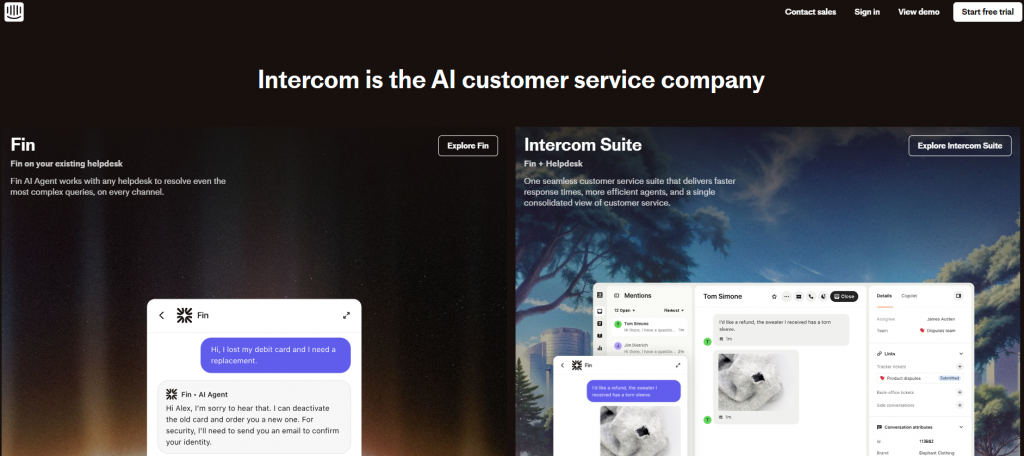
Intercom is a customer messaging platform built around real-time conversations between customers and support teams. It focuses on chat-first support and combines messaging, automation, and AI-assisted tools to help teams handle inbound conversations more efficiently, particularly in product-led environments where chat is a primary support channel.
The platform is designed to centralize customer conversations, reduce response times, and assist agents during live interactions, while still allowing human teams to take over when conversations become complex.
Features
- AI-Assisted Automated Replies – Helps answer common customer questions and reduce manual responses during high-volume periods.
- Shared Inbox for Conversations – Centralizes customer messages from chat and email into a single workspace for better visibility and coordination.
- Conversation Routing and Prioritization – Automatically routes conversations to the appropriate team or agent based on rules and intent.
- Help Center and Self-Service Integration – Connects support content directly to chat so customers can find answers without agent involvement.
- Agent Assist Tools – Suggests replies and surfaces relevant information to help agents respond faster and more consistently.
Pros
- Strong real-time chat and messaging experience
- Balances automation with human-led support
- Works well for teams built around conversational support
Cons
- Costs increase quickly as usage grows
- Most value comes from adopting Intercom’s broader ecosystem
Best For
Product-led teams that rely heavily on chat-based customer communication and real-time support interactions.
3. Zendesk AI
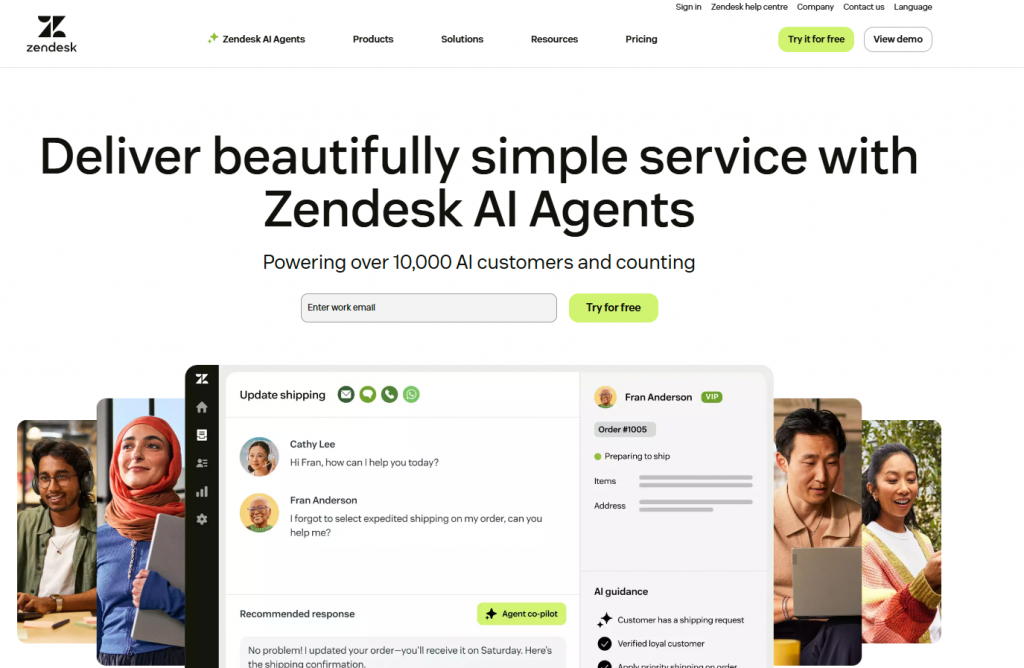
Zendesk AI extends the Zendesk help desk with AI-driven tools designed to improve efficiency in ticket-based support environments. It focuses on assisting agents with triage, routing, and response suggestions while fitting into existing Zendesk workflows rather than replacing them.
The platform works best for teams already operating at scale with structured ticket queues and defined processes, where automation can reduce manual effort without disrupting established operations.
Features
- AI-Powered Ticket Classification – Automatically categorizes and prioritizes incoming tickets based on content and urgency.
- Suggested Replies for Agents – Recommends responses using existing help content to speed up agent replies.
- Automated Routing and Triage – Routes tickets to the right team or queue based on rules and intent detection.
- Knowledge Base Integration – Uses help center articles to support both automated and agent-assisted responses.
- Reporting and Analytics – Tracks ticket volume, resolution times, and agent performance.
Pros
- Deep integration with Zendesk workflows
- Scales well for large support teams
- Strong reporting and operational visibility
Cons
- Limited flexibility outside the Zendesk ecosystem
- AI features add to overall platform cost
Best For
Mid-sized to large teams already using Zendesk for ticket-based customer support.
4. Ada
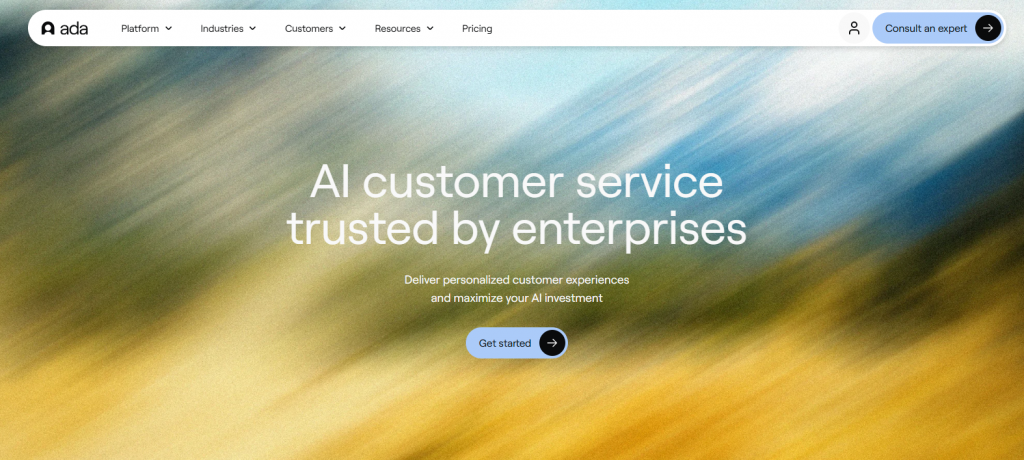
Ada is an AI-powered customer support platform focused on automation and self-service. It is designed to resolve common customer issues without agent involvement by guiding users through AI-driven conversations based on predefined knowledge.
The platform emphasizes deflection and automation, making it suitable for teams looking to reduce inbound ticket volume for repetitive requests.
Features
- Automated Issue Resolution – Handles common support questions without agent intervention.
- Knowledge-Based Conversations – Uses connected help content to guide customer interactions.
- Multilingual Support – Supports customer conversations in multiple languages.
- Automation Performance Analytics – Tracks resolution rates and deflection metrics.
Pros
- Strong focus on automation and self-service
- Effective at reducing repetitive tickets
- Good multilingual capabilities
Cons
- Limited agent collaboration features
- Requires careful setup to avoid over-automation
Best For
Teams aiming to deflect high volumes of predictable support requests through automation.
5. Custify
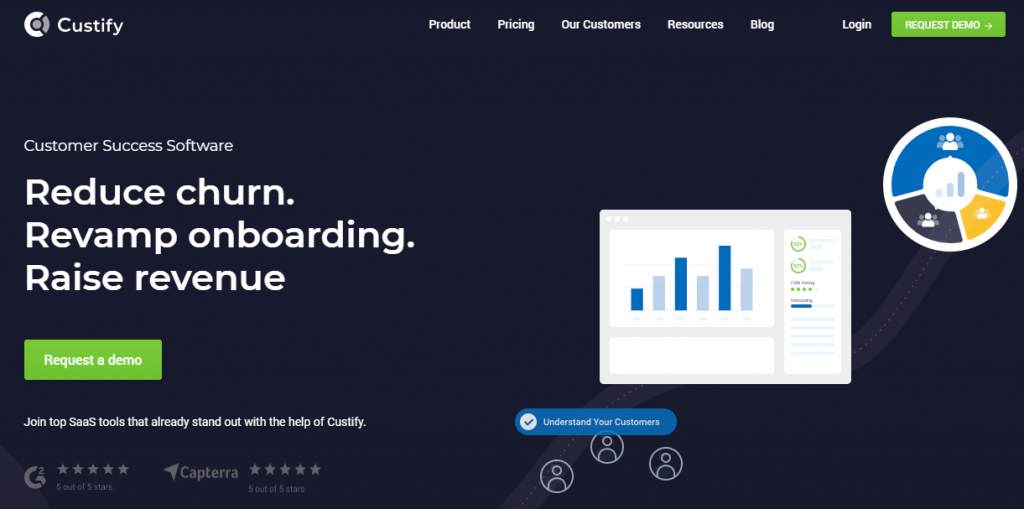
Custify is a customer success platform designed to help teams monitor account health, understand product usage, and reduce churn. Rather than operating as a traditional customer support tool, it focuses on post-sale engagement and long-term customer relationships, especially in SaaS environments.
The platform uses usage data and AI-driven insights to highlight risks and opportunities, enabling customer success teams to take proactive action before issues escalate or customers disengage.
Features
- Customer Health Scoring – Aggregates usage, engagement, and activity data to give teams a clear view of account health.
- AI-Driven Usage Insights – Identifies patterns in customer behavior that signal adoption issues or churn risk.
- Account Management Tools – Helps teams track accounts, owners, and engagement activities in one place.
- Churn Risk Indicators – Flags at-risk accounts so teams can intervene early with targeted outreach.
Pros
- Strong visibility into customer health and engagement
- Useful for proactive customer success and retention efforts
- Well-suited for SaaS account management workflows
Cons
- Not a full customer support or ticketing platform
- Limited support for real-time or high-volume support interactions
Best For
SaaS teams focused on customer success, retention, and long-term account growth rather than day-to-day support operations.
6. Gorgias
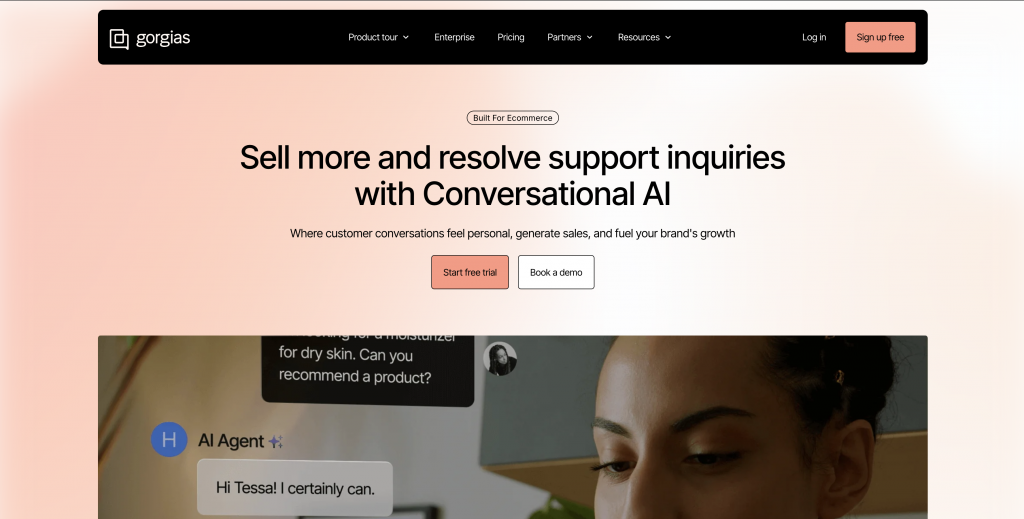
Gorgias is a customer support platform built specifically for eCommerce businesses. It focuses on helping support teams manage high volumes of retail-related inquiries by combining automation with direct access to order and customer data.
The platform is designed around common eCommerce workflows such as order status checks, shipping questions, refunds, and returns. By pulling data directly from connected stores, Gorgias allows agents to resolve issues faster without switching between tools.
Features
- AI-Powered Automation for eCommerce Queries – Automates responses for common order, shipping, and return-related questions.
- Unified Inbox Across Channels – Manages conversations from email, chat, social media, and other channels in one place.
- eCommerce Platform Integrations – Connects directly with popular eCommerce systems to access real-time order data.
- Order and Customer Data Access – Displays customer history and order details within each conversation.
Pros
- Excellent fit for eCommerce support workflows
- Reduces repetitive order and shipping inquiries
- Strong integrations with online store platforms
Cons
- Limited use outside eCommerce-specific scenarios
- AI capabilities are more basic than broader support platforms
Best For
Online stores handling high volumes of order, shipping, and return-related customer inquiries.
7. Kustomer

Kustomer approaches customer support from a customer-centric CRM perspective rather than a traditional ticket-based model. It uses AI and structured data to organize conversations and give support teams a complete view of the customer across all channels.
The platform is designed for environments where support interactions are ongoing and relationship-driven. By tying conversations to customer profiles instead of isolated tickets, Kustomer helps agents understand context over time and manage more complex support journeys.
Features
- Unified Customer Timeline – Displays all customer interactions, activity, and history in a single view.
- Omnichannel Conversation Management – Supports conversations across chat, email, messaging, and social channels.
- AI-Assisted Workflows – Helps prioritize, route, and organize conversations based on customer data and intent.
- CRM-Style Customer Profiles – Maintains detailed customer records to support long-term relationships.
Pros
- Strong visibility into customer history and context
- Well-suited for complex or high-touch support journeys
- Good omnichannel support capabilities
Cons
- Steeper learning curve compared to ticket-based tools
- Higher cost may be challenging for smaller teams
Best For
Teams that need deep customer context and long-term visibility across extended or complex support relationships.
8. Balto
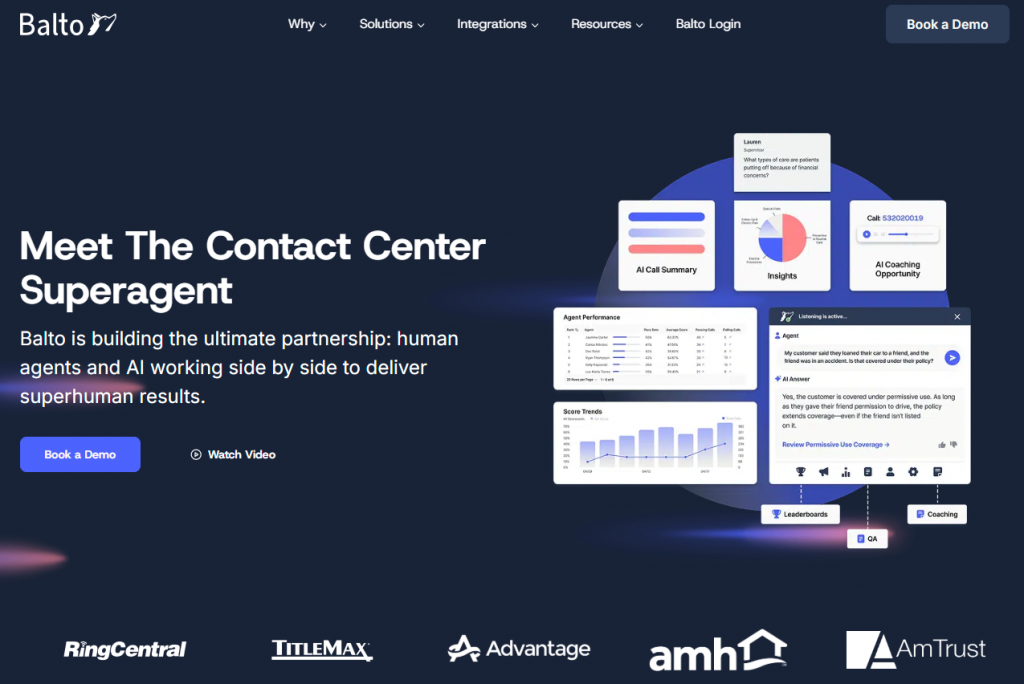
Balto is an AI-powered platform focused on supporting agents during live conversations, particularly in call-based support and sales environments. Rather than automating customer interactions, it works alongside agents in real time, providing guidance, prompts, and insights while conversations are happening.
The platform is designed to improve consistency, compliance, and agent performance by helping teams follow best practices during live calls, especially in regulated or high-stakes environments.
Features
- Real-Time Agent Coaching – Provides live guidance and prompts to agents during active calls.
- Compliance Prompts – Helps ensure agents follow required scripts, disclosures, or policies.
- Call Analytics and Insights – Analyzes conversations to identify performance gaps and improvement areas.
Pros
- Improves agent effectiveness during live conversations
- Well-suited for call center and voice-first environments
- Helps maintain compliance and consistency
Cons
- Does not automate customer-facing conversations
- Limited support for chat or omnichannel workflows
Best For
Call centers and sales teams focused on agent performance, quality assurance, and compliance during live calls.
9. Yuma AI
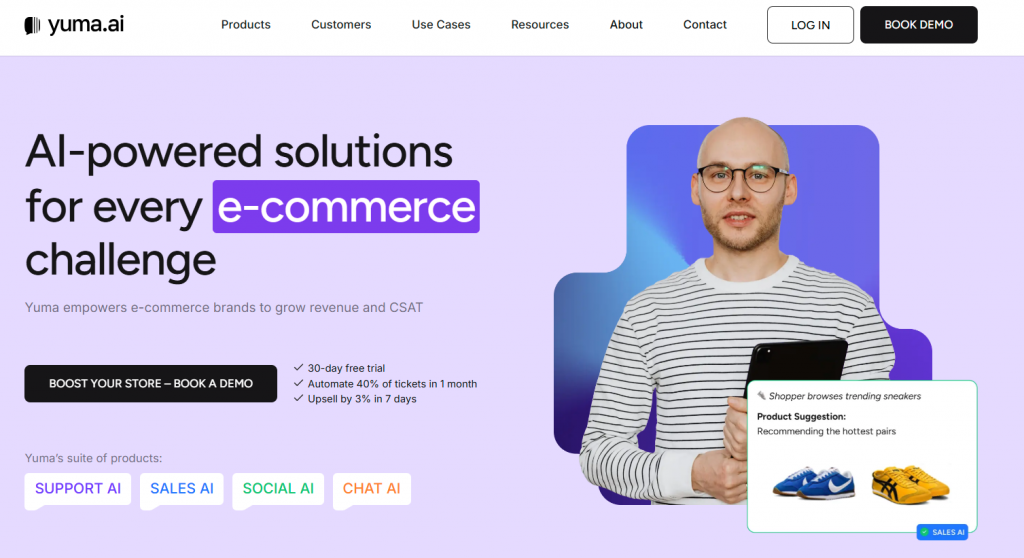
Yuma AI is an AI-powered support automation platform built to handle repetitive customer service tasks, with a strong emphasis on eCommerce workflows. It is designed to reduce manual ticket handling by automating responses to common inquiries while fitting into existing support processes.
The platform focuses on speed and simplicity, making it easier for growing teams to introduce automation without heavy setup or operational changes.
Features
- Automated Ticket Responses – Resolves common support questions automatically using predefined rules and knowledge.
- Support Workflow Automation – Automates routine steps such as tagging, categorization, and response handling.
- eCommerce Integrations – Connects with eCommerce platforms to support order-related workflows.
Pros
- Reduces manual ticket handling for repetitive inquiries
- Quick to deploy and easy to manage
- Well-suited for growing support teams
Cons
- Narrow focus on specific automation use cases
- Limited flexibility for complex or custom workflows
Best For
Small to mid-sized teams looking to automate repetitive support tasks, particularly in eCommerce environments.
10. Forethought

Forethought is an AI-powered customer support platform focused on helping teams understand customer intent, automate routine responses, and assist agents with relevant knowledge during active conversations. Rather than replacing agents, it is designed to improve agent effectiveness and response quality.
The platform works best in environments where support teams want to reduce manual effort while keeping humans involved in decision-making and customer interactions.
Features
- Intent Prediction – Analyzes incoming messages to identify what customers are trying to accomplish and route requests appropriately.
- Agent Assist Tools – Surfaces suggested responses and relevant information to help agents reply faster and more accurately.
- Knowledge Base Integration – Connects existing support content to power automated and assisted responses.
Pros
- Strong focus on assisting agents rather than replacing them
- Improves response accuracy and consistency
- Fits well into existing support workflows
Cons
- Requires high-quality training data for best results
- Higher cost compared to simpler automation tools
Best For
Teams that want to support agents with AI-driven assistance without fully automating customer support conversations.
11. PolyAI
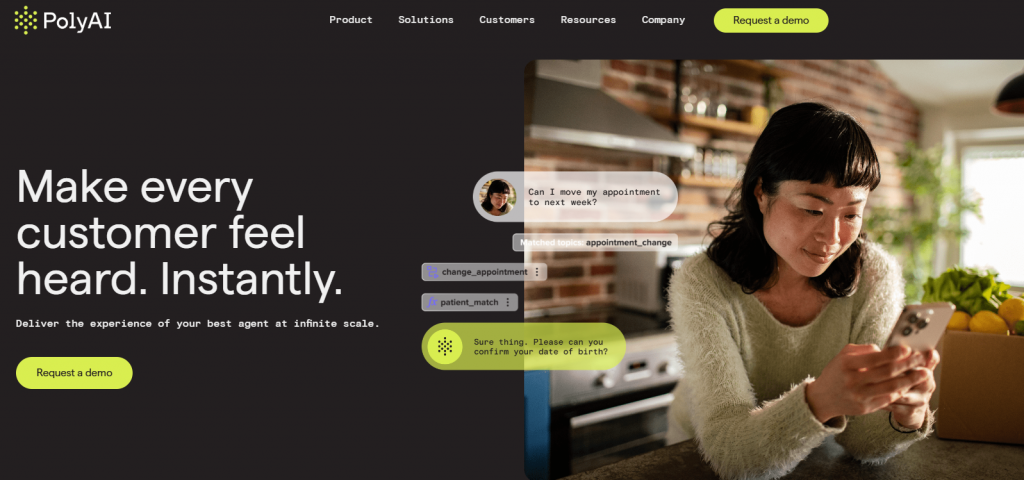
PolyAI is an AI platform focused on automating customer support over voice channels. It is built specifically for call centers and phone-based support environments, where handling high call volumes efficiently is a priority.
The platform uses natural language understanding to manage spoken conversations, resolve common requests, and route calls appropriately. Its primary goal is to reduce the number of calls that require human agents while keeping voice interactions smooth and accurate.
Features
- Voice AI for Phone Support – Handles customer conversations over the phone using natural language understanding.
- Natural Language Call Handling – Interprets spoken requests without relying on rigid menu-based systems.
- Call Routing Automation – Routes callers to the right department or resolves issues automatically when possible.
Pros
- Strong focus on voice automation
- Effectively reduces call volume handled by agents
- Well-suited for large call center environments
Cons
- Limited to voice-based support scenarios
- Not designed for chat or omnichannel support
Best For
Organizations with high inbound call volumes that want to automate phone-based customer support.
12. Help Scout
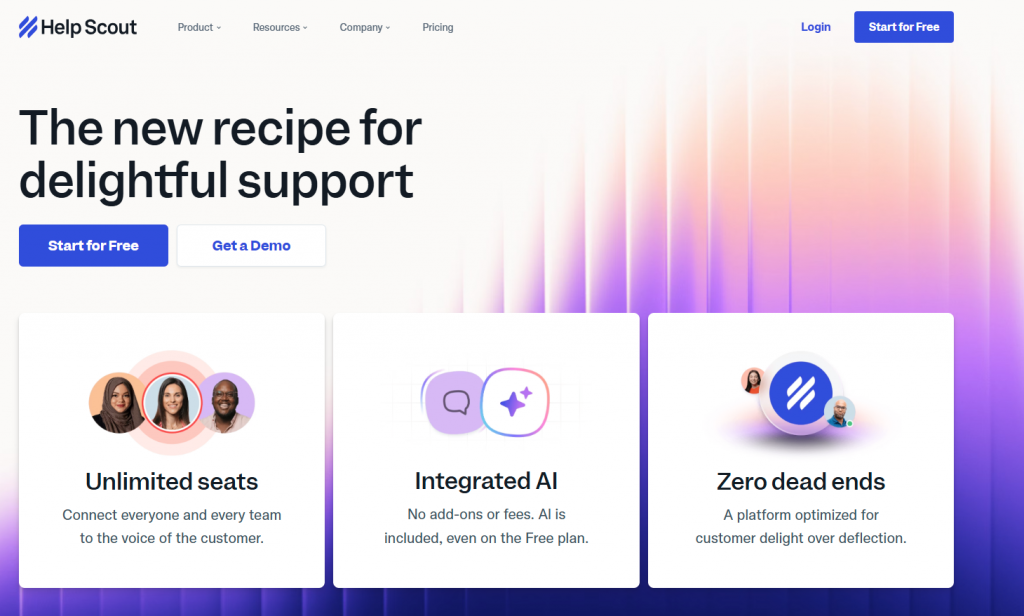
Help Scout is a customer support platform built around email-first workflows with a strong emphasis on simplicity, collaboration, and human-led support. It is designed to help teams manage customer conversations efficiently without heavy automation or complex configuration.
Rather than positioning itself as an AI-driven automation platform, Help Scout focuses on giving support teams clarity, shared context, and lightweight assistance tools that improve response quality while keeping interactions personal.
Features
- AI-Assisted Reply Suggestions – Helps agents draft faster, more consistent responses using previous replies and help content.
- Shared Inbox for Email Support – Centralizes customer conversations so teams can collaborate without overlap or missed messages.
- Help Docs and Beacon – Connects a self-service knowledge base with in-app and website support experiences.
- Customer Context and History – Displays conversation history and customer details to help agents respond with context.
- Reporting and Insights – Tracks response times, conversation volume, and team performance.
Pros
- Easy to use and quick to adopt
- Strong focus on human-to-human support quality
- Well-suited for email-based customer support teams
Cons
- Limited automation compared to AI-first platforms
- Not ideal for high-volume or heavily automated support operations
Best For
Small to mid-sized teams that prioritize personal, email-based customer support and want light AI assistance without complex workflows.
13. Haptik

Haptik is a conversational AI platform built to automate customer interactions at scale, with a strong focus on messaging-based support. It is commonly used in environments where businesses handle large volumes of customer conversations across chat and messaging channels.
The platform emphasizes automation and throughput, making it suitable for organizations that prioritize handling high message volumes efficiently, particularly in structured or repetitive interaction scenarios.
Features
- Conversational AI for Messaging – Automates customer conversations across messaging channels using natural language understanding.
- Automation Workflows – Uses predefined flows and logic to resolve common customer requests.
- High-Volume Handling – Designed to manage large numbers of simultaneous conversations without manual intervention.
Pros
- Handles high message volumes reliably
- Strong support for messaging-based interactions
- Suitable for large-scale automation use cases
Cons
- Less focused on agent-centric workflows
- Setup and configuration can be complex for advanced use cases
Best For
Businesses with high-volume messaging support needs that prioritize automation and scalability over agent-led interactions.
14. Certainly

Certainly is an AI-powered customer support platform focused on automating repetitive and well-defined support tasks. It is designed to help teams reduce manual effort by handling common customer questions using knowledge-based automation.
The platform works best in environments where support processes are structured and predictable. By relying on predefined knowledge and workflows, Certainly helps teams streamline routine interactions without adding operational complexity.
Features
- Automated Customer Responses – Handles common support questions automatically using AI-driven responses.
- Knowledge-Based Support – Uses connected FAQs and documentation to ensure consistent answers.
- Workflow Automation – Automates simple support processes such as categorization and response handling.
Pros
- Reduces repetitive manual support work
- Simple and easy-to-use interface
- Quick to set up for defined use cases
Cons
- Limited customization for complex workflows
- Smaller ecosystem compared to broader platforms
Best For
Teams with clearly defined support processes looking to automate routine customer service tasks efficiently.
15. Hiver

Hiver is a shared inbox platform that operates directly within Gmail, allowing teams to manage customer conversations without leaving their email environment. It is designed for teams that already rely on Gmail and want basic structure, visibility, and accountability for support communication.
Rather than functioning as a full customer service platform, Hiver adds lightweight automation and collaboration tools on top of email-based workflows.
Features
- Shared Inbox for Gmail – Allows multiple team members to manage and collaborate on customer emails from a single inbox.
- SLA Tracking – Tracks response times and ensures support commitments are met.
- Basic AI Assistance – Provides simple automation and assistance for common support tasks.
Pros
- Easy to adopt with minimal setup
- Familiar Gmail-based workflow
- Good visibility for small support teams
Cons
- Limited functionality outside Gmail
- Automation and AI capabilities are basic
Best For
Teams running customer support directly from Gmail that need simple collaboration and accountability features.
How These Platforms Compare in Practice
This table reflects how platforms hold up once they are part of daily support operations. It is intended to help teams narrow options based on channel coverage, team complexity, and how each tool behaves under real support load rather than feature claims.
How to Choose the Right Platform
Most AI customer service platforms look similar on paper. The difference becomes clear only after the tool is embedded into daily support work. A good choice reduces friction for agents and customers. A poor one adds process overhead even if the features look impressive.
- Start from conversation patterns: Skip feature checklists. Review how conversations actually progress across channels. Identify where issues repeat, where threads become long, and where agents usually step in. A platform should fit these patterns with minimal adjustment. If the tool forces you to reshape how support already works, it will create ongoing resistance.
- Set clear AI boundaries: Unclear ownership causes inconsistent outcomes. Decide which requests AI should resolve end to end, where it should assist agents, and where it should stay inactive. Strong platforms make these boundaries explicit and adjustable. When responsibility is unclear, both agents and customers experience inconsistent behavior.
- Evaluate knowledge upkeep effort: Response quality depends on how easily knowledge stays current. Assess how the platform ingests documentation and reflects updates. If maintaining accuracy requires frequent manual intervention, quality will degrade and agent confidence will drop.
- See what happens at handoff: Agent success is measured at the transfer point. When AI stops, agents should receive context that is immediately usable. If agents must re-read long threads or customers must restate details, the system increases workload instead of reducing it.
- Align with current team: Platforms are built with assumptions about team size and process maturity. Tools designed for large organizations can slow smaller teams. Lightweight systems may limit growing teams. Select a platform that matches your current operating model rather than an assumed future state.
- Prioritize early operational value: Platforms that require extended configuration before producing results often lose internal support. Favor systems that improve handling speed or workload distribution quickly and allow refinement over time. Momentum matters more than theoretical completeness.
Best Practices for AI Customer Service Platforms
Long-term results depend on how the platform is managed after launch. These practices focus on keeping support reliable, efficient, and clearly human-led where it matters.
-
✓
Set clear AI boundariesDefine what AI can handle and when a human agent must step in.
-
✓
Automate repeatable workUse AI for predictable requests and keep complex cases human led.
-
✓
Maintain one knowledge sourceKeep documentation updated so responses stay accurate.
-
✓
Ensure smooth handoffsPass full context to agents when conversations escalate.
-
✓
Learn from escalationsUse escalation patterns to improve intents and content.
-
✓
Involve support agentsLet agents flag weak responses and share feedback regularly.
-
✓
Review real conversationsTranscripts reveal gaps that metrics often miss.
-
✓
Expand graduallyAdd new automation use cases in small, controlled steps.
-
✓
Be transparentMake it easy for customers to reach a human agent.
FAQ
How quickly can we expect to see an ROI after implementing AI? ▼
ROI is typically visible within the first 30 days. YourGPT is engineered to deflect 60-80% of routine queries (like order status or reset links) immediately upon launch. This allows you to scale your support volume without increasing headcount, effectively lowering your cost-per-ticket from day one.
Does YourGPT integrate with our existing tech stack (Shopify, Zendesk, Slack)? ▼
Yes, seamless integration is a core capability. YourGPT acts as an intelligent layer on top of your existing tools—it pulls product data from Shopify, syncs tickets with Zendesk, and notifies teams via Slack. You don’t need to migrate data or change your CRM; we simply make your current stack smarter.
How do you guarantee the AI won’t “hallucinate” incorrect answers? ▼
We use a “Strict Retrieval” architecture. YourGPT is restricted to answering only based on the data you upload (PDFs, Notion docs, URLs). If a question falls outside your knowledge base, the AI is programmed to fallback to a human agent rather than guessing, ensuring 100% brand safety.
Can we support international customers without hiring native speakers? ▼
Absolutely. YourGPT provides instant, fluent support in over 100 languages. It automatically detects the user’s language and translates your English knowledge base in real-time. This allows you to expand into global markets (like LATAM or APAC) without the overhead of local support teams.
Is our proprietary data secure and compliant with GDPR? ▼
Data sovereignty is our top priority. YourGPT is fully GDPR compliant and uses enterprise-grade encryption. Crucially, your data is isolated—it is never used to train public models. You retain full ownership and control over your knowledge base and customer logs.
What happens if a conversation becomes too complex for the AI? ▼
The “Human-in-the-Loop” feature activates instantly. YourGPT detects frustration or complexity and seamlessly transfers the chat to a human agent. Unlike standard bots, it provides the agent with a full summary of the issue, so the customer never has to repeat themselves.
Conclusion
Customer support has become a natural part of modern operations, with AI playing a steady and reliable role. It helps teams handle growing conversation volumes while preserving clarity, consistency, and ownership across every interaction. Used with care, it creates space for support teams to focus on conversations that truly matter to customers.
The strongest outcomes come from treating AI as a collaborative layer within the support workflow. Clear boundaries, trusted knowledge sources, and well-defined escalation paths help automation work alongside agents in a predictable and controlled way. This approach keeps experiences consistent while supporting human decision making.
Choosing the right platform shapes how well this balance holds over time. Support teams work best with tools that fit their existing workflows and adjust as needs evolve. Platforms such as YourGPT, built around automation, agent control, and flexible workflows, align well with a wide range of support environments.
Looking ahead to 2026, effective customer support is defined by balance and intention. AI supports scale and routine interactions, while human agents bring judgment, empathy, and relationships. Teams that design around this balance build support systems that grow with confidence and earn lasting trust.

Related posts
18 Lead Generation Strategies & Tactics That Work in 2026