Top 10 Alternatives to Sierra AI in 2026

TL;DR
Sierra AI is built for enterprise customer experience teams that want highly guided AI agent deployments, but it may not be the right fit for teams that need faster setup, clearer pricing, broader channel coverage, or more control over workflow execution.
The strongest Sierra AI alternatives are not just chatbot tools. They differ by deployment model, workflow depth, voice support, helpdesk integration, omnichannel coverage, and how easily teams can connect AI agents to real business systems.
For teams that want AI agents to resolve customer requests across web chat, WhatsApp, email, voice, and internal workflows, YourGPT is a strong alternative to evaluate alongside platforms like Decagon, Ada, Kore.ai, Zendesk AI, and Cognigy.
Sierra AI is an enterprise AI agent platform for conversational AI in customer support and customer experience automation.
The company was founded by Bret Taylor and Clay Bavor and publicly launched in February 2024 after operating in stealth. Sierra is positioned around AI agents that can handle customer conversations, follow brand guidelines, connect with business systems, and support outcome-based pricing for enterprise teams.
Sierra AI is primarily designed for large enterprise environments with longer deployment cycles, high-touch onboarding, and managed implementation support.
While that approach can work for complex contact center operations, it may feel restrictive for teams that want faster iteration, more direct control over agent behavior, or greater flexibility across channels and workflows.
Some teams need more flexibility over how their agents are built and updated. Others may prioritize transparent pricing, faster deployment, broader channel coverage, workflow control, or the ability to connect AI conversations with tools such as CRMs, helpdesks, ecommerce platforms, calendars, and internal systems.
This is why Sierra AI alternatives are worth evaluating.
This guide compares the top Sierra AI alternatives for customer support and CX teams across automation, integrations, deployment flexibility, pricing, and operational fit, so you can choose a platform that aligns with how your business actually works.
Limitations of Sierra AI
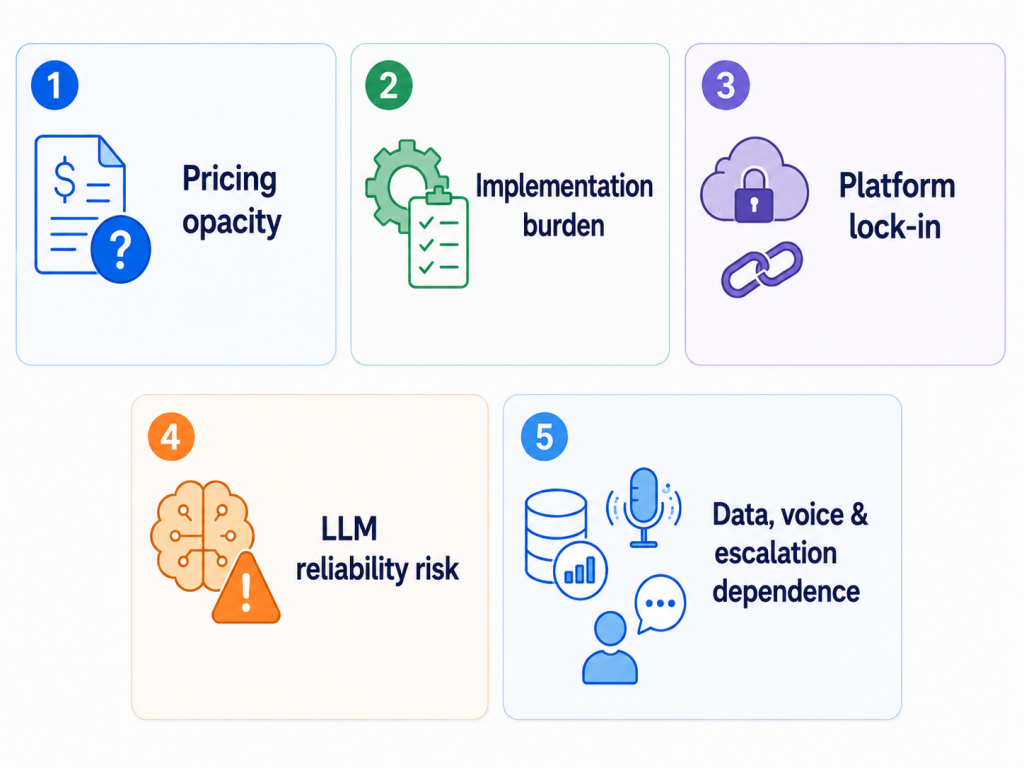
Sierra AI is a strong enterprise AI-agent platform for customer experience automation, especially for brands that need action-taking agents across chat, voice, email, SMS, WhatsApp, and other channels. However, businesses should evaluate the following limitations before committing:
1. Pricing opacity and cost volatility under outcome-based billing
Sierra’s outcome-based pricing can make budgeting difficult. Costs may rise unexpectedly during high-volume periods such as product recalls, outages, seasonal spikes, or support surges. It can also be difficult for finance and procurement teams to audit what exactly counts as a “successful resolution,” especially when outcomes involve partial fixes, abandoned conversations, escalations, or customer dissatisfaction.
2. Enterprise-grade implementation burden and integration complexity
Sierra is not a lightweight plug-and-play chatbot. It works best for enterprises with clean knowledge bases, stable policies, strong backend systems, and technical teams ready to support integration. Complex API connections, legacy systems, CRM workflows, payments, authentication, and regulated processes can require significant engineering effort and professional services support.
3. Proprietary platform lock-in and limited operational autonomy
Customers build agents inside Sierra’s proprietary Agent OS, which can create platform dependency over time. Journeys, prompts, policies, integrations, testing data, traces, and agent logic may not be easy to export or migrate. Operations teams may also face limits when trying to make fast structural changes without technical support or vendor involvement.
4. Persistent LLM reliability, security, and brand-safety exposure
Even with guardrails, supervisors, simulations, and regression testing, Sierra’s AI agents can still make mistakes. Risks include hallucinations, off-brand responses, prompt injection, jailbreaks, context failures, policy violations, and edge-case errors. Because Sierra agents interact directly with customers and may perform real business actions, failures can create public brand damage and operational risk.
5. Dependence on data maturity, voice readiness, and human escalation
Sierra’s results depend heavily on the quality of the company’s data, knowledge base, APIs, policies, and backend systems. Poor documentation, inconsistent rules, outdated content, or weak integrations can reduce agent performance. Voice deployments add further challenges such as latency, accents, interruptions, background noise, authentication, payments, and escalation handling. Human support is still necessary for sensitive, ambiguous, high-value, or exception-heavy cases.
Quick Glance
Top 10 Alternatives to Sierra AI
There are several platforms that go beyond managed AI services and offer flexible architectures, transparent pricing, and real operational control. These tools help teams handle workflows, multichannel communication, and task execution with greater ownership and adaptability.
Below are the top Sierra AI alternatives teams commonly evaluate in 2026, starting with AI-first agent platforms built for real operational work.
1. YourGPT
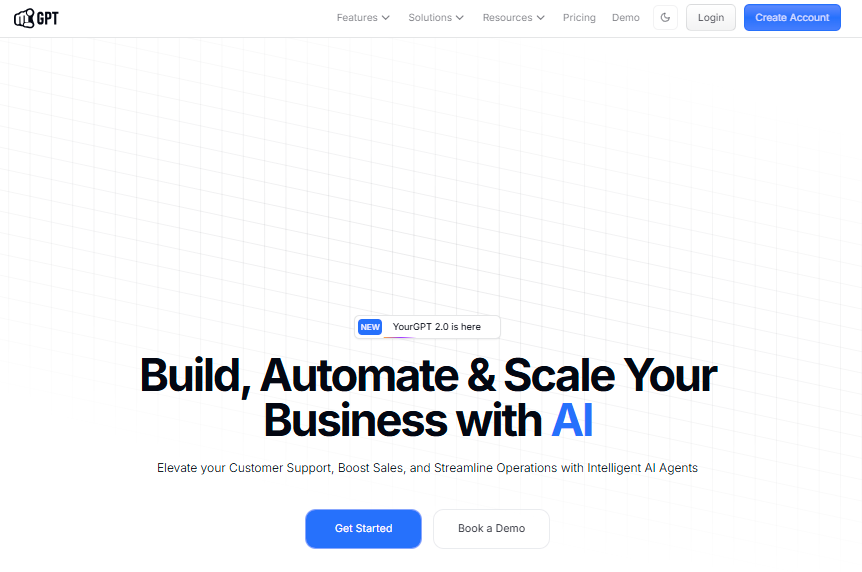
YourGPT is an AI-first platform designed to build and run autonomous AI agents across customer support, sales, and internal operations. Instead of stopping at answering questions, YourGPT agents complete tasks, trigger workflows, and resolve requests inside the conversation.
Teams can launch simple knowledge bots using the no-code builder, then scale into advanced automation using the AI Studio for structured workflows and system integrations.
Features
- No-Code and Workflow Builder: Create AI agents using documents, websites, and FAQs, then design multi-step processes with conditional logic using AI Studio.
- Task Execution Inside Conversations: Agents process refunds, update orders, fetch account data, and trigger backend workflows in real time.
- Custom Knowledge Training: Train agents on internal policies, help content, product data, and customer-facing documentation for accurate responses.
- Omnichannel Deployment: Run the same AI agents across web chat, WhatsApp, Instagram, Messenger, Slack, Telegram, email, and voice with shared context.
- Voice AI Support: Handle phone interactions and spoken requests using natural language voice automation.
- Analytics and Continuous Learning: Track resolution rates, performance, and conversation outcomes while continuously improving responses through supervised learning.
Limitations
- Fast product iteration means features evolve frequently.
- No permanent free version (7-day trial available).
Best For
- Teams replacing ticket-heavy support with AI-led resolution
- Businesses scaling customer interactions without increasing headcount
- Organizations needing one unified platform for automation across support, sales, and operations
Pricing
- Essential: Starts at $39/month on annual billing.
- Professional: $79/month with expanded features and usage limits.
- Advanced: $349/month for larger teams and higher usage.
- Enterprise: Custom pricing based on business requirements and scale.
2. Decagon

Decagon targets fast-moving support organizations that want to configure AI agent behavior using plain-language workflows. Its Agent Operating Procedures allow CX teams to define agent logic in plain English without engineering support.
Features
- Agent Operating Procedures (AOPs): Define agent logic in plain English through AOP Copilot. No engineering support required for configuration.
- Simulation Testing: Test AI agents in simulated conversations before production deployment to catch edge cases early.
- Watchtower Analytics: Built-in analytics suite tracking resolution rates, fallback patterns, and retraining needs.
- Integrations: Connects with Zendesk, Salesforce, and Intercom for existing helpdesk workflows.
- Voice Support: Voice capabilities launched in 2025 with ongoing production deployments.
Limitations
- Voice support is relatively new with fewer proven large-scale enterprise deployments compared to voice-first platforms.
- Native telephony support and legacy enterprise system integrations are limited.
- Outcome-based pricing can create disagreements over what qualifies as a resolved conversation.
- Compliance portfolio may not meet requirements for heavily regulated industries.
Best For
- Technology, consumer, and financial services companies scaling support automation across digital channels
- CX teams that need to own and iterate on agent logic without engineering dependencies
- Organizations looking for fast iteration on chat and email automation
Pricing
- Custom pricing. Contact Decagon for a quote.
3. Ada
Ada is a digital-first customer service platform focused on automation across chat and messaging with expanding voice support. It is designed for CX teams that want to own and iterate on automation without engineering dependencies.
Features
- No-Code Playbooks: Build automated workflows through a no-code interface accessible to CX teams without developer support.
- Multi-LLM Orchestration: Controls tone, accuracy, and safety through brand-safe response management across multiple LLM providers.
- 50+ Languages Supported: Deploy across global digital support operations from a single platform.
- Pre-Built Integrations: Documented integrations for Shopify, Salesforce, and Zendesk ecosystems.
- APIs and SDKs: Support for custom integrations with enterprise systems and workflows.
Limitations
- Voice capabilities are expanding from a digital-first foundation and are less established than voice-first platforms.
- Enterprise governance and lifecycle management features are less mature compared to purpose-built enterprise platforms.
- Cloud-only with no self-hosted option.
Best For
- Mid-to-large digital-first enterprises wanting CX team ownership of chat and messaging automation
- Organizations with strong existing helpdesk ecosystem integrations
- Teams prioritizing fast iteration without engineering bottlenecks
Pricing
- Custom pricing. Contact Ada for a quote.
4. Zendesk
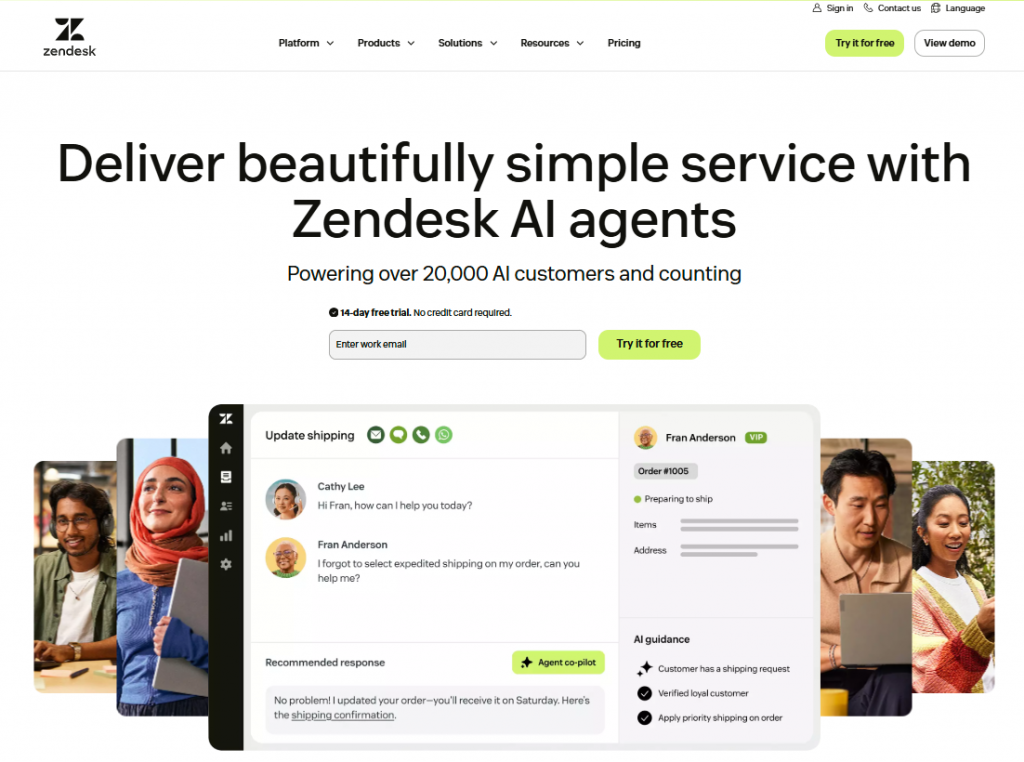
Zendesk AI is an AI-powered customer service platform built into Zendesk’s helpdesk ecosystem. It combines AI agents, ticketing, messaging, live chat, voice, knowledge base, routing, automation, and human agent workflows in one platform. Zendesk says its AI agents can handle customer enquiries across messaging, email, voice, social, web, and mobile channels, with automation potential of up to 80% depending on implementation and use case.
Features
- AI Agents for End-to-End Resolution: Zendesk AI agents can resolve customer service enquiries across channels, handle multi-step workflows, execute actions across connected systems, and improve over time from each resolution.
- Omnichannel Support: Works across social, web, mobile, voice, and email channels, making it suitable for teams managing support across multiple customer touchpoints.
- 80 Languages Supported: Zendesk says its AI agents support 80 languages at native fluency and can automatically switch based on customer input.
- Unified Helpdesk and AI: Combines AI agents with Zendesk’s ticketing, messaging, live chat, help center, voice support, routing, automation, and analytics inside the Zendesk service platform.
- AI Copilot for Human Agents: Zendesk Copilot assists agents with real-time guidance, suggested next steps, draft replies, automated actions, classification, and workflow recommendations based on knowledge, policies, ticket context, procedures, macros, and external systems.
Limitations
- Pricing can become complex because Zendesk pricing combines seat-based plans, usage-based features, add-ons, and AI agent resolutions that may exceed included plan allowances.
- Copilot is a paid add-on and is not included with AI agents by default. Zendesk states that AI agents come as part of Zendesk Suite plans, while Copilot is an additional add-on.
- Best suited for Zendesk-centered teams because the strongest experience comes when support operations, tickets, knowledge base, routing, and agent workflows are already managed inside Zendesk.
- Advanced setup may require workflow planning for teams that want AI agents or Copilot to perform actions across third-party systems, backend tools, and complex business processes.
Best For
- SaaS, ecommerce, and digital-first companies already using Zendesk for customer support
- Support teams that want AI agents, human agents, tickets, help center, live chat, messaging, and voice in one platform
- Organizations that need multilingual, omnichannel AI support across web, mobile, email, social, and voice
- Larger teams that want AI assistance for both customer-facing automation and internal agent productivity
Pricing
- Customer service plans start at $19 per agent/month, billed yearly, for Support Team.
- Suite Team starts at $55 per agent/month, billed yearly, and includes AI agents, knowledge base, action builder, omnichannel routing, messaging, live chat, and telephony.
5. Kore.ai
Kore.ai is an enterprise platform for building and orchestrating AI agents across customer experience, employee experience, and operational workflows. It offers both no-code configuration and pro-code development options with support for cloud, hybrid, and on-premises deployments.
Features
- Multi-Agent Orchestration: Coordinate agents across CX, EX, and operational workflows under unified governance.
- Pre-Built Industry Agents: Ready-to-deploy agents for banking, healthcare, retail, and HR that reduce time to first deployment.
- Flexible Deployment: Supports cloud, hybrid, and on-premises environments for organizations with data residency requirements.
- No-Code and Pro-Code Development: Accessible to both non-technical CX teams and developer-led engineering groups.
- 100+ Pre-Built Connectors: Integrations with enterprise systems including Salesforce, ServiceNow, and Microsoft Teams.
Limitations
- Version management across multiple agents and environments becomes complex at scale.
- Advanced LLM workflows and large-scale simulation testing still require technical configuration.
- Integration quality is inconsistent based on user reviews.
Best For
- Enterprises needing AI automation spanning CX, EX, and operations under unified governance
- Organizations with strict data residency requirements needing on-premises options
- Teams that want pre-built industry agents to accelerate deployment
Pricing
- Custom enterprise pricing. Contact Kore.ai for a quote.
6. Cognigy
Cognigy provides enterprise conversational automation for contact center teams that need AI support across both voice and digital channels. It helps businesses create multilingual customer experiences, automate common service requests, and manage conversations across web chat, messaging apps, and phone support.
It is especially useful for large enterprises already using the NICE CXone ecosystem because it integrates closely with contact center workflows, routing, analytics, and agent handoff. As a Sierra AI alternative, Cognigy is best suited for companies that need scalable automation, strong voice AI, and enterprise-grade control.
Features
- Omnichannel Automation: Supports voice, chat, and messaging channels with consistent agent behavior across touchpoints.
- 100+ Language Support: Build and deploy multilingual agents for global customer operations.
- Native CXone Integration: Deep integration with NICE’s contact center platform including automated PII redaction and EU-hosted speech services.
- AI Copilot for Human Agents: Assist human agents with real-time suggestions and conversation summaries.
- Low-Code Flow Builder: Design complex conversation flows with a visual interface.
Limitations
- Post-acquisition platform integration creates roadmap uncertainty.
- Complex workflows and API integrations require developer support.
- Steep learning curve for teams without prior conversational AI experience.
Best For
- Large enterprises in banking, healthcare, and government using NICE CXone
- Multinational organizations needing multilingual contact center automation
- Teams requiring deep CCaaS ecosystem integration
Pricing
- Custom enterprise pricing. Contact Cognigy for a quote.
7. Rasa
Rasa is an open-source conversational AI framework designed for enterprises that need full ownership of their AI agent infrastructure. Unlike managed platforms, Rasa gives engineering teams direct control over natural language understanding, dialogue management, and system integrations across self-hosted environments.
It is built for complex, logic-driven conversational systems and is commonly used in regulated industries that require data sovereignty and architectural independence.
Features
- Self-Hosted Deployment: Deploy on-premises, in private clouds, or in managed environments. Rasa does not host any customer data, systems, or applications.
- CALM (Conversational AI with Language Models): Combines LLM flexibility with deterministic dialogue management for reliable, controllable agent behavior.
- Native Voice Integration: Built-in connectors for Twilio Media Streams, AudioCodes, Genesys Cloud, and Jambonz with configurable ASR and TTS providers.
- Multi-Agent Orchestration: Maintains shared state, clean handoffs, and unified memory across channels and agent types.
- Code-Level Extensibility: Modify RAG pipelines, NLU components, and dialogue policies directly. No vendor dependency for changes.
- Enterprise Tooling: Collaboration, versioning, governance, and full developer ecosystem integration including CI/CD and OpenTelemetry.
Limitations
- Requires engineering resources or an integration partner to build and maintain agents.
- Steeper learning curve compared to no-code or managed platforms.
- No white-glove managed service option for teams without technical capacity.
Best For
- Enterprise engineering teams in regulated industries needing self-hosted AI
- Organizations requiring guided governance and deterministic dialogue control
- Teams wanting full ownership without managed-service dependency
Pricing
- Developer Edition: Free, includes one bot and up to 1,000 external conversations per month with community support.
- Enterprise: Custom pricing based on annual conversation volume with dedicated support and implementation resources.
8. PolyAI
PolyAI is a voice-first enterprise platform designed for natural, phone-based customer interactions. It helps contact centers automate high-volume calls, answer customer questions, complete routine tasks, and reduce pressure on live agents while keeping conversations fluid and human-like.
As a Sierra AI alternative, PolyAI is best suited for businesses that prioritize voice automation over chat-based support. Its proprietary speech recognition and reasoning models make it useful for complex call center environments where reliability, natural language understanding, and scalable phone support are important.
Features
- Proprietary Voice Models: Owl (speech recognition) and Raven (reasoning) models tuned for enterprise contact center use cases.
- 7+ Years of Voice Production Experience: Proven operational maturity across hospitality, retail, and travel industries.
- 45 Languages Supported: Deploy voice agents across global operations without building separate language implementations.
- Enterprise-Grade Uptime: 99.9% SLA with 24/7/365 emergency support.
- Expanding Omnichannel Coverage: Agent Studio launched in April 2025 to extend beyond voice into additional channels.
Limitations
- Configuration changes route through PolyAI’s team rather than a self-serve interface, slowing iteration for frequent workflow updates.
- Omnichannel capabilities are newer and less established than the core voice product.
- Enterprises in regulated industries should validate governance and compliance depth during evaluation.
Best For
- Enterprise contact centers prioritizing natural-sounding voice experiences
- Industries such as hospitality, retail, and travel with high inbound call volumes
- Teams with voice as the primary customer interaction channel
Pricing
- Custom enterprise pricing. Contact PolyAI for a quote.
9. Replicant
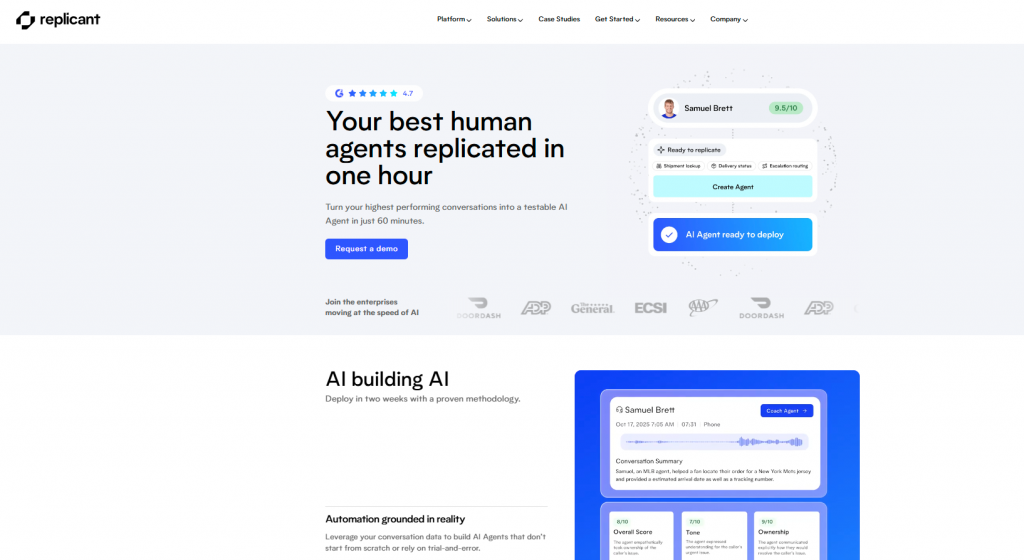
Replicant focuses on voice automation for contact centers that handle large volumes of repetitive customer calls. It helps businesses automate common phone inquiries, reduce wait times, and free live agents to focus on more complex or sensitive customer issues.
As a Sierra AI alternative, Replicant is useful for teams that want to launch voice AI based on their existing call data. By training from past call recordings and transcripts, it can better match a company’s real support processes, customer language, and escalation patterns while reducing cold-start setup time.
Features
- Training from Existing Interactions: Uses prior call recordings and transcripts to shape AI agent behavior for familiar conversation patterns.
- Real-Time Human Agent Handoff: Transfers full conversation context to receiving agents when calls exceed AI agent scope.
- High-Volume Routine Inquiry Handling: Optimized for status checks, scheduling, FAQs, and other repetitive call types.
- Performance Guarantees: Commercial risk-sharing terms available to simplify procurement approval for initial deployments.
Limitations
- Supports approximately 30 languages, which may not meet requirements for globally distributed operations.
- Smaller production deployment footprint compared to enterprise-scale competitors.
- Primarily voice-focused with limited omnichannel automation.
Best For
- Contact centers with high volumes of routine voice inquiries such as status checks and scheduling
- Teams with existing call recordings ready to train AI agents from day one
- Organizations seeking commercial risk-sharing terms for initial voice automation deployments
Pricing
- Custom pricing. Contact Replicant for a quote.
10. Parloa
Parloa provides enterprise contact center automation for voice and messaging across more than 130 languages. It is designed for high-stakes and regulated environments where businesses need secure, reliable AI agents that can support customers throughout the full service lifecycle.
As a Sierra AI alternative, Parloa is best suited for large enterprises that need multilingual automation, strong voice AI, and deep contact center integration. It connects natively with CCaaS platforms such as Genesys, NICE, and Five9, as well as CRM systems like Salesforce and SAP.
Features
- Full AI Agent Lifecycle Management: Integrated Design, Test, Deploy, and Optimize phases with synthetic conversation testing before production rollout.
- Comprehensive Compliance Portfolio: Certified for ISO 27001:2022, SOC 2 Type I and II, PCI DSS, HIPAA, GDPR, and DORA.
- 130+ Languages Supported: Global multilingual deployment from a single platform.
- Native CCaaS Integrations: Direct connectors for Genesys, NICE, Five9, Salesforce, and SAP without requiring middleware.
- Hallucination Guardrails: Built-in controls to reduce AI agent hallucinations in high-stakes customer interactions.
- Human-in-the-Loop Workflows: Version control, compliance monitoring, and human escalation controls baked into the platform.
Limitations
- Some emerging features such as agent composition are still being refined.
- Self-service onboarding resources are still expanding.
- Best suited for enterprise contact centers rather than small or mid-market teams.
Best For
- Regulated enterprises in finance, insurance, and healthcare needing production-grade voice AI at global scale
- Contact centers requiring full compliance certification depth
- Organizations moving AI agents from pilot to production across multiple channels and geographies
Pricing
- Custom enterprise pricing. Contact Parloa for a quote.
How to Choose the Right Tool
Choosing the right AI platform is not about picking the tool with the longest feature list. It is about choosing a system that fits how your team works today and can scale as your automation needs grow.
The best platforms reduce manual effort, keep conversations consistent across channels, and help resolve customer requests without constant human involvement. Here’s what to evaluate:
1. Is It Easy to Set Up and Manage?
A platform should be simple to launch and easy to maintain as your use cases expand.
Check how quickly your team can build agents, update content, adjust workflows, and manage conversations. If every small change requires technical support or vendor involvement, adoption will slow down.
The right tool should let your support or operations team make everyday updates without depending on developers for every change.
2. Does It Support Every Channel Consistently?
Customers contact businesses through websites, messaging apps, email, and phone. Managing each channel separately creates inconsistent responses and missed conversations.
Look for a platform that centralizes communication and allows the same AI logic to work across channels.
Ask whether the AI can manage conversations across web chat, WhatsApp, email, voice, and other messaging channels from one interface instead of forcing your team to maintain separate workflows.
3. Can It Escalate Smoothly to Human Agents?
Not every customer request should be handled by AI. Complex, emotional, or sensitive issues need quick human support.
A better platform should hand conversations to live agents without losing context. Customers should not have to repeat their issue, share the same details again, or restart the conversation.
Test how escalation works during demos. The handoff should feel seamless for both the customer and the agent.
4. Can the AI Take Real Actions?
AI should do more than answer basic questions. The most useful platforms connect directly to business systems and complete tasks inside conversations.
Look for tools that can update records, trigger notifications, process requests, check live data, create tickets, or perform workflow actions.
Platforms that only provide information may reduce some repetitive questions. Platforms that take action can reduce workload and resolve issues more completely.
5. Does It Provide Clear Performance Insights?
Good reporting helps teams understand what is working and where automation needs improvement.
Check whether the platform shows resolution rates, automation success, response quality, workload trends, escalation reasons, and customer experience metrics.
Without clear analytics, it becomes difficult to improve conversations, identify gaps, or prove the impact of AI on daily operations.
6. Does It Fit Your Existing Systems and Workflows?
Every business has different tools, processes, and customer journeys. The platform should be flexible enough to support your specific workflows.
Look for deep integrations with CRMs, help desks, contact center platforms, ecommerce systems, internal databases, and other business software.
Also check whether the platform supports custom conversation logic, scenario-specific flows, and workflow automation that matches how your team already operates.
7. How Much Control Will Your Team Have?
Before choosing a platform, consider how much ownership your team needs over agent logic, data, workflows, and system behavior.
Some managed platforms are easier to launch but create more vendor dependency. Self-hosted or code-first options offer more control but usually require more technical resources.
The right choice depends on your team’s priorities. If you want speed and simplicity, a managed platform may be better. If you need data sovereignty, custom architecture, or deeper control, choose a platform that gives your team more ownership.
Frequently Asked Questions
Why are companies looking for Sierra AI alternatives?
Sierra AI is built for enterprise-grade AI customer experiences, but some teams need different tradeoffs around deployment speed, pricing visibility, workflow ownership, infrastructure control, or channel coverage. The evaluation is no longer only about conversational quality. Buyers are also checking how much operational control the platform gives after deployment.
What should enterprises evaluate before replacing Sierra AI?
Enterprises should evaluate escalation logic, workflow orchestration, live system integrations, channel continuity, analytics visibility, compliance requirements, pricing structure, and ownership after launch. AI response quality matters, but complex support teams also need control over how decisions, handoffs, and actions happen.
Which Sierra AI alternatives are strongest for omnichannel support?
YourGPT, Zendesk AI and Kore.ai, are relevant options for omnichannel support. YourGPT is strongest when a team wants AI agents across web chat, WhatsApp, email, voice, and messaging channels with connected handoff and workflow execution. Zendesk AI is strongest when Zendesk is already the core helpdesk.
Which Sierra AI alternatives are strongest for voice automation?
PolyAI, Parloa, Replicant, Cognigy, and YourGPT are relevant for voice automation.
Are AI support platforms becoming replacements for helpdesks?
Not always. In many teams, AI support platforms sit across the helpdesk, knowledge base, CRM, order system, and messaging channels rather than replacing everything at once. The more important shift is that AI is becoming an operational layer for routing, escalation, workflow execution, and customer context.
Which Sierra AI alternative gives the most infrastructure control?
Rasa is one of the strongest options for organizations that want self-hosting, deep customization, and architectural control. It is usually a better fit for technical teams with engineering resources, compliance requirements, or strict data sovereignty needs.
Which Sierra AI alternative is better for growing companies?
Growing companies usually need a platform that can start quickly but still support deeper workflows later. YourGPT is a strong fit here because it combines accessible deployment with enterprise-grade AI agent capabilities, including omnichannel support, knowledge grounding, workflow execution, voice, and human handoff.
What changes after AI support systems move beyond FAQ automation?
The hard part moves from answering questions to coordinating work. The platform must maintain context across channels, connect with live systems, follow escalation rules, trigger approved actions, and let teams update workflows without breaking customer operations.
How should buyers compare Sierra AI alternatives?
Compare platforms by deployment model, supported channels, workflow depth, integration quality, human handoff, analytics, security requirements, pricing structure, and how much control your team has after launch. A platform that demos well is not always the one that adapts well once real support operations change.
Conclusion
AI support tools now cover very different parts of the support stack.
The difference becomes clearer once you look past the demo. Some tools are mainly built to manage the conversation: answer quality, rollout controls, review flows, and safe deployment inside large support teams. Others sit closer to the actual support workflow: which systems the AI can access, which actions it can take, where escalation rules are defined, and whether the customer’s context carries over when they move from chat to voice.
In day-to-day support, the question is not always what the AI should say. It is what it can do after the message is understood. Can it check the customer’s plan? Can it follow the right workflow? Can it hand the case to a human with the useful context still attached? Can the team see why that handoff happened?
YourGPT is built for this layer of support. It connects conversations with workflows, business systems, human handoffs, and customer channels in one place.
That changes what teams can automate. A customer message can become a system lookup, a workflow step, a handoff with context, or a continued conversation on another channel.
For teams that only need answer automation, a lighter tool may be enough. For teams that want AI tied into the systems and workflows behind support, YourGPT gives them a more practical way to automate the customer journey without losing how the operation is managed.
Build an AI System That Connects Directly to Your Operations
YourGPT links conversations with your business systems, structured processes, and customer journeys.

Related posts
Top 7 Customer Service Email Management Software in 2026

8 Best AI Shopping Assistants for WooCommerce Stores
Best WhatsApp WordPress Plugins for Support
Top 8 AI Agents in Game Development
