8 Best AI Shopping Assistants for WooCommerce Stores
Getting shoppers to your WooCommerce store is only half the job. The real challenge is helping them find the right product before they lose interest and leave.
Many stores spend heavily on ads and social media, but the shopping experience itself often creates friction. Customers face too many product options, confusing filters, poor search results, and no instant support when they have a question. When that happens, even interested buyers abandon the site.
AI shopping assistants help solve this problem by guiding customers through product discovery in real time. Instead of forcing shoppers to browse endless categories, they let them ask natural questions like, “What are the best wireless headphones under $100 for working from home?” The assistant can then suggest relevant products, explain differences, answer questions, and help move the customer closer to purchase.
But not every AI shopping assistant works the same way. Some are built for product recommendations, some focus on customer support, and others can help with cart actions, follow-ups, and post-purchase questions.
In this blog, we’ll cover the 8 best AI shopping assistants for WooCommerce stores, what each one does well, where it falls short, and which type of store it fits best.
What Is an AI Shopping Assistant for WooCommerce?
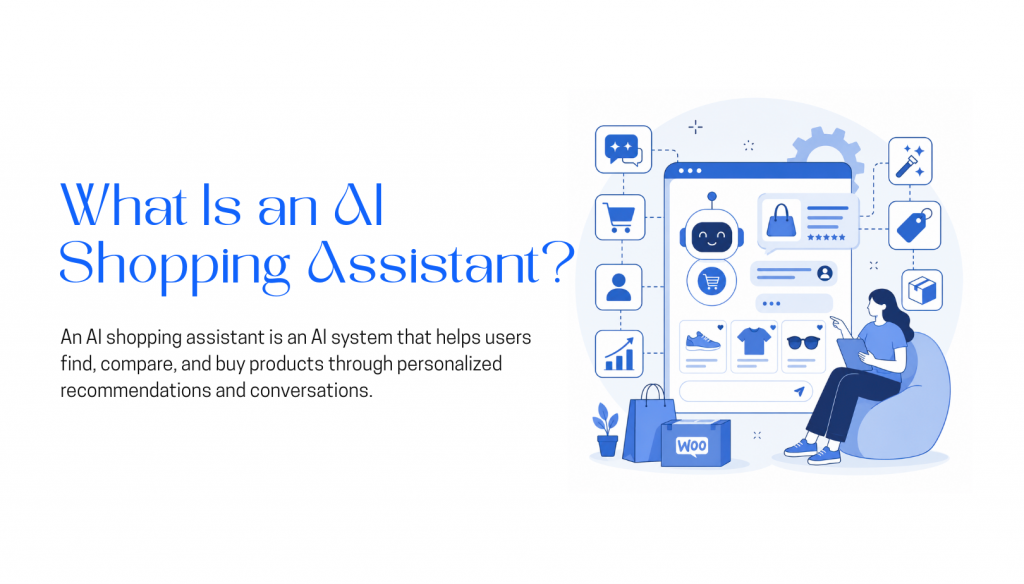
An AI shopping assistant for WooCommerce is a conversational tool that helps customers find, compare, and choose products using natural language instead of manual browsing.
Rather than clicking through categories, filters, and search results, a shopper can ask something like:
“What’s a comfortable office chair under $300 for long workdays?”
The AI Assistant then scans your WooCommerce product catalog and returns a few relevant options with simple explanations, such as price, key features, use case, or why each product fits the request.
At a basic level, these tools answer product questions and recommend items. More advanced AI shopping assistants can also connect with cart data, order history, checkout flows, CRM tools, and helpdesk platforms. This allows them to support more of the buying journey, from product discovery to cart assistance and post-purchase questions.
For WooCommerce stores with large or complex catalogs, this can have a direct impact on conversions. If you sell electronics, furniture, fashion, configurable products, or items with many specifications, helping shoppers find the right product faster can reduce friction and increase sales.
How AI Shopping Assistants Work
Most AI shopping assistants follow a similar process behind the scenes:
- Intent detection: The assistant understands what the shopper wants, not just the exact keywords they use. For example, it can recognize that “good for long hours” means comfort, support, and durability may matter.
- Product retrieval: It searches your WooCommerce catalog using product data such as category, price, stock status, tags, attributes, specifications, and descriptions.
- Semantic matching: Stronger tools understand context. If a shopper asks for “something durable for outdoor use,” the assistant may recommend weather-resistant or waterproof products, even if the shopper did not use those exact words.
- Response generation: The assistant presents relevant products, explains why they match, compares options, or asks follow-up questions to narrow the results.
More advanced platforms go beyond product recommendations. They can help shoppers add products to the cart, answer checkout questions, recover abandoned carts, support returning customers, and connect with customer service tools.
That is the key difference between a simple AI product finder and a full AI shopping assistant for WooCommerce.
What AI Shopping Assistants Actually Do for WooCommerce Stores
Standard search bars and category filters work well enough until a customer types something your store does not expect. A shopper might enter “something for sore feet” while every product title in your catalog uses the word “orthopedic.” The search returns nothing, and you lose a sale. AI shopping assistants fill this gap by guiding people through your inventory using normal conversation instead of exact keywords.
Here is where they add real value to a WooCommerce store.
- Better product discovery
Customers usually describe problems, not products. They search by occasion, symptom, or vague need rather than the precise terms in your product descriptions. An AI assistant interprets intent. If someone types “shoes for standing all day,” it maps that need to the right products even if your catalog never uses that phrase. You stop losing sales because of simple keyword mismatches.
- Easier navigation for large catalogs
WooCommerce stores with hundreds or thousands of SKUs become hard to browse no matter how good your filters are. Shoppers click through color, size, price, and material tabs until they lose patience. An AI assistant lets a customer type “show me winter coats under $200 that are not bulky” and receive a tight, relevant list. It turns an overwhelming catalog into something that feels curated.
- Faster answers to pre-purchase questions
Small doubts about sizing, shipping times, return policies, or product compatibility are enough to stop a purchase. If a buyer has to leave your site to check a FAQ or wait for an email reply, they usually do not come back. An AI assistant answers these questions inside the chat window while the customer still has the product page open. The purchase keeps moving.
- Fewer repetitive support requests
Your team should not spend half the day answering “Do you ship to Canada?” or “Is this in stock?” An AI assistant pulls answers directly from your WooCommerce data and handles routine queries on its own. Your human agents then have space for complicated issues like damaged shipments, custom requests, or billing disputes. Support costs stay lower and service quality stays higher.
- More natural upselling and cross-selling
Static “You may also like” recommendations often feel random. An AI assistant can ask what a customer plans to do with a product, then suggest a relevant add-on based on the answer. If someone buys a camera, the assistant might ask if they shoot video, then recommend a specific memory card speed. Because the suggestion follows context, it feels helpful rather than pushy.
- A smoother experience across channels
Many of your customers do not start on your website. They might message you on Instagram, WhatsApp, or Messenger first. A connected AI assistant carries your product knowledge and conversation history across these channels. A shopper can ask about sizing on your site at lunch and finish checkout through WhatsApp on the train home without starting the conversation over.
The real value comes from removing friction, not adding technology. An AI assistant helps shoppers find products faster, answer their own questions, and check out with fewer interruptions. But this only works if the foundation is solid. Your WooCommerce product data, attributes, stock levels, and shipping rules need to be clean and accurate. The assistant is a layer on top of that foundation. Get the data right, choose a tool that matches your actual workflow, and it becomes a practical filter that keeps people on your site.
Quick Glance
| Platform | Best For |
|---|---|
| YourGPT | AI shopping assistance, customer support, and multi-channel WooCommerce automation |
| Gorgias | Support teams managing high volumes of order, shipping, and post-purchase queries |
| Zipchat AI | Pre-sale product discovery and conversion-focused shopping conversations |
| WoowBot | Small to mid-sized stores that want a WordPress-native chatbot with product search |
| Alhena AI | Shopping assistance, support automation, and AI search visibility tracking in one platform |
| Amio | Mid to large stores adding AI product conversations to an existing helpdesk setup |
| PurioChat | Small WooCommerce stores needing basic AI product Q&A without recurring SaaS fees |
| Clerk.io | Revenue-focused product discovery, AI search, recommendations, and personalization |
Top AI Shopping Assistants for WooCommerce Stores
The tools below were selected based on how well they function specifically as shopping assistants inside WooCommerce environments, not on marketing claims or general popularity. The evaluation focused on shopping intent handling, catalog integration quality, recommendation relevance, and honest functional limits in real store usage. Here’s how they compare.
1. YourGPT
YourGPT is a no-code AI platform that helps businesses build AI agents for customer support, sales, and business operations. For WooCommerce stores, it can work as both a shopping assistant and a support agent by connecting directly with real-time store data.
Its biggest strength is its deep WooCommerce integration. The AI can access product details, inventory levels, order status, shipping information, and store-specific knowledge to give customers accurate answers instantly. This makes it more useful than a basic chatbot that only responds from static FAQ content.
Features
- No-code setup: Install and configure through WordPress without needing advanced technical skills.
- Deep WooCommerce integration: Connects with real-time product data, inventory, order status, shipping details, and product recommendations.
- Product recommendation support: Helps shoppers find relevant products based on their needs, budget, preferences, or questions.
- Custom knowledge base: Trains on your store policies, product documentation, FAQs, return rules, and internal content.
- Omnichannel integration: Deploy the AI agent across channels like WhatsApp, Instagram, Telegram, Messenger, and your website.
- Multilingual support: Communicates in 100+ languages, making it suitable for international WooCommerce stores.
- Proactive Reachout: Triggers personalized messages, promotions, or follow-up campaigns based on customer behavior, helping re-engage shoppers and drive repeat purchases.
- High conversation capacity: Handles unlimited simultaneous conversations without requiring more support staff.
Limitations
- Only a 7-day free trial: The trial period may feel short for stores that want to test complex workflows or multiple channels.
- Advanced customization may need technical understanding: Basic setup is no-code, but deeper customization can require more configuration knowledge.
Pricing
- Essential: $39/month (annual billing)
- Professional: $79/month
- Advanced: $349/month
- Enterprise: Custom
Best For
YourGPT is best for WooCommerce stores that want an AI assistant for both shopping guidance and customer support. It is especially useful for stores with large catalogs, frequent customer questions, international audiences, or multi-channel sales operations across website chat, WhatsApp, Instagram, Telegram, and Messenger.
2. Gorgias
Gorgias is a customer support platform, not a shopping assistant. That distinction matters here because it’s frequently positioned alongside tools that handle product discovery, which it doesn’t do in any meaningful way.
What Gorgias does well is consolidate customer conversations, including email, chat, and social, into one inbox with WooCommerce order data pulled in automatically. Support agents answering product or order questions have full purchase context without switching between tabs.
Features
- AI-assisted response suggestions: Helps agents reply faster by surfacing relevant responses based on conversation content.
- Automated resolution for repetitive queries: Handles common questions about orders, returns, and policies without agent involvement.
- Macros for high-volume support: Predefined response templates for fast, consistent replies.
- Order-aware conversation view: Pulls order status, tracking, and purchase history directly into support threads.
- Workflow routing: Directs conversations to the right team or agent based on priority and query type.
- Performance reporting: Tracks response times, resolution rates, and team efficiency.
Limitations
- Rigid workflow customization: Teams with non-standard support processes often end up working around platform defaults rather than configuring to fit their actual needs.
- Steep tier pricing jumps: The gap between Basic at $104/month and Pro at $840/month is significant, and ticket volume growth can push you into a higher tier faster than expected.
- Shallow automation depth: Compared to AI-native platforms, Gorgias automates less. It handles volume well but isn’t built to replace human judgment on anything complex.
Pricing
- Starter: $10/month
- Basic: $104/month
- Pro: $840/month
- Advanced: $3,000/month
- Enterprise: Custom
Best For
WooCommerce stores with a dedicated support team managing high volumes of order, shipping, and post-purchase queries. Not the right choice if product discovery or conversion improvement is the primary goal.
3. Zipchat AI
Zipchat AI is built specifically for pre-sale conversations and product discovery inside ecommerce stores. The tradeoff for that focus is a narrower functional range, but within product discovery, it performs well.
Where it earns its place is in the catalog connection. It pulls live WooCommerce product data and uses purchase intent signals from each conversation to surface relevant products and guide shoppers toward checkout.
Features
- Catalog-aware product responses: Pulls live product data to generate recommendations tied to actual inventory.
- Intent-based shopping assistance: Reads purchase intent from natural language and maps it to relevant catalog items.
- Conversion-oriented chat flows: Structures conversations to move shoppers from browsing toward product selection.
- Cart interaction: Engages users based on cart activity to address hesitation and reduce abandonment.
- Direct WooCommerce sync: Keeps recommendations current as catalog and inventory change.
Limitations
- No post-purchase support: Zipchat is scoped to pre-sale only. There’s no order tracking, returns handling, or support automation once a customer has bought.
- Catalog quality dependency: Recommendation accuracy drops noticeably with incomplete or inconsistently structured product data, a problem that’s easy to underestimate before you’re on a paid plan.
Pricing
- Starter: $468/year
- Growth: $1,236/year
- Pro: $2,388/year
- Scale: $4,668/year
Best For
WooCommerce stores whose main gap is product discovery and pre-purchase conversation, particularly stores with well-structured catalogs where recommendation accuracy can be maximized from day one.
4. WoowBot
WoowBot is a WordPress plugin, which means setup, performance, and scalability are all tied to your hosting environment. For stores that prefer keeping everything inside WordPress without third-party SaaS dependencies, that’s an advantage. For stores expecting consistent performance under load, it’s a real ceiling.
The plugin handles product search inside the chat interface, supports add-to-cart actions, and can be connected to AI models like OpenAI or Dialogflow for more sophisticated responses.
Features
- In-chat product search: Customers find and browse products without leaving the chat interface.
- Cart actions from chat: Add-to-cart functionality built into the conversation flow.
- Hybrid rule-based and AI system: Combines scripted chatbot flows with optional AI model integrations.
- Lead capture forms: Collect customer details conversationally.
- WordPress-native: Runs as a plugin with no external hosting required.
Limitations
- Hosting-dependent performance: Response speed and reliability are tied to your server. On shared or underpowered hosting, the chat experience slows noticeably under moderate traffic.
- Not suited for large catalogs: Retrieval quality degrades as product count grows. The plugin wasn’t built to handle thousands of SKUs efficiently.
- Manual AI configuration: Connecting OpenAI or Dialogflow requires more technical setup than the initial install implies. Most merchants underestimate this until they’re mid-deployment.
Pricing
- Starter: $49 one-time
- Professional: $99 one-time
- Master: $189 one-time
Best For
Small to mid-sized WooCommerce stores that want a self-contained, no-subscription chatbot with product search and basic cart functionality, and have the technical patience to configure the AI integration themselves.
5. Alhena AI
Alhena AI covers more ground than most tools on this list by combining product discovery, customer support, and AI visibility tracking. The visibility feature monitors how your products appear in AI search engines like ChatGPT and Perplexity, which is genuinely different from what other platforms offer.
For WooCommerce stores, it functions as a shopping assistant grounded in live catalog data, with support automation running alongside it for post-purchase queries.
Features
- Conversational product discovery: Natural language product search against live catalog data.
- Guided purchase assistance: Narrows recommendations through contextual follow-up questions.
- Support automation: Handles order queries, returns, and FAQs using store policies and customer data.
- Multi-channel deployment: Web chat, WhatsApp, Instagram, and other messaging channels.
- Store and system integrations: Connects with product feeds, ecommerce tools, and support platforms.
- AI visibility tracking: Monitors product appearances in AI-powered search engines.
Limitations
- Longer onboarding due to scope: Getting shopping, support, and visibility features all working well simultaneously takes more structured setup time than a single-purpose tool.
- Output quality tied to catalog hygiene: Messy or incomplete product feeds affect all three functions at once. Stores with poorly maintained data will see that reflected broadly across the platform.
Pricing
- Free plan: Limited conversations and basic visibility tracking
- Essentials: $199/month
- Growth: $499/month
- Scale: $999/month
- Enterprise: Custom
Best For
Growth-stage WooCommerce stores that want shopping assistance, support automation, and AI search visibility in one platform rather than managing separate tools for each function.
6. Amio
Amio connects to WooCommerce product feeds, order systems, and existing helpdesk platforms to handle both pre-sale product conversations and post-purchase support through one interface.
Its helpdesk integrations, including Gorgias, Zendesk, and Freshdesk, make it a reasonable choice for stores that already have a support stack and want to add AI capability without replacing what’s already working.
Features
- Product feed-based responses: Uses live WooCommerce data to answer product questions and guide discovery.
- After-sales support automation: Handles order status, shipping updates, and returns with live system data.
- Conversational shopping guidance: Helps users navigate products through structured chat interactions.
- Multi-channel messaging: Web chat, WhatsApp, Messenger, email, and other platforms.
- Helpdesk integrations: Connects with Gorgias, Zendesk, and Freshdesk for human handoff.
- Multi-source training: Learns from product feeds, PDFs, and website content.
Limitations
- Setup-sensitive accuracy: Responses depend heavily on well-structured product feeds and knowledge sources from day one. Rushing the configuration phase leads to inconsistent output that’s difficult to fix without rebuilding the data foundation.
- High entry cost at scale: The AI Scale tier starts at €2,950/month, which is a significant commitment for smaller stores that don’t yet have the conversation volume to justify it.
Pricing
- Starter: €150/month
- AI Expert: €350/month
- AI Scale: From €2,950/month
Best For
Mid to large WooCommerce stores with existing support infrastructure that want to add AI-driven product conversations without overhauling their current helpdesk setup.
7. PurioChat
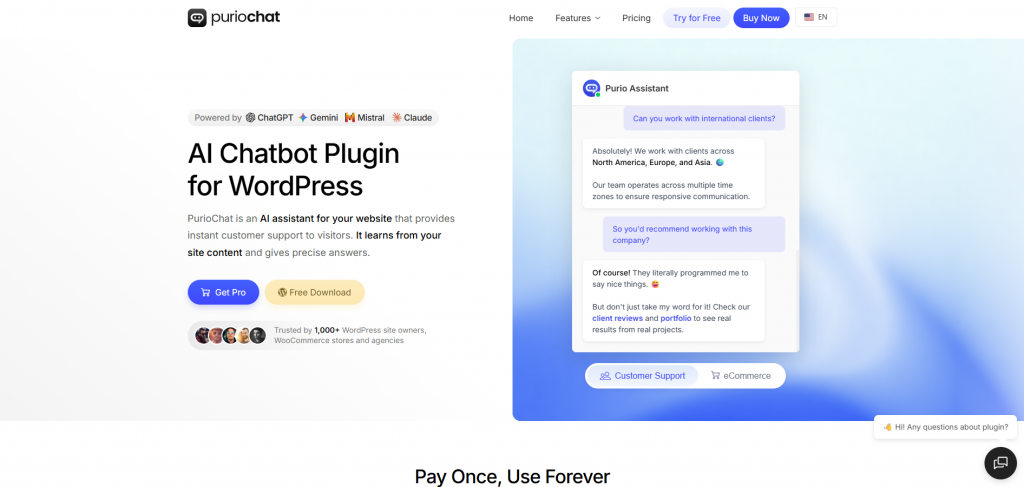
PurioChat runs entirely inside WordPress with no external servers and no recurring SaaS fees beyond the one-time license. It uses semantic search and LLM integrations to answer customer questions based on your site content, product pages, and uploaded documents.
For stores that want a lightweight AI chat layer without monthly fees or external dependencies, it’s one of the more practical options available.
Features
- WordPress-native AI chatbot: Runs server-side on your own WordPress install.
- Semantic product and content search: Embedding-based retrieval across store pages, products, FAQs, and uploaded documents.
- WooCommerce product integration: Surfaces products and handles basic product queries inside chat.
- Multi-source training: Pages, posts, PDFs, and structured WooCommerce data.
- LLM flexibility: Works with OpenAI and Gemini through API integration.
Limitations
- Server-bound performance: Processing runs on your own WordPress server, so response speed degrades with shared hosting or traffic spikes. Better hosting directly improves the experience.
- Limited scope beyond Q&A: PurioChat handles product questions and basic search well but isn’t built for conversion optimization, cart actions, or multi-step shopping workflows.
Pricing
- Pro: $59 one-time license (single site, lifetime access)
Best For
Small WooCommerce stores that need basic AI-powered product Q&A and site search, have well-maintained hosting, and want to avoid recurring SaaS costs.
8. Clerk.io
Clerk.io connects to WooCommerce and 20+ other e-commerce platforms to deliver search, product recommendations, email personalisation, audience segmentation, and live chat through one platform. Its focus is revenue generation rather than support automation, helping stores convert more browsers into buyers across the customer journey.
Its modular setup means WooCommerce stores can start with a single product like search or recommendations and expand over time without disrupting existing marketing tools.
Features
- AI-powered search: Intent-aware search that handles typos and vague queries, returning behaviour-based results and eliminating zero-result dead ends.
- Personalised recommendations: Upsell and cross-sell widgets driven by real purchase and browsing data, deployable across product pages, cart, and checkout.
- AI Chat: Generative and predictive chatbot trained on your product catalogue to guide shoppers and answer questions around the clock.
- Email personalisation: Automated product recommendation emails that update dynamically when opened, ensuring content stays relevant at send time.
- Audience segmentation: Behaviour-based customer segments usable for on-site personalisation, email campaigns, and Meta/Google Lookalike Audiences.
- WooCommerce integration: Native plugin with cookieless tracking that syncs live product and order data without additional middleware.
Limitations
- Not a support tool: Clerk.io is built for product discovery and revenue, not post-purchase support or helpdesk workflows. Stores needing order status automation or returns handling will need a separate solution.
- Cost unpredictability at scale: Pricing scales across five modules by usage volume, which makes monthly costs harder to forecast as traffic grows.
Pricing
- Usage-based: Usage based across five modules, each priced separately by monthly volume. A pricing calculator is available on their website.
Best For
WooCommerce stores looking to increase revenue through better search, personalisation, and product discovery, particularly those with larger catalogues who want data-driven recommendations without a custom build.
Comparison Table
| Platform | Core Focus | WooCommerce Capabilities | Key Strengths | Limitations | Pricing | Best For |
|---|---|---|---|---|---|---|
| YourGPT | AI shopping assistant, customer support, sales, and business automation | Connects with WooCommerce product data, inventory, order status, shipping details, product recommendations, and store knowledge. | No-code setup, deep WooCommerce integration, 100+ languages, omnichannel support, proactive cart recovery, and unlimited simultaneous conversations. | Only a 7-day free trial. Advanced customization may require some technical understanding. | Essential: $39/month annually Professional: $79/month Advanced: $349/month Enterprise: Custom |
WooCommerce stores that need both shopping guidance and customer support across website chat, WhatsApp, Instagram, Telegram, and Messenger. |
| Gorgias | Customer support platform for ecommerce teams | Pulls WooCommerce order data into support conversations so agents can answer order, shipping, and purchase-related questions faster. | Strong shared inbox, AI-assisted replies, macros, automated responses, order-aware support view, routing, and performance reporting. | Not a true product discovery assistant. Workflow customization can feel rigid, and pricing jumps sharply between tiers. | Starter: $10/month Basic: $104/month Pro: $840/month Advanced: $3,000/month Enterprise: Custom |
Stores with dedicated support teams handling high volumes of order, shipping, return, and post-purchase questions. |
| Zipchat AI | Pre-sale product discovery and conversion-focused chat | Syncs with WooCommerce catalog data to recommend products, guide shoppers, and respond to purchase-intent queries. | Catalog-aware recommendations, intent-based shopping assistance, conversion-oriented flows, cart interaction, and direct WooCommerce sync. | Focused mainly on pre-sale use cases. Does not handle post-purchase support like order tracking, returns, or support automation. | Starter: $468/year Growth: $1,236/year Pro: $2,388/year Scale: $4,668/year |
Stores that mainly need better product discovery, guided recommendations, and pre-purchase conversion support. |
| WoowBot | WordPress-native chatbot with product search | Lets shoppers search products inside chat, browse results, and add products to cart through the conversation flow. | One-time license, WordPress-native setup, in-chat product search, cart actions, lead capture, and optional AI integrations. | Performance depends on hosting. Not ideal for very large catalogs. AI setup may require manual configuration with tools like OpenAI or Dialogflow. | Starter: $49 one-time Professional: $99 one-time Master: $189 one-time |
Small to mid-sized WooCommerce stores that want a self-contained chatbot without monthly SaaS fees. |
| Alhena AI | Product discovery, support automation, and AI visibility tracking | Uses live catalog data for product discovery and store data for support queries, returns, FAQs, and customer assistance. | Conversational product discovery, guided purchase assistance, support automation, multi-channel deployment, integrations, and AI search visibility tracking. | Broader feature set can require longer onboarding. Output quality depends heavily on clean catalog and product data. | Free plan: Limited usage Essentials: $199/month Growth: $499/month Scale: $999/month Enterprise: Custom |
Growth-stage WooCommerce stores that want shopping assistance, support automation, and AI visibility monitoring in one platform. |
| Amio | AI conversations for product guidance and after-sales support | Connects to WooCommerce product feeds, order systems, and helpdesk platforms to support pre-sale and post-purchase conversations. | Product feed-based answers, after-sales automation, conversational shopping guidance, multi-channel messaging, and helpdesk integrations. | Accuracy depends on structured product feeds and knowledge sources. Higher-scale plans can be expensive for smaller stores. | Starter: €150/month AI Expert: €350/month AI Scale: From €2,950/month |
Mid to large WooCommerce stores with existing helpdesk tools that want to add AI product and support conversations. |
| PurioChat | Lightweight WordPress AI chatbot for product Q&A | Runs inside WordPress and uses WooCommerce product data, pages, posts, PDFs, and site content to answer customer questions. | One-time license, WordPress-native setup, semantic search, WooCommerce product integration, multi-source training, and LLM flexibility. | Limited beyond Q&A. Not built for cart actions, conversion workflows, or advanced multi-step shopping assistance. | Pro: $59 one-time license for single site lifetime access | Small WooCommerce stores that need basic AI product Q&A and site search without recurring SaaS costs. |
| Clerk.io | AI search, recommendations, personalization, and revenue growth | Connects to WooCommerce through a native plugin and syncs live product and order data for search, recommendations, email personalization, and AI chat. | AI-powered search, personalized recommendations, AI chat, email personalization, audience segmentation, and cookieless WooCommerce tracking. | Not designed for post-purchase support or helpdesk workflows. Usage-based pricing can become harder to forecast as traffic grows. | Usage-based pricing across five modules. Each module is priced separately by monthly volume. | WooCommerce stores focused on increasing revenue through smarter search, personalization, and product discovery. |
How to Choose the Right AI Shopping Assistant
The right AI shopping assistant depends on where shoppers are getting stuck in your store.
If customers struggle to find the right product, choose a tool focused on product discovery, search, and recommendations. If your team spends too much time answering order, shipping, and return questions, a support-focused AI assistant will be a better fit. If you need both, look for a platform that connects with WooCommerce product data, inventory, orders, and customer conversations.
Before choosing a tool, check how deeply it integrates with WooCommerce. A useful assistant should access product details, prices, stock status, variations, order updates, shipping information, and store policies. The more real-time data it can use, the more accurate and helpful its answers will be.
Also consider your store size. Small WooCommerce stores may only need a lightweight chatbot for product Q&A. Larger stores with bigger catalogs, multiple channels, or high support volume should choose a more advanced platform with automation, multilingual support, and stronger integrations.
Finally, clean up your product data before launching any assistant. Clear product titles, descriptions, categories, tags, and attributes will improve recommendation quality across every platform.
Choose based on the problem you need to solve first: better product discovery, fewer support tickets, cart recovery, or multi-channel customer engagement. The best tool is the one that removes the most friction from your buying journey.
Common Mistakes When Using AI Shopping Assistants
AI shopping assistants usually fail because of poor setup, not because the tool itself is weak. Here are the mistakes WooCommerce stores should avoid:
1. Using messy product data
If product titles, descriptions, categories, tags, or attributes are incomplete, the assistant will struggle to recommend the right products. Clean product data is the foundation of accurate AI responses.
2. Choosing the wrong type of tool
A support chatbot is not always good at product discovery, and a product recommendation tool may not handle order tracking or returns well. Choose the assistant based on your main problem: discovery, support, cart recovery, or multi-channel engagement.
3. Relying only on default settings
Most tools need some configuration. Set up answers for common questions around sizing, compatibility, shipping, returns, product comparisons, and checkout concerns. Otherwise, the assistant may give generic responses.
4. Placing the assistant in the wrong area
A chat widget only on the homepage may not help much. AI assistants usually work better on product pages, category pages, cart pages, and other points where shoppers need help making a decision.
5. Measuring only support ticket reduction
Ticket reduction matters, but it is not the full picture. Also track assisted conversions, add-to-cart rate, cart recovery, average order value, and how often AI conversations lead to purchases.
A good AI shopping assistant needs more than installation. Clean your catalog, map common customer questions, and place the assistant where it can actually influence the buying journey.
FAQ
Which AI shopping assistant is best for WooCommerce? ▼
It depends on the gap you’re solving. Zipchat AI and Add To Cart AI lead for product discovery and conversion. Gorgias and Amio are stronger for support at scale. YourGPT and Alhena AI cover both but require more setup.
How does an AI shopping assistant actually work? ▼
It reads the customer’s query, identifies intent, searches your catalog using attributes and semantic matching, and returns relevant products or follow-up questions. More advanced platforms also take actions like adding items to the cart or routing conversations to a human agent.
Do these tools require coding to set up? ▼
Basic deployment typically doesn’t require coding. Connecting product feeds, configuring intent flows, and integrating with other systems usually takes more time and some technical familiarity, particularly on platforms that offer deeper workflow control like YourGPT.
Will an AI shopping assistant increase sales? ▼
Only if it addresses the right friction point. If customers are leaving because they can’t find the right product or get a question answered in time, a well-configured assistant can directly reduce that drop-off. Poorly configured tools with weak product data rarely move the needle regardless of the platform.
What’s the difference between a chatbot and an AI shopping assistant? ▼
A traditional chatbot follows scripts and responds to trigger phrases. An AI shopping assistant understands intent from natural language, searches catalog data dynamically, and returns relevant results rather than matching input to predefined answers.
Conclusion
AI shopping assistants have become an important part of how WooCommerce customers discover products, ask questions, compare options, and decide what to buy.
The best choice depends on the problem you need to solve first. If shoppers struggle to find the right product, focus on product discovery and recommendation quality. If your support team is overloaded, choose a tool that can handle order updates, shipping questions, returns, and common support requests. If your store sells across multiple channels, make sure the assistant can support conversations beyond your website.
Choose a tool for the problem, not the feature list. A simple tool can work well for a small store with basic needs, while a growing store may need something broader that supports product recommendations, customer support, cart recovery, multilingual conversations, and omnichannel engagement.
Start by fixing the biggest friction point in your buying journey. Then choose an AI shopping assistant that can solve that problem today and still support your store as traffic, catalog size, and customer expectations grow.

Related posts
Top 7 Customer Service Email Management Software in 2026
Best WhatsApp WordPress Plugins for Support

Top 8 AI Agents in Game Development
