Customer Support AI Agents: What to Evaluate Before You Buy in 2026
TL;DR
AI agents are becoming part of everyday business operations across customer support, sales, onboarding, and internal workflows. In customer support, they are commonly used to answer questions, automate billing support, track orders, handle repetitive requests, collect information, route conversations, and assist human agents with context and actions. Some platforms focus mainly on conversational replies, while others support deeper workflow automation through integrations, business logic, and action execution. This guide explains what customer support AI agents should actually be able to do and how to evaluate them based on workflows, integrations, escalation handling, reliability, and long-term operational fit.
Customer support in 2026 looks very different from even a few years ago. Customers now expect fast, accurate responses across multiple channels, while support teams aim to maintain consistency, quality, and efficiency at scale. AI agents have become a practical part of modern support operations, helping teams handle routine questions, guide conversations, and assist with real actions behind the scenes.
At the same time, not every AI agent delivers the same results. Some focus only on answering questions, while others are designed to understand intent, use business data, and work alongside human agents. Knowing the difference matters when the goal is reliable support, not just automation.
This blog helps you evaluate customer support AI agents before you buy in 2026. It breaks down what these agents should be capable of, how they fit into real support workflows, and which factors influence long-term performance and customer trust. You will learn what to look for, what to question, and how to assess whether an AI agent truly supports your team rather than adding complexity.
By the end, you will have a clear framework to compare options with confidence and choose an AI agent that aligns with your support goals, technical setup, and customer expectations.
What Is a Customer Support Agent?
A customer support AI agent is an intelligent system designed to handle customer interactions end to end, not just respond to messages. Unlike traditional chatbots that follow predefined scripts, AI agents understand intent, use context from past interactions, and take actions across support systems.
A customer support AI agent can communicate through chat or voice and connect directly with your tools such as CRM platforms, order systems, help centers, and ticketing software. It does more than answer questions. It retrieves data, updates records, completes tasks, and decides when human involvement is required.
These agents can be deployed across websites, mobile apps, and messaging platforms such as WhatsApp, Slack, Instagram, or in-app chat. They operate continuously and adapt responses based on customer history, conversation context, and business rules.
When implemented correctly, a customer support AI agent functions as an extension of your support team rather than a standalone bot.
Core Capabilities:
These capabilities define whether an AI agent can reliably handle real customer support scenarios, from resolving common requests to supporting agents with accurate context and actions.
- Real-Time Resolution : Responds instantly to common support requests such as order status, account details, delivery updates, or policy questions, without waiting for an agent.
- Action-Based Automation : Performs tasks such as booking appointments, initiating refunds or returns, creating or updating tickets, and syncing information with backend systems.
- Context-Aware Personalization : Adjusts responses based on customer data including past conversations, purchase history, account status, or support tier.
- Cross-Channel Continuity : Maintains consistent conversations across web chat, messaging apps, social platforms, and voice, without losing context when users switch channels.
- Smart Escalation Logic : Recognizes complexity, sentiment, or policy boundaries and routes conversations to human agents with full context attached.
When deployed well, a customer support AI agent improves response speed, reduces manual workload, and helps teams deliver consistent support without sacrificing accuracy or customer trust.
How to Choose the Best Customer Support Agent
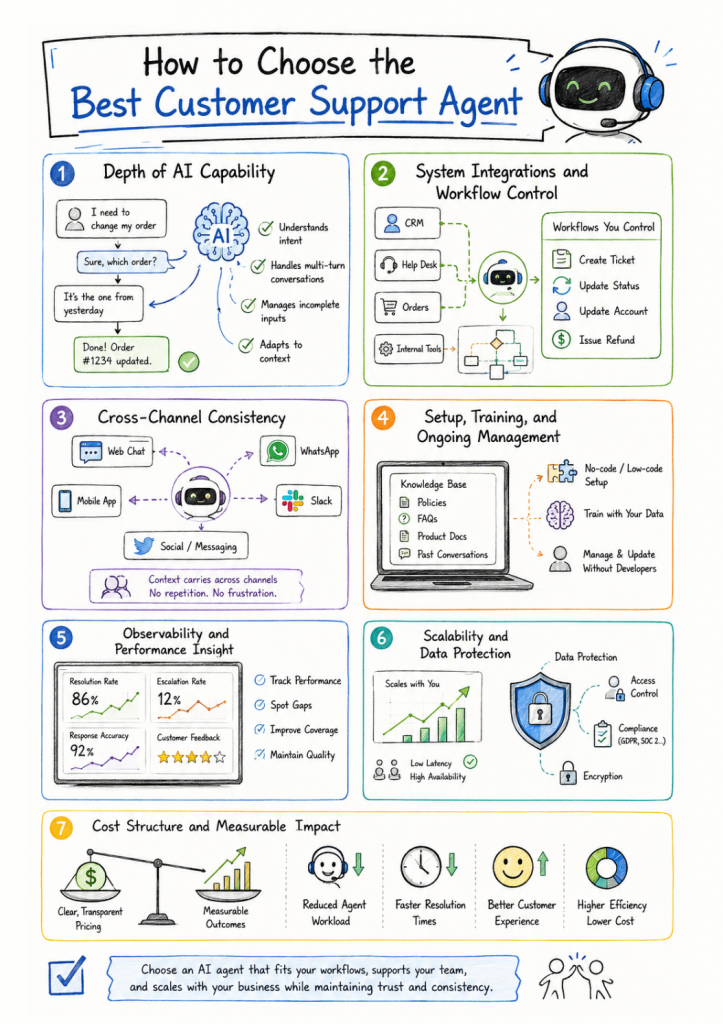
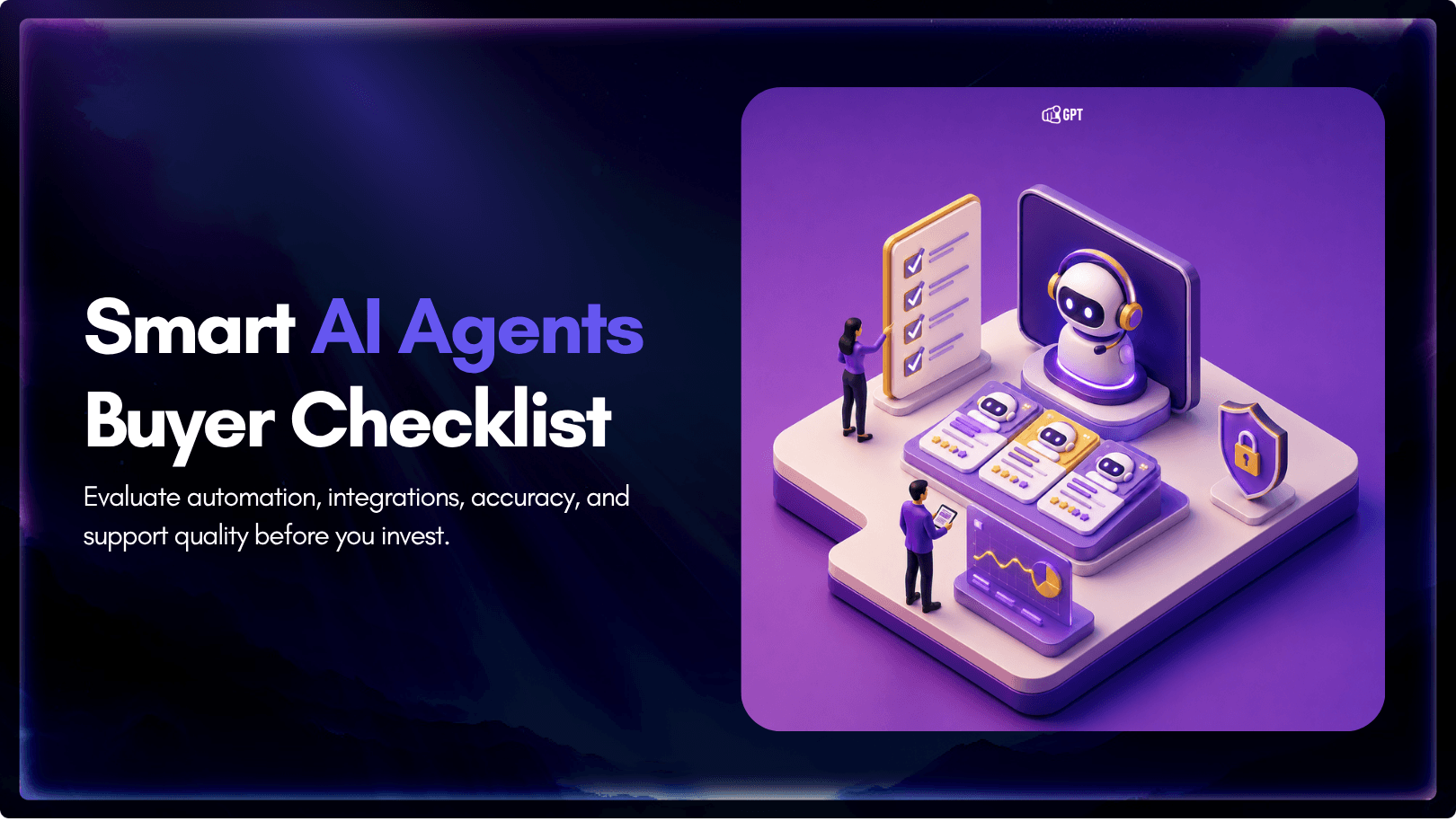
Choosing a customer support AI agent requires more than checking feature lists. The goal is to evaluate whether the agent can resolve real support requests, work within your existing systems, and support your team without adding friction. The following factors help separate surface-level automation from AI agents that deliver consistent results.
1. Depth of AI Capability
A customer support AI agent should handle more than simple question answering. It should understand intent across multi-turn conversations, work through incomplete or unclear inputs, maintain context as conversations evolve, and adapt responses based on customer history and business rules. Strong AI agents can manage complex requests without restarting the conversation, losing context, or falling back to generic replies.
2. System Integrations and Workflow Control
Effective AI agents connect directly with your CRM, help desk, order systems, and internal tools. Beyond data access, you should be able to define workflows, decision logic, and actions such as ticket creation, status updates, or account changes. Control over these workflows determines how useful the agent becomes in daily operations.
3. Cross-Channel Consistency
The AI agent should operate across your primary customer channels including web chat, mobile apps, WhatsApp, Slack, and social messaging. Conversations must carry context when customers switch channels, so issues are resolved without repetition or confusion.
4. Setup, Training, and Ongoing Management
Look for platforms that allow no-code or low-code setup, with the ability to train the agent using your own knowledge base, policies, and historical conversations. Ongoing updates should be manageable by support or operations teams, not limited to technical staff.
5. Observability and Performance Insight
A reliable AI agent provides clear visibility into how it performs. This includes resolution rates, escalation frequency, response accuracy, and customer feedback. These insights help teams identify gaps, improve coverage, and maintain consistent quality over time.
6. Scalability and Data Protection
The agent should handle increases in conversation volume without performance drops. At the same time, it must meet data protection, access control, and compliance requirements to ensure customer information remains secure across all interactions.
7. Cost Structure and Measurable Impact
Evaluate pricing in the context of actual outcomes. Consider the reduction in agent workload, faster resolution times, and improved customer experience. A strong AI agent delivers measurable value beyond basic cost savings.
By evaluating these factors, you can select a customer support AI agent that fits your workflows, supports your team, and scales with your business while maintaining trust and consistency across customer interactions.
Top 10 Platforms for Customer Support Agent
If you are evaluating platforms to deploy a customer support AI agent in 2026, the focus should be on systems that can resolve issues, integrate with your workflows, and support human agents when needed. The following platforms stand out for their ability to handle real support tasks, automate actions, and operate reliably at scale.
Each option in this list offers practical automation, strong system integrations, and support for agent handoff, making them suitable for teams looking to improve efficiency without compromising customer experience.
- YourGPT AI: AI agent platform for customer support, sales, and internal operations with multi-channel support, action-based workflows, AI Studio control, live agent handoff, unified inbox, and deep integrations across CRM, ecommerce, and business systems.
- Intercom: Conversational AI support platform focused on knowledge-base-driven customer support, automated responses, and support workflows for SaaS businesses.
- Zendesk AI: AI-powered support layer for Zendesk users with ticket suggestions, automated workflows and agent assistance capabilities.
- Drift (now part of salesloft): Conversational support and engagement platform with real-time chat routing, qualification workflows, and support automation for sales and customer teams.
- Ada CX: AI customer service platform designed to automate repetitive support requests, manage ticket deflection, and handle conversations across multiple channels.
- Kustomer: CRM-centric customer support platform with omnichannel conversation management, AI-assisted workflows, and timeline-based customer interaction tracking.
1. YourGPT AI Agent
YourGPT is a no-code AI agent platform that helps customer support teams automate responses, reduce ticket volume, and improve resolution times.
Designed for fast setup and real-time performance, it enables support teams to manage common queries, provide order updates, handle basic troubleshooting, and escalate complex issues across websites and messaging platforms.
It integrates well with tools like Zendesk, Freshdesk, and Intercom, and is built to launch quickly so your team can start delivering better support without delay.
Support-Focused Features
- No-Code Flow Studio: Create support workflows using AI messages, buttons, logic conditions, event triggers, variables, and API calls. Workflows can be managed by support or operations teams without developer involvement.
- Real-Time AI Search Widget: Add an intelligent search experience that helps customers find relevant answers instantly based on real user questions and knowledge base content.
- Context-Aware AI Responses: Use AI response blocks that adapt replies based on conversation history, user input, and real-time data pulled from internal systems.
- Pattern-Based Support Automation: Configure reliable responses for frequent support topics using intent patterns or keyword matching to handle high-volume requests efficiently.
- Omnichannel Deployment: Deploy your customer support AI agent across web chat, WhatsApp, Instagram, Messenger, Slack, Telegram, Framer, voice interfaces, and SDK-based applications while keeping conversation context intact.
- Multilingual Support: Support customers in more than 100 languages with built-in language detection and translation for consistent global coverage.
- Human Handoff with Full Context: Allow customers to request a human agent when needed. Conversations are transferred with full history and relevant details so agents can continue without repetition or loss of context.
Pros
- Handles everyday support work reliably: Works well for common requests such as order updates, account information, and first-level troubleshooting, without forcing conversations into fixed scripts.
- Training feels practical, not technical: You can train the agent using existing help articles, website content, and CRM data without needing engineering support or long setup cycles.
- Smooth human takeover when needed: Customers can ask for a human at any point. When a handoff happens, the agent passes the full conversation context to the support team so agents can continue naturally.
- Engages users at the right moments: The agent can step in based on customer behavior such as visiting key pages or spending time without taking action, instead of waiting for users to start a chat.
- Works well for international teams: Supports conversations in more than 100 languages, making it suitable for teams handling customers across regions without setting up separate workflows.
Best For
Support teams in SaaS, eCommerce, internal help desks, and service operations that need reliable automation with human backup and real-time performance.
2. Zendesk AI
AI-powered support automation built into the Zendesk ecosystem for faster resolutions and better agent productivity.
Zendesk AI helps support teams deflect tickets, route queries, and assist agents in real time. Built natively into the Zendesk platform, it combines bots, macros, and AI-suggested replies to handle common issues and reduce backlog.
Support-Focused Features
- AI-Powered Automation Inside Zendesk: Automates common support tasks such as ticket categorization, routing, and first responses directly within the Zendesk environment.
- AI Suggested Replies and Macros: Provides agents with reply suggestions and pre-built macros based on ticket context, past interactions, and intent detection.
- Self-Service Support Flows: Enables customers to resolve common issues on their own through guided flows before a ticket reaches an agent.
- Intent Detection and Smart Routing: Identifies customer intent and routes tickets to the right team or agent to reduce resolution time and internal handoffs.
- Bot to Agent Handoff: Transfers conversations from automated flows to human agents inside the Zendesk workspace while preserving ticket context.
- Analytics and CSAT Tracking: Offers built-in reporting for ticket volume, response times, automation usage, and customer satisfaction metrics.
Pros
- Works seamlessly within Zendesk workflows: Fits naturally into existing Zendesk setups, allowing teams to add AI assistance without changing tools or processes.
- Reduces agent workload on repetitive tickets: Handles common requests through automation and suggestions, helping agents focus on higher priority issues.
- Easy to scale across growing teams: Supports increasing ticket volume and team size without requiring major changes to support operations.
- Clear visibility into performance: Provides reporting and analytics that help teams monitor resolution quality and customer satisfaction.
Best For
Support teams already using Zendesk across email, web, and messaging
3. Freshchat
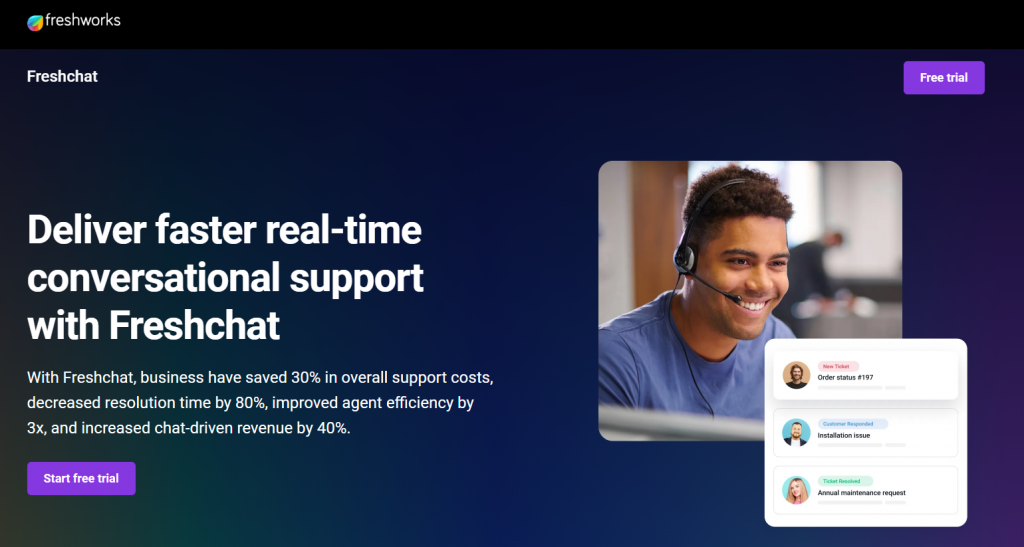
Freshchat is a conversational support platform that combines AI assistance, live chat, and workflow automation to help teams resolve customer issues more efficiently across digital channels.
It allows support teams to manage conversations through bots and human agents using a shared inbox. AI powered flows can qualify requests, handle common issues, and route conversations based on intent while keeping agents in control of more complex cases.
Support-Focused Features
- AI Bots with Custom Workflows : Use AI driven bots to manage routine support requests, guide users through predefined flows, and collect relevant information before escalation.
- Unified Omnichannel Inbox : Agents can manage conversations from web chat, mobile apps, and messaging platforms in a single workspace without losing context.
- Bot to Agent Handoff with Context : Transfers conversations from bots to human agents with full chat history so issues can be handled without repetition.
- Native Freshworks Integrations : Connects seamlessly with Freshdesk, WhatsApp, and other Freshworks tools to align conversations with existing support operations.
- Live Performance and Engagement Metrics : Provides visibility into response times, conversation volume, and agent activity for ongoing optimization.
Pros
- Balanced automation with agent oversight: Offers automation where it helps most while allowing agents to step in easily when conversations become complex.
- Works well within the Freshworks ecosystem: Fits naturally for teams already using Freshworks products for support and customer engagement.
- Optimized for web and mobile support: Designed for modern customer interactions across browsers, mobile apps, and messaging channels.
Best For
Mid-sized businesses and SaaS teams needing live + AI support
4. Intercom
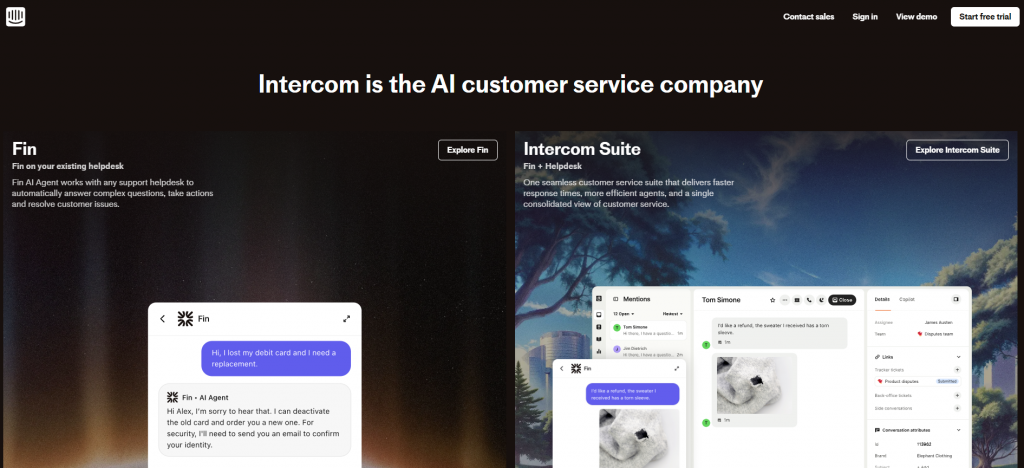
Intercom offers an AI powered support agent designed to provide instant answers using a company’s existing help content. It is built primarily for product led and SaaS teams that already use Intercom for customer communication.
The AI agent works by pulling responses from the help center and resolving common questions automatically. When conversations require human involvement, the system routes them to support agents inside the Intercom inbox with context preserved.
Support-Focused Features
- Automatic Help Center Answers: Responds to customer questions by pulling relevant information directly from published help documentation.
- Configurable Escalation Rules: Routes conversations to human agents when requests fall outside defined automation boundaries or require manual intervention.
- Fallback and Resolution Logic: Uses configurable fallback responses when answers are unclear, helping maintain conversation flow without misguidance.
- Native Intercom Inbox Integration: Operates fully within Intercom’s chat and inbox experience so agents can manage AI and human conversations in one place.
- Multi-Channel Availability: Supports interactions across web, in-app messaging, and supported messaging channels.
Pros
- Quick to deploy using existing content : Uses help center articles to deliver answers without extensive setup or training.
- Works seamlessly inside Intercom: Fits naturally into Intercom based support workflows and tooling.
- Well suited for SaaS support at scale: Handles high volumes of repetitive product questions reliably for growing SaaS teams.
Best For
B2B SaaS companies that already use Intercom for customer messaging and want AI assisted support built around their help documentation.
5. Tidio
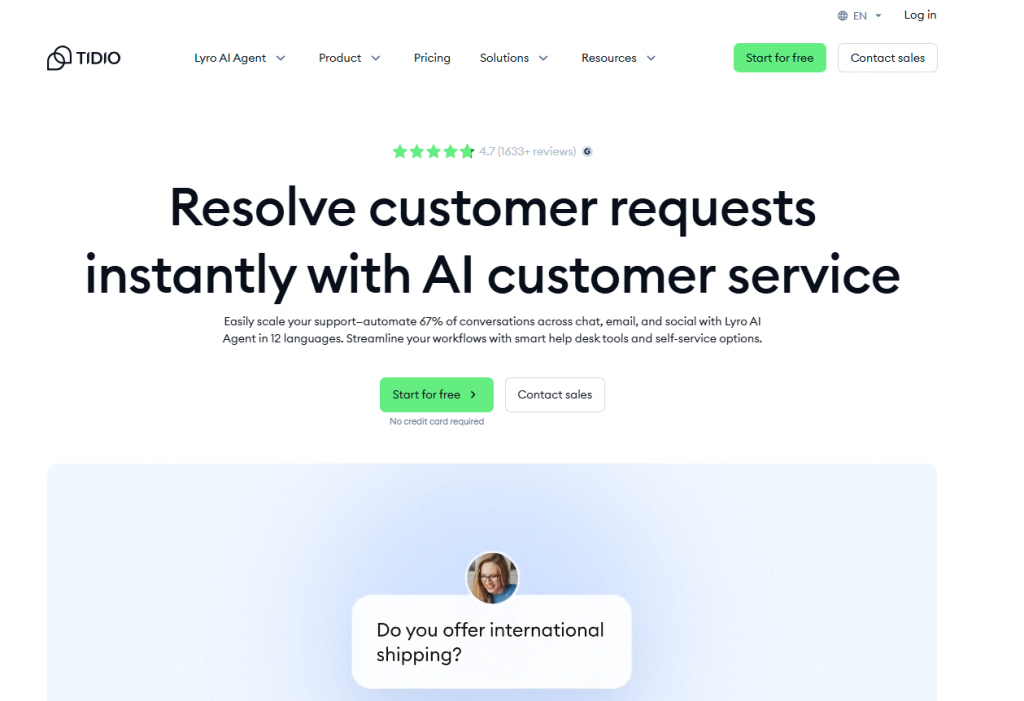
Tidio is a customer support platform that combines AI assistance with live chat to help small teams manage customer conversations efficiently. It is commonly used by eCommerce businesses that need quick responses for product, order, and delivery related questions.
The platform allows teams to automate frequent requests while keeping live chat available for real-time human support. Its integrations with popular eCommerce platforms make it easy to connect customer conversations with order data and store activity.
Support-Focused Features
- AI Responses for Common Support Topics: Handles frequent questions related to products, shipping, and store policies through automated responses.
- Live Chat for Agent Support: Allows human agents to step in and respond to customer queries in real time when automation is not sufficient.
- Order Tracking Automation: Provides automated order status updates by connecting with eCommerce systems.
- Multi-Channel Messaging Support: Supports conversations across web chat, Messenger, and WhatsApp from a single interface.
- Basic CRM and Ticket Management: Includes simple tools to track conversations and manage customer requests.
Pros
- Quick and easy to deploy: Designed for fast setup without technical complexity, making it accessible for small teams.
- Well suited for eCommerce use cases: Covers common store related support needs such as order status and product questions.
- Balances automation with human support: Allows teams to combine AI responses with live agent interaction as needed.
Best For
Shopify stores, online retailers, and small to mid sized businesses that want a mix of AI assistance and live chat without heavy setup.
6. Zoho Sales
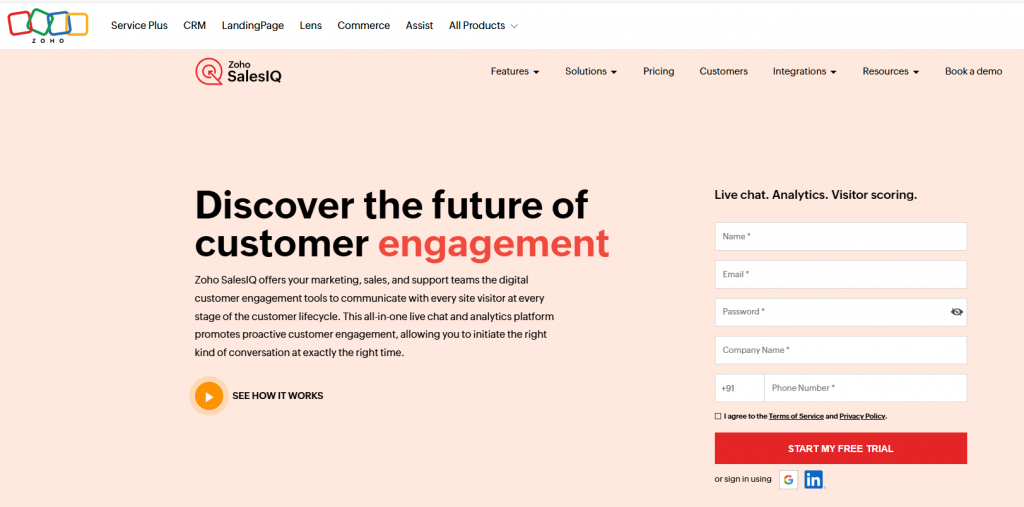
Zoho Sales includes an AI powered support agent that works closely with Zoho CRM and Zoho Desk to automate customer conversations across sales and support channels. It is designed for teams already using the Zoho ecosystem who want integrated automation without managing separate tools.
The AI agent supports both rule based flows and natural language understanding, allowing teams to handle routine questions, capture context, and route conversations directly into Zoho Desk for follow up and resolution.
Support-Focused Features
- Visual Bot Builder and NLP Flows: Create automated support experiences using a visual builder with support for intent based and scripted conversation paths.
- Real-Time Visitor Tracking and Triggers: Engage users based on behavior such as page visits or time spent, helping initiate support at relevant moments.
- Native CRM and Ticket Integration: Connects directly with Zoho CRM and Zoho Desk to sync conversations, customer data, and support tickets.
- Multilingual Conversation Support: Supports customer interactions in multiple languages to serve global audiences without separate workflows.
- Smart Agent Handoff: Transfers conversations to live agents with full context when automation is not sufficient.
Pros
- Strong fit for Zoho based teams: Works seamlessly for organizations already using Zoho products across sales and support.
- Covers both sales and support workflows: Automates conversations that span lead qualification, customer questions, and support requests.
- Built-in analytics for ongoing improvement: Provides insights into bot performance, engagement, and resolution effectiveness
Best For
Teams using Zoho CRM and Zoho Desk that want integrated AI driven support automation within a single ecosystem.
7. Drift
Drift is a real-time conversation platform designed primarily for sales, with support capabilities suited for B2B and SaaS teams that manage both customer questions and lead interactions through chat.
Its AI driven conversations help route users, handle basic support requests, and connect visitors with the right team quickly. While the platform is sales focused, it can support lightweight customer service scenarios where speed and routing matter most.
Support-Focused Features
- Routing Logic for Sales and Support : Directs conversations to the appropriate team based on intent, page context, or predefined rules.
- Shared Live Chat Inbox : Allows teams to manage customer and prospect conversations in real time from a central inbox.
- Bots for Initial Support and Triage : Uses conversational bots to answer simple questions, collect details, and prepare conversations before human handoff.
- Knowledge Base Integration : Pulls answers from connected help content to support basic self service responses.
- Meeting and Ticket Booking Flows :Enables users to schedule meetings or create tickets directly from chat interactions.
Pros
- Works well for blended sales and support teams : Supports organizations that handle customer service and revenue conversations through the same channel.
- Strong CRM and Slack integrations: Fits well into existing sales and communication workflows for B2B teams.
- Optimized for fast engagement and routing : Designed to connect users with the right person quickly without unnecessary steps.
Best For
B2B SaaS teams that combine sales conversations and basic customer support through real time chat.
8. LivePerson
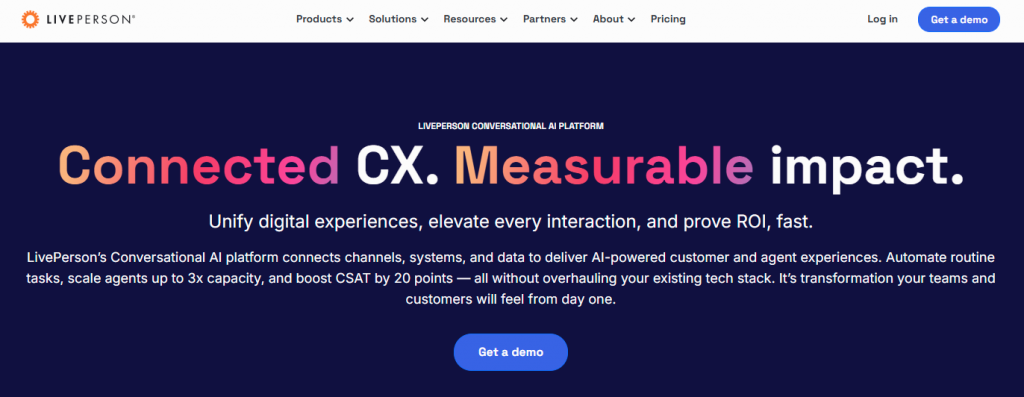
LivePerson is an enterprise focused conversational AI platform designed to support customer service at scale across digital messaging and voice channels. It is commonly used by large organizations managing high conversation volumes and complex support workflows.
The platform combines AI driven automation with real time agent assistance, helping teams route conversations intelligently, reduce handling time, and maintain consistent service quality across channels.
Support-Focused Feature
- Multi-Channel AI Support: Supports customer interactions across SMS, WhatsApp, web chat, and voice from a single platform.
- Real-Time Agent Assist: Provides agents with response suggestions, guidance, and context during live conversations to improve resolution speed.
- Smart Routing and Ticket Deflection: Routes conversations based on intent, priority, and customer context to reduce unnecessary escalations.
- Custom Workflows and Integrations: Allows teams to design tailored conversation flows and connect with internal systems and third party tools.
- Intent and Sentiment Analysis: Analyzes customer intent and sentiment in real time to improve routing decisions and agent awareness.
Pros
- Built for high volume support environments: Handles large scale customer interactions without performance degradation.
- Strong enterprise level infrastructure: Designed for reliability, security, and compliance in complex organizations.
- Effective AI and agent collaboration: Supports close coordination between automation and human agents during live conversations.
Best For
Large support operations with omnichannel needs
9. Ada CX
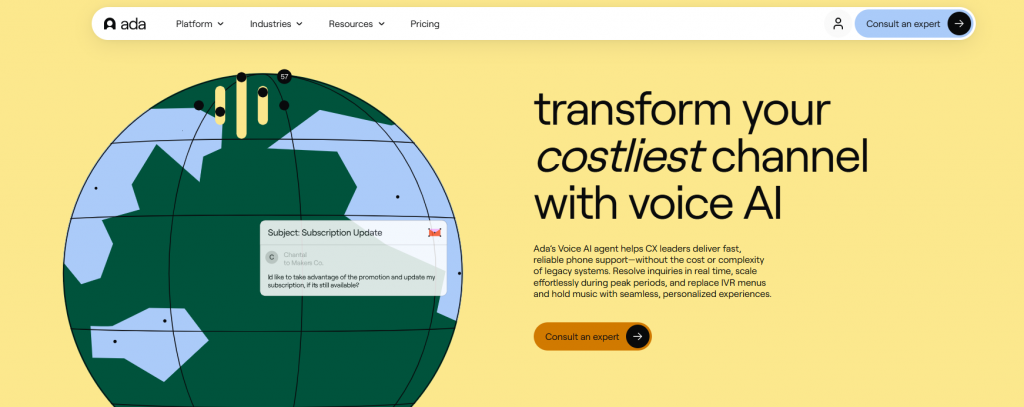
Ada CX is an automation focused customer support AI platform built to resolve high volumes of customer requests with minimal human involvement. It is commonly used by teams looking to scale support operations without adding headcount.
The platform allows teams to design AI driven conversation flows that handle common support scenarios such as FAQs, account questions, and order lookups. It integrates with existing support tools and CRMs to access customer data and complete actions when needed.
Support-Focused Features
- Visual No-Code Builder: Create and manage support flows using a visual interface without relying on engineering resources.
- CRM and Ticketing Integrations: Connects with support platforms and CRM systems to sync customer data and support activity.
- Intent-Based Automation and Personalization: Uses intent recognition and customer context to guide conversations and deliver relevant responses.
- Multilingual Conversation Support: Handles customer interactions in multiple languages to support global user bases.
- API Access for Custom Actions: Allows teams to trigger backend actions and extend automation beyond standard support flows.
Pros
- Designed for large scale automation: Handles high conversation volumes efficiently with minimal agent involvement.
- Strong fit for repetitive support use cases: Works well for predictable, high frequency support requests.
- Integrates cleanly with existing support stacks: Fits into established customer service environments without major workflow changes.
Best For
Enterprises that need to automate a large portion of customer support conversations while maintaining consistency and accuracy.
10. Kustomer IQ
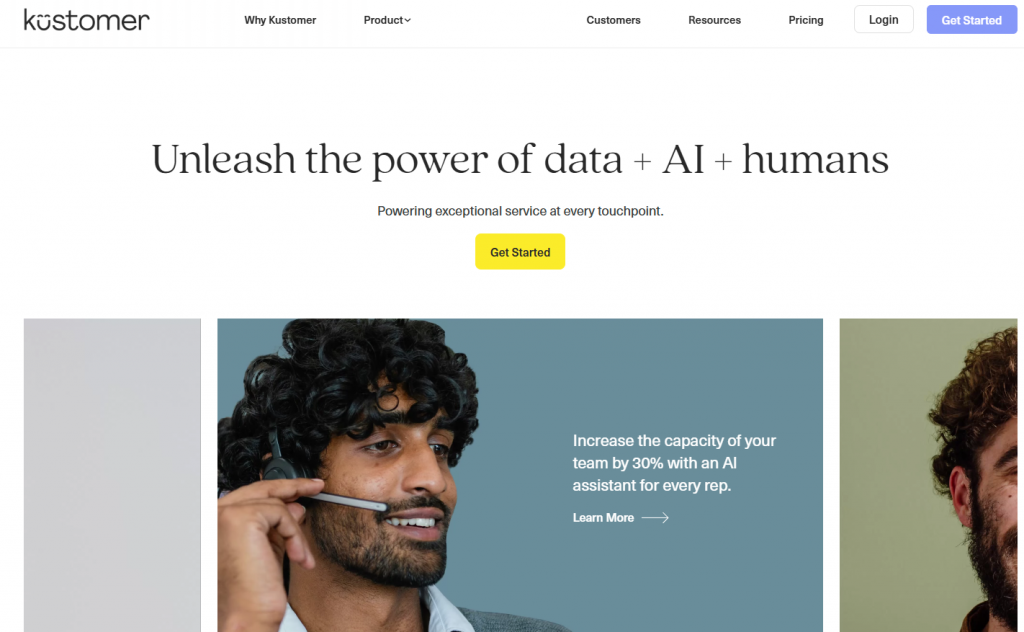
Kustomer IQ is an AI powered support assistant built directly into Kustomer’s CRM. It is designed to help support teams manage conversations, automate responses, and resolve issues using a unified customer timeline.
The platform uses AI to triage incoming requests, assist agents with responses, and automate routine interactions across channels. Every customer interaction is recorded in a single timeline, giving agents full context and helping reduce resolution time.
Support-Focused Features
- AI Driven Replies and Auto-Tagging: Generates reply suggestions and automatically tags conversations to improve routing and organization.
- Unified Customer Timeline: Maintains a complete history of customer interactions across channels in one view for better agent context.
- Agent Assist and Automated Responses: Supports agents with real time suggestions while handling basic responses automatically when appropriate.
- Channel Agnostic Automation: Runs AI driven conversation flows consistently across web, messaging, and other supported channels.
- Native CRM Integration: Built into Kustomer’s CRM so customer data and support activity stay fully connected.
Pros
- Strong integration between AI and CRM: Combines automation with a complete view of the customer to improve decision making.
- Reduces handling time for agents: Provides context and suggestions that help agents resolve issues faster.
- Consistent context across channels: Ensures conversations remain connected regardless of where customers reach out.
Best For
Support teams that require a unified view of customer history and want AI assistance embedded directly into their CRM.
Customer Support Chatbot Platform Comparison [2026]
A clear, side-by-side breakdown of the top chatbot platforms built for customer support compare features, automation strength, and real-world usability to choose what fits your team best.
| Platform | Best For | Supported Channels | No-Code Setup | AI Capability | Multi-Language |
|---|---|---|---|---|---|
| YourGPT | Multi-channel AI agent with workflow automation, live agent handoff, and built-in helpdesk features. | Website, WhatsApp, Instagram, Facebook, Slack, Telegram | ✅ | Advanced intent understanding and action-based AI flows | ✅ (100+) |
| Zendesk AI | Native AI automation for ticket deflection, agent assistance, and self-service inside Zendesk. | Website, Help Center, Messaging | ❌ | Ticket-level AI, macros, and reply suggestions | ✅ |
| Freshchat | Live chat and AI workflows for modern web, mobile, and messaging-based support. | Website, WhatsApp, Web App, Mobile App | ✅ | AI response bots with intent routing | ✅ |
| Intercom | Help center-driven AI support for SaaS teams with fast escalation to agents. | Website, In-App, Messenger | ❌ | AI answers trained on help documentation | ✅ |
| Tidio | AI and live chat support for eCommerce stores and small teams. | Website, Messenger, Instagram, Email | ✅ | Automated responses with basic behavior logic | ✅ |
| Zoho SalesIQ | Support automation tightly integrated with Zoho CRM and Zoho Desk. | Website, WhatsApp, Mobile, Zoho Apps | ✅ | Rule-based and NLP-driven conversation flows | ✅ |
| Drift | Real-time chat for routing and basic support in sales-driven SaaS teams. | Website, Slack, CRM | ❌ | Basic conversational routing logic | ❌ |
| LivePerson | Enterprise-grade AI for high-volume, omnichannel customer support. | SMS, WhatsApp, Voice, Website | ❌ | AI routing, agent assist, sentiment analysis | ✅ |
| Ada CX | Automation-first AI agent for handling repetitive, high-volume support requests. | Website, Messaging, WhatsApp, Mobile App | ✅ | Intent detection and personalized automation | ✅ |
| Kustomer IQ | CRM-native AI support with full customer context in a unified timeline. | Website, Email, Social, Mobile App | ❌ | Smart replies, tagging, and context-aware AI | ✅ |
Implementation Strategies for Maximum Impact
Choosing a customer support AI agent is only the first step. The results depend on how it is introduced into everyday support work. A rushed rollout often leads to low adoption and unclear outcomes. A thoughtful implementation, by contrast, improves response speed, reduces repeat questions, and gives support teams better control over their workload.
Below are practical strategies to help you implement a customer support AI agent in a way that delivers consistent, measurable value.
1. Start With High-Volume, Low-Complexity Requests
Begin with requests that consume a large portion of agent time but follow clear rules. Common examples include order status checks, password resets, return policies, and account lookups. Automating these areas produces quick wins by lowering wait times and freeing agents to focus on more complex cases.
2. Connect the Agent to Your Core Support Systems
An AI agent should not operate in isolation. Connect it to your CRM, helpdesk, and order or account systems early. Access to real-time data allows the agent to respond accurately and avoid generic answers that frustrate customers.
3. Design Flows Around User Intent
Keyword matching alone leads to rigid conversations. Use intent recognition to guide users through structured support paths such as initiating a return, checking delivery issues, or requesting account updates. Clear intent based flows reduce back and forth and help users reach resolution faster.
4. Define Clear Escalation Boundaries
AI agents work best when their limits are clearly defined. Decide in advance when a conversation should move to a human agent. This may include billing related questions, repeated misunderstandings, or signals of frustration. Ensure that the full conversation history is passed along so agents can continue without asking customers to repeat themselves.
5. Personalize Responses Using Available Context
Personalization improves both accuracy and trust. Use known details such as customer name, recent orders, account status, or previous support interactions to tailor responses. When the agent understands recent activity, it can skip unnecessary steps and address the issue directly.
6. Review Performance on a Regular Schedule
Implementation does not end after launch. Review conversation logs, unhandled requests, and escalation patterns on a weekly basis. These insights help you identify gaps, refine flows, and expand coverage over time.
7. Place the Agent Where Support Is Most Needed
Visibility matters. Deploy the AI agent on pages where customers commonly seek help, such as product pages, pricing pages, checkout flows, and account dashboards. Use behavioral triggers to offer assistance at appropriate moments rather than waiting for users to ask.
8. Involve the Support Team Early
An AI agent works best when support teams are involved in its evolution. Train agents to review escalated conversations, suggest improvements, and identify missing intents. Treat the agent as part of the support operation, not as a separate system.
When implemented with care, a customer support AI agent reduces repetitive work, improves response quality, and gives teams more time to focus on complex customer needs. The difference lies in deliberate setup and continuous improvement, not in the technology alone.
FAQ
What is a customer support AI agent? ▼
A customer support AI agent is an AI system that can handle conversations and complete support actions. It can answer questions using your knowledge base, pull customer data from your tools, and route cases to human agents with full context.
Does an AI agent replace support teams? ▼
In most teams, the AI agent reduces repetitive work and helps agents respond faster. Human agents still handle exceptions, policy decisions, escalations, and sensitive cases where judgment matters.
What can a customer support AI agent handle well? ▼
AI agents handle high-volume requests with clear rules such as order status, shipping updates, password resets, refund policies, appointment booking, and basic troubleshooting. The best agents can also collect details and create tickets when needed.
How do I know if my business needs a customer support AI agent? ▼
If your team answers the same questions every day, struggles to cover multiple channels, or wants faster first responses, an AI agent can help by handling routine requests and improving consistency across conversations.
Can a customer support AI agent connect with my CRM or helpdesk? ▼
Yes. Most platforms support integrations with CRMs, helpdesks, and order systems. This allows the agent to use real-time customer context, update tickets, and perform actions such as creating cases or triggering workflows.
What is the difference between a scripted bot and an AI agent? ▼
Scripted bots follow fixed decision trees and often fail when users ask questions in unexpected ways. AI agents interpret intent, use context, and can work with your data sources to respond more naturally and complete actions.
Can an AI agent personalize answers for each customer? ▼
Yes, when it has access to the right data. An AI agent can personalize responses using account details, recent orders, plan level, product usage, and past support history while respecting privacy and access rules.
What happens when the AI agent cannot resolve an issue? ▼
The agent escalates the conversation to a human. A good setup passes chat history, customer context, and a short summary so the support agent can continue without restarting the conversation.
How quickly can I launch a customer support AI agent? ▼
It depends on your use cases and integrations. Many teams start with help content and basic flows in a day, then add deeper integrations and actions over the next few weeks as they learn from real conversations.
How do I measure whether the AI agent is performing well? ▼
Track resolution rate, escalation rate, time to first response, repeat contact rate, and customer feedback. Reviewing failed intents and escalations helps you improve coverage and maintain accuracy over time.
Conclusion
Customer support AI agents only work when they are implemented for the right reasons. Teams that see results are not trying to automate everything. They are trying to remove friction from the most common support moments so customers get answers quickly and agents are not stuck repeating the same work all day.
A good AI agent earns trust in small ways. It answers routine questions correctly. It pulls the right order or account data without guessing. It knows when to stop and hand the conversation to a human with full context. These details matter far more than advanced features that never get used.
Before choosing a platform, it helps to be honest about your current support load. Identify the questions that appear every day, the systems agents check repeatedly, and the points where conversations slow down. The right AI agent should clearly improve those areas within weeks, not months. If it cannot do that, it will end up being ignored by both customers and agents.
For teams that want a practical, controllable approach, YourGPT is built around real support workflows. It focuses on automation that reduces effort, integrations that keep answers accurate, and human handoff that respects both the customer and the agent. That makes it easier to deliver better support now while staying flexible as volume, channels, and expectations continue to grow.
Simplify Support. Let YourGPT Handle the Heavy Lifting.
Free up your team, improve response times, and deliver consistent support—powered by AI, built for real results.
No credit card required · 7-day full access

Related posts