AI Agents for Small & Medium Businesses: A Strategic Playbook
Small and medium businesses are facing a structural shift.
Customers expect instant responses. Work happens across dozens of tools. Teams remain lean. Costs keep rising. Yet service quality is expected to match large enterprises.
For years, businesses depended on chatbots, helpdesks, and manual workflows. These systems offered limited relief, handling basic questions and ticket routing but little else.
AI agents mark a fundamental breakthrough.
Instead of just responding, they actually understand what the customer or your team is trying to achieve, think through the right steps, and then go do the work across your systems. The repetitive tasks are reduced, response times become much faster, and a small team can handle more work without needing to hire additional people.
This blog breaks down exactly how AI agents work, where they create the most value for SMBs, how to implement them safely, and how to avoid the mistakes that ruin ROI.
What Are AI Agents?
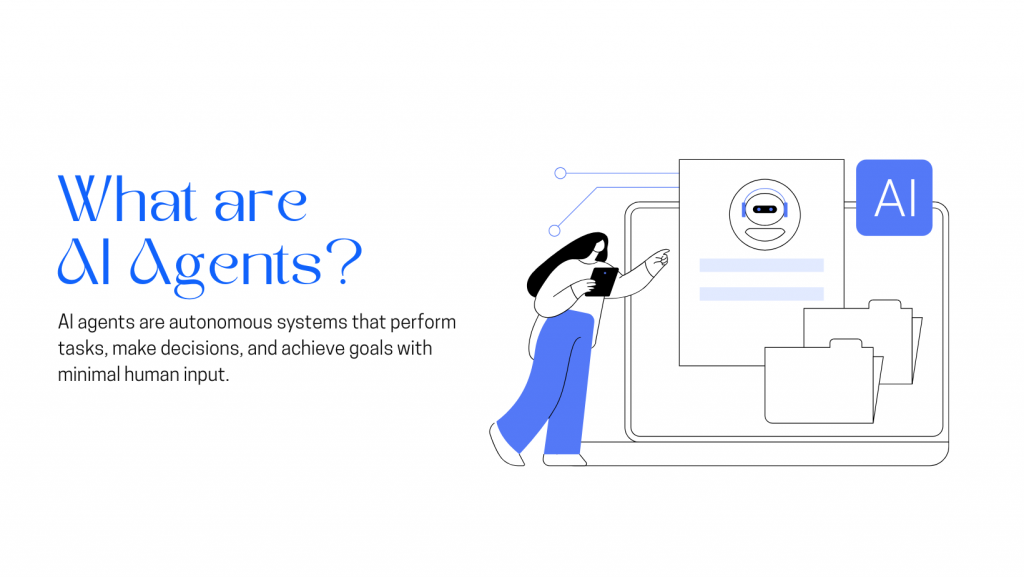
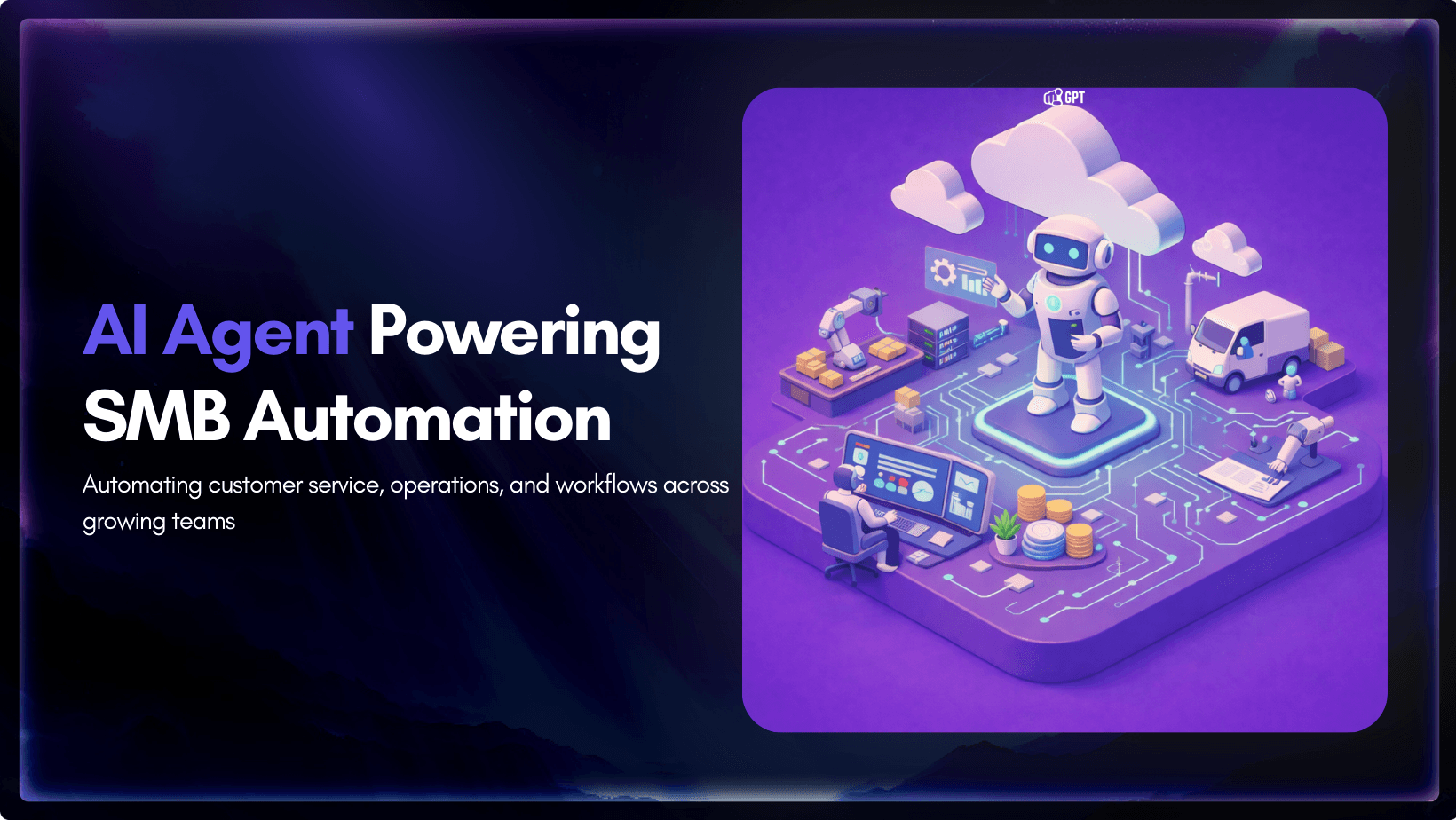
AI agents are autonomous software systems that understand goals, analyse information, reason through tasks, and take independent actions across connected tools and platforms to complete business processes with minimal human intervention.
Instead of only replying to messages, they continuously collect input, reason through the best response or action, and execute workflows in real time.
Many modern AI agents combine rule-based logic with data-driven intelligence and use techniques such as retrieval-augmented generation (RAG) to pull accurate, up-to-date information directly from your business knowledge base.
In 2026, AI agents have become a core layer of business automation, widely used across customer service, sales, marketing operations, research, and reporting.
Core Components of Modern AI Agents
Every effective AI agent is built on four connected layers that work together to turn conversations into completed business tasks. When any one of these layers is weak, automation becomes inaccurate, slow, or unreliable. Strong agents balance knowledge, reasoning, action, and control.
1. Knowledge Training Layer
This layer provides the agent with everything it needs to understand how your business actually operates. It acts as the single source of truth that guides responses, decisions, and workflow execution.
Instead of relying on generic internet knowledge, the agent is trained on:
• Company policies and procedures
• FAQs and customer support content
• Website and product information
• Internal workflows and documentation
When this layer is structured clearly and kept up to date, the agent delivers consistent, accurate answers and avoids costly mistakes. Most automation failures happen because the knowledge foundation is weak or outdated.
2. Context & Reasoning Engine
This is the intelligence layer that allows the agent to think through requests rather than follow rigid scripts. It determines what the user wants, what information is relevant, and which action should happen next.
Here, the agent:
• Interprets user intent across multi-turn conversations
• Considers real-time data and business conditions
• Weighs different possible actions
• Applies company rules and priorities
Instead of reacting blindly, it adapts to each situation, much like a trained employee deciding how to handle a request.
3. Workflow & Action Layer
This layer connects the agent to the tools your business already uses, turning decisions into real operational outcomes. Without it, an AI system remains just a conversation interface.
Through this layer, the agent can:
• Update CRM records automatically
• Schedule meetings and appointments
• Process orders or requests
• Trigger internal tasks and notifications
• Communicate with APIs and databases
This is what allows AI agents to complete tasks end-to-end rather than passing work back to humans.
4. Control & Human Handoff Layer
Automation only works when it remains safe, accountable, and easy to intervene in. This layer ensures the agent knows when to act independently and when to involve a person.
It typically includes:
• Escalation triggers for complex cases
• Approval requirements for sensitive actions
• Risk limits and permission boundaries
• Conversation history for human review
When uncertainty increases or policies require oversight, the agent smoothly hands control to a human without disrupting the customer experience.
5. Observation & Environment Interface Layer
This layer lets the agent see what is happening in your business in real time. It pulls live data from systems listens to events and triggers and gathers context from APIs and databases. Strong observation turns the agent from a simple responder into a system that understands the full picture before taking action.
The Six Operational Problems AI Agents Solve for SMBs
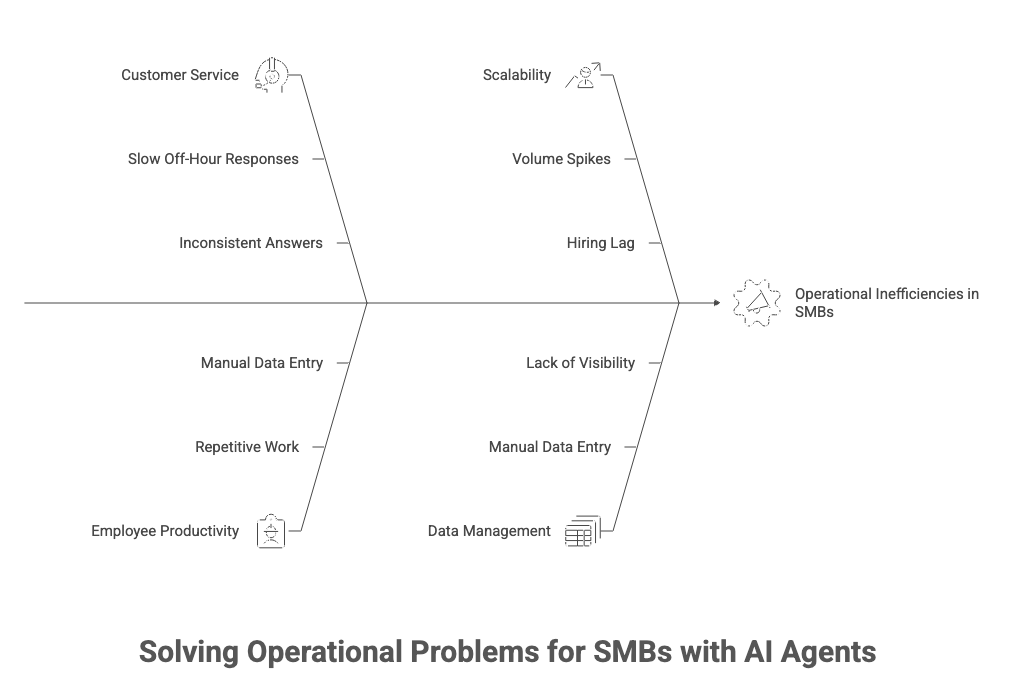
SMB operators do not need a technology pitch. They need specific problems fixed. These are the six that AI agents address most directly, and why each one costs more to ignore than to solve.
1. Slow responses during off hours
Customers do not time their needs around your business hours. They contact you Friday evening, Saturday morning, and on public holidays. A three person support team cannot staff those windows economically.
An AI agent runs continuously. First response time drops from hours to under 60 seconds. The difference between instant and tomorrow morning is where customers decide whether to stay or look elsewhere. Most do not announce their exit. They simply do not return.
2. Repetitive work
The McKinsey Global Institute estimates that 60 to 70 percent of time across support and administrative roles is spent on tasks that current technology can automate. For an SMB, that often means four to six hours per employee per day on work that requires no judgment.
Those hours could be redirected to sales conversations, complex problem solving, and relationship building. AI agents recover that capacity without increasing headcount.
3. Inconsistent answers
When five employees answer the same question five different ways, customers notice. Trust erodes gradually.
An AI agent draws from a single approved knowledge base across every channel. The response a customer receives on WhatsApp at 11 PM matches the one they would receive from your most experienced agent at 10 AM on Monday. Consistency supports retention.
4. Volume spikes
Seasonal demand, product launches, or a viral moment can double inbound volume within days. Hiring, onboarding, and training cannot move at that pace.
AI agents absorb spikes immediately. There is no recruitment lag and no productivity ramp. The incremental cost of handling additional volume is significantly lower than scaling with full time staff.
5. Manual data entry
Sales, support, finance, and operations often operate in separate tools. Staff copy information between systems, introducing errors and consuming hours that accumulate into dozens per month for a small team.
AI agents read and write directly across your CRM, ticketing system, and ecommerce platform. Data moves automatically. Errors decline. Time is reclaimed.
6. Lack of operational visibility
Many SMBs rely on intuition when making process decisions. That works until complexity increases.
AI driven workflows generate structured data such as response times, resolution rates, escalation triggers, and task completion by workflow. That visibility clarifies what to fix, where to invest, and where human attention is still essential.
The Business Benefits of AI Agents for SMBs
AI agents improve daily operations by removing friction from the work that slows teams down most. Instead of adding another system to manage, they streamline how customer requests, internal tasks, and workflows move across the business.
The impact shows up quickly in both efficiency and service quality.
1. Faster responses that keep customers engaged
AI agents handle common customer requests instantly, whether someone is checking an order, rescheduling an appointment, or asking a routine support question. Customers receive answers in seconds rather than waiting for a team member to become available.
This speed makes a noticeable difference in customer satisfaction, especially during evenings, weekends, and peak periods when small teams are often overwhelmed.
2. Less time spent on repetitive operational wor
Much of the daily workload in small businesses involves the same actions repeated again and again. Updating systems, replying to common questions, sending confirmations, and routing requests all consume time without adding strategic value.
By taking over these tasks, AI agents remove a large portion of manual work from daily operations. Teams spend less time reacting to routine requests and more time focusing on meaningful work.
3. More consistent and reliable customer service
Manual processes often lead to inconsistent responses. Different staff members may explain policies differently, miss details, or make errors under pressure.
AI agents follow approved knowledge and workflows every time, drawing directly from your knowledge base. This creates predictable service quality, fewer mistakes, and clearer communication across all customer interactions.
Over time, this consistency becomes one of the most effective customer retention strategies, as customers are far more likely to stay loyal to businesses that deliver reliable support.
4. Ability to support higher volume without increasing headcount
As customer demand grows, most SMBs feel immediate pressure to hire. Each new wave of inquiries means more staff hours and higher costs.
AI agents absorb much of this increased volume by handling routine requests automatically. Businesses can scale operations smoothly while keeping staffing levels stable and expenses under control.
5. Stronger focus on high value work
When repetitive tasks disappear, human teams are free to focus on areas that truly require judgment and expertise. This includes solving complex customer issues, building relationships, improving products, and closing sales.
Work becomes more strategic instead of constantly reactive.
6. Better visibility into everyday operations
AI-driven workflows naturally create structured data around customer behavior, task completion, and system performance.
This gives SMBs clearer insight into what slows teams down, where customers struggle, and which processes need improvement. Decisions become data-informed rather than based on guesswork.
7. A smoother experience across customer channels
Because AI agents operate across websites, messaging platforms, email, and internal systems, conversations stay connected no matter where customers reach out.
Information flows seamlessly between touchpoints. Customers do not have to repeat themselves, and requests move faster from start to finish.
Step-by-Step Guide to Build and Deploy an AI Agent with YourGPT
If you are exploring how to use AI agents to improve customer experience or automate repetitive workflows, YourGPT offers a simple, no-code way to get started. Here’s how businesses can go from idea to deployment in just a 4 simple steps.
Step 1: Sign Up or Log In
Create your account or login to start creating your AI agent.
Step 2: Upload and Train the AI Agent
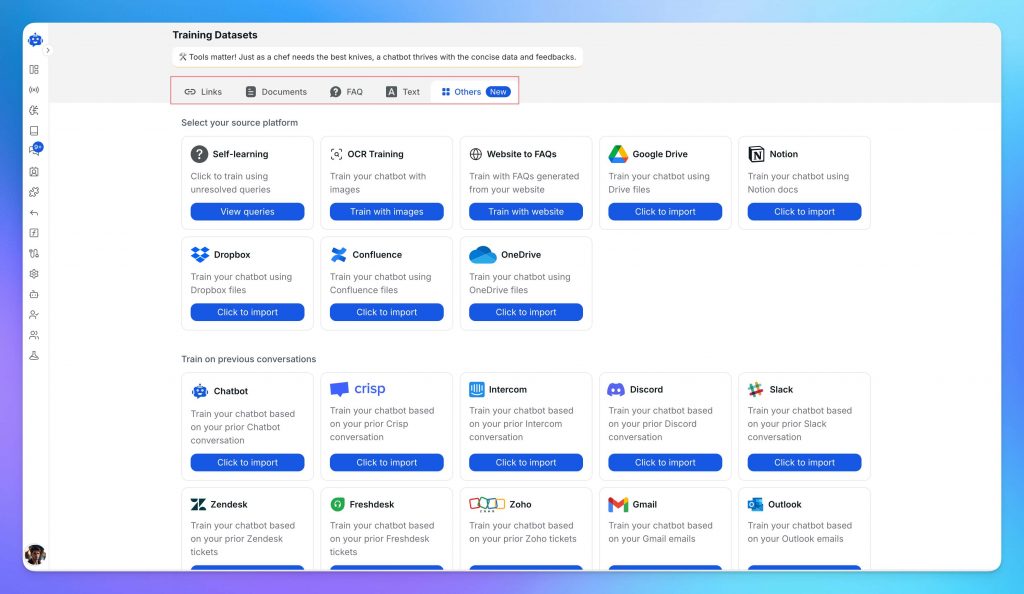
Once you’re in, start training your AI agent using your business-specific data. This can include:
- FAQs and support content
- Past customer conversations
- Product information, manuals, or documentation
- Internal SOPs or training material
- Content from platforms like Notion, Google Drive, or Dropbox
You can upload files in formats like PDF, DOCX, CSV, or connect cloud sources directly. The better the training data, the more accurate and useful your agent will be. Customise the AI agent persona based on your Needs
Step 3: Test and Refine the Agent
Test your AI agent, this helps you check the quality of responses and make adjustments before going live. You can:
- Review how the AI handles different questions
- Identify missing answers or incorrect behaviour
- Adjust tone and fallback logic
- Set up human escalation if needed
Even non-technical users can manage this easily.
Step 4: Deploy Your AI Agent
Once you’re satisfied with the performance, deploy the agent across your support channels. YourGPT supports integration with:
- Website live chat
- Messaging apps like WhatsApp, Instagram, Slack, and Facebook Messenger
- CRMs, e-commerce platforms, and helpdesk tools
Deployment is fast, with prebuilt connectors that require minimal setup.
If you want deeper control over how the chatbot behaves, visit the AI Studio or check this guide: How to Create an AI Chatbot with YourGPT
By following these steps, your business can quickly build and deploy an AI agent using YourGPT one that improves support quality, saves time, and fits into your existing workflows.
How to Choose the Right AI Agent Platform for Small & Medium Businesses
For most SMBs, growth depends on how smoothly work moves across teams and systems. Customer inquiries, sales conversations, scheduling, fulfillment, and follow-up all rely on coordination. AI agent platforms are increasingly used as an orchestration layer that connects those moving parts.
Selecting the right platform is less about finding the most advanced model and more about choosing software that fits your workflows, team structure, and stage of growth. A thoughtful evaluation process makes the difference.
1. Begin With a Defined Use Case
Start with a specific workflow that is already active in your business. Examples include:
- Inbound support triage
- Lead qualification and assignment
- Appointment scheduling
- Order updates or refund handling
Choosing a contained, repeatable process makes evaluation clear. You can observe how the platform performs under real conditions and determine whether it improves consistency and speed.
Clarity at this stage also helps internal alignment. Teams understand what is being tested and what success looks like.
2. Look for Workflow Ownership, Not Just Automation
An effective AI agent platform should allow business users to configure logic directly. Conditional routing, task sequencing, and integration triggers should be visible and understandable.
When operations managers can adjust workflows themselves, iteration becomes faster. Over time, this flexibility supports continuous improvement rather than one-time deployment.
During evaluation, build a realistic workflow with multiple steps. Make adjustments after publishing it. The experience of configuring and refining is as important as the initial setup.
3. Ensure Knowledge Is Grounded in Your Business
The value of an AI agent increases when it reflects your policies, tone, and internal documentation.
Upload FAQs, service policies, onboarding guides, or product documentation. Then test practical customer questions, including nuanced ones. The goal is alignment with your material and reliable referencing.
When the system consistently draws from your internal knowledge management system, it reinforces brand accuracy and reduces the need for manual correction.
4. Prioritize Systems That Can Take Action
True operational leverage comes from execution. In addition to generating responses, the platform should be able to interact with your core systems.
Examples include:
- Updating CRM records
- Assigning leads
- Scheduling meetings
- Initiating refunds
- Creating or tagging tickets
This level of integration transforms the agent from a conversational interface into a workflow participant. During your pilot, test at least one scenario that requires a completed task inside an external system.
5. Maintain Context Across Channels
Customers often interact across email, chat, and other communication channels. A unified context ensures continuity.
When evaluating a platform, move a conversation from one channel to another and observe how well the history, intent, and prior actions carry over. Smooth context preservation improves both customer experience and internal efficiency.
Over time, this continuity supports better analytics and more informed human intervention when needed.
6. Design Thoughtful Human Collaboration
AI agents work best when integrated with human teams. Structured escalation rules allow seamless collaboration.
Look for features such as:
- Configurable triggers for handoff
- Clear summaries for human review
- Transparent action logs
When human team members can quickly understand what has already occurred, they can focus on higher-value interactions rather than reconstruction.
7. Measure Operational Impact Clearly
Effective reporting connects activity to outcomes. During a pilot phase, track metrics such as:
- Resolution rate
- Average handling time
- Escalation frequency
- Task completion rates
Comparing these against your baseline helps quantify impact. Even incremental improvements compound over time, especially in high-volume workflows.
Ensure reporting can be exported or shared with leadership. Transparency supports informed scaling decisions.
8. Choose Pricing That Supports Growth
AI adoption in SMBs typically expands step by step. Start with one workflow, refine it, then extend to adjacent areas.
A pricing structure that accommodates gradual growth enables experimentation and measured expansion. Review usage tiers, integration limits, and projected cost at higher volumes so scaling remains predictable.
9. A Structured Way to Decide
Select two or three platforms and apply the same pilot workflow to each. Keep the test period defined. Document results objectively.
At the end of the evaluation, you should have clear answers to three questions:
- Does the platform execute reliably within our existing systems?
- Can our team manage and refine workflows internally?
- Are improvements measurable and sustainable?
When those answers are affirmative, you are not just adopting AI. You are strengthening operational infrastructure in a way that supports steady, long-term growth.
AI Agent ROI Calculator for SMBs
This practical framework helps estimate impact using everyday business numbers rather than assumptions.
AI only has value if it gives you time back and lowers your operating costs. The simplest way to evaluate that is to put real numbers on a few key workflows and see what actually changes.
Use this simple framework to calculate AI ROI value using inputs.
Step 1: Customer Support Time Savings
Start with repetitive customer support work: FAQs, order updates, appointment scheduling, basic service requests.
= (Automated requests / month) × (Avg handling time in minutes ÷ 60) × (Hourly staff cost)
Example:
900 requests × (5 ÷ 60) hours × $18/hour
= 900 × 0.0833 × 18
= $1,350 saved per month
That is 75 hours back each month from one category alone.
Step 2: Sales Productivity Gains
Look at tasks that eat time but do not require a salesperson’s judgment: lead qualification, follow ups, meeting booking, CRM updates.
= (Time saved per task in minutes ÷ 60) × (Tasks / month) × (Hourly sales cost)
If you want to estimate revenue lift, keep it separate: faster response and consistent follow ups can increase conversions, but that should be measured after rollout rather than guessed upfront.
Step 3: Operations Efficiency
Pick internal workflows people complain about because they are slow and manual: routing requests, generating reports, handling documents, answering internal questions.
= (Automated tasks / month) × (Minutes saved per task ÷ 60) × (Hourly employee cost)
Operations ROI tends to stack across teams because the same workflow touches multiple departments.
Step 4: Marketing Time Recovered
Marketing does not need automation everywhere. It helps most on routine output: drafts, variations, updates, summaries, repurposing.
= (Hours saved per week) × 4
Then multiply by hourly cost if you want the dollar value.
Step 5: Your Monthly ROI Snapshot
Add up savings across support, sales, ops, and marketing, then compare it to the platform cost.
= (Support savings + Sales savings + Ops savings + Marketing savings) − (Platform cost)
Start with one high volume workflow first. Get a clean win. Then expand. That is how SMBs avoid spreading effort across ten half finished automations.
1. Can small businesses really use AI agents, or are they mainly for large companies? ▼
Yes, small businesses are actually one of the biggest beneficiaries of AI agents right now. They’re perfect for automating customer inquiries, appointment booking, sales follow-ups, and all those repetitive internal tasks that eat up your day. The biggest win? You get to cut down on manual work without needing to hire extra help, freeing up your small team to focus on what truly grows your business.
2. What kinds of tasks do AI agents handle daily? ▼
AI agents take care of a ton of daily operations—like instantly answering frequently asked questions, tracking orders for customers, scheduling meetings, routing support tickets to the right person, keeping your CRM updated, and handling team requests. More advanced agents can even run entire multi-step processes automatically across your tools, like confirming a booking and updating your inventory in one seamless flow. That means far less manual coordination and fewer errors for you and your team.
3. Are AI agents just advanced chatbots? ▼
No, they’re much more capable than that. Basic chatbots mostly just reply to questions. AI agents go way beyond by actually *doing* work—they can update your systems, trigger workflows, schedule things, and move customer requests through your entire process automatically. Think of them as smart digital teammates rather than simple chat interfaces.
4. How long does it take to set up an AI agent? ▼
It depends on the complexity. Straightforward automations like FAQ responses or appointment scheduling can often be live in just a few days once your information is ready. More involved workflows that connect multiple tools take additional time for testing and refinement. The majority of the effort is usually in mapping out your existing processes clearly, which pays off hugely in the long run.
5. Do AI agents integrate with CRMs and e-commerce platforms? ▼
Yes—they integrate beautifully with most popular tools. Modern AI agent platforms connect with CRMs, e-commerce platforms, helpdesks, and more through secure APIs. This means your agent can access real-time data and update records directly in the systems you already use, eliminating manual data entry and keeping everything consistent.
6. Is customer data safe with AI agents? ▼
This is such an important question. The short answer is yes, when you choose the right platform and configure it properly. Look for strong access controls, approval workflows, detailed audit logs, and secure integrations. Reputable platforms treat your customer data with the same level of protection as your other business tools.
7. How much money can a small business save? ▼
Many small businesses save significant time and money, especially on high-volume support and admin tasks. The actual amount depends on how many repetitive processes you automate. A practical way to estimate your savings is to track how long your team currently spends on these tasks and multiply by their hourly rate—you’ll often be surprised by how quickly it adds up.
8. Will AI agents replace customer service or sales staff? ▼
No, that’s one of the biggest misconceptions. AI agents are designed to support your team, not replace them. They handle the repetitive, time-draining work so your customer service and sales staff can focus on solving complex problems, building meaningful relationships, and driving real business growth. Most teams end up more productive and less burned out.
9. What is the best first use case for AI automation? ▼
Start with any high-volume, repetitive task that’s currently consuming too much of your team’s time—things like answering the same customer questions, providing order status updates, or managing appointment bookings. These deliver fast, measurable results and give you confidence to automate more complex processes later.
10. How do you know if an AI agent platform is right for your business? ▼
You’ll know it’s the right fit when it actually solves real problems without creating new ones. Look for a platform that trains on your own knowledge base, performs genuine actions (not just chatting), integrates with your existing tools, tracks performance clearly, and—most importantly—delivers noticeable time savings while remaining easy to manage.
Conclusion
Small and medium businesses are under constant pressure to do more with less. Rising operational costs, increasing customer expectations, and growing digital complexity make manual processes harder to sustain over time.
AI agents offer a structured way to reduce that pressure. By automating repetitive tasks, connecting core business systems, and improving response speed, they help teams recover time, improve service consistency, and operate more efficiently. The real advantage comes when businesses measure results through time saved and operational ROI rather than adopting automation blindly.
The smartest approach is to begin with high-volume workflows, calculate the potential return, and expand gradually once impact is clear. This reduces risk and ensures automation aligns with real business priorities.
Choosing a platform built for small and medium businesses matters just as much as the strategy itself. YourGPT is designed to let teams train agents on their own knowledge base, automate customer support, sales and internal workflows, and deploy across multiple customer channels without heavy technical setup.
For SMBs focused on sustainable growth, stronger customer service, and better use of team capacity, AI agents represent a practical operational improvement grounded in measurable outcomes rather than hype.
AI Agents That Execute Real Work — Not Just Chat
Train YourGPT on your business knowledge, policies, and documents. Deploy intelligent AI agents that understand goals, reason through tasks, and complete full workflows across your systems — all in one platform.
No credit card required • 7-day trial • Setup in minutes

Related posts